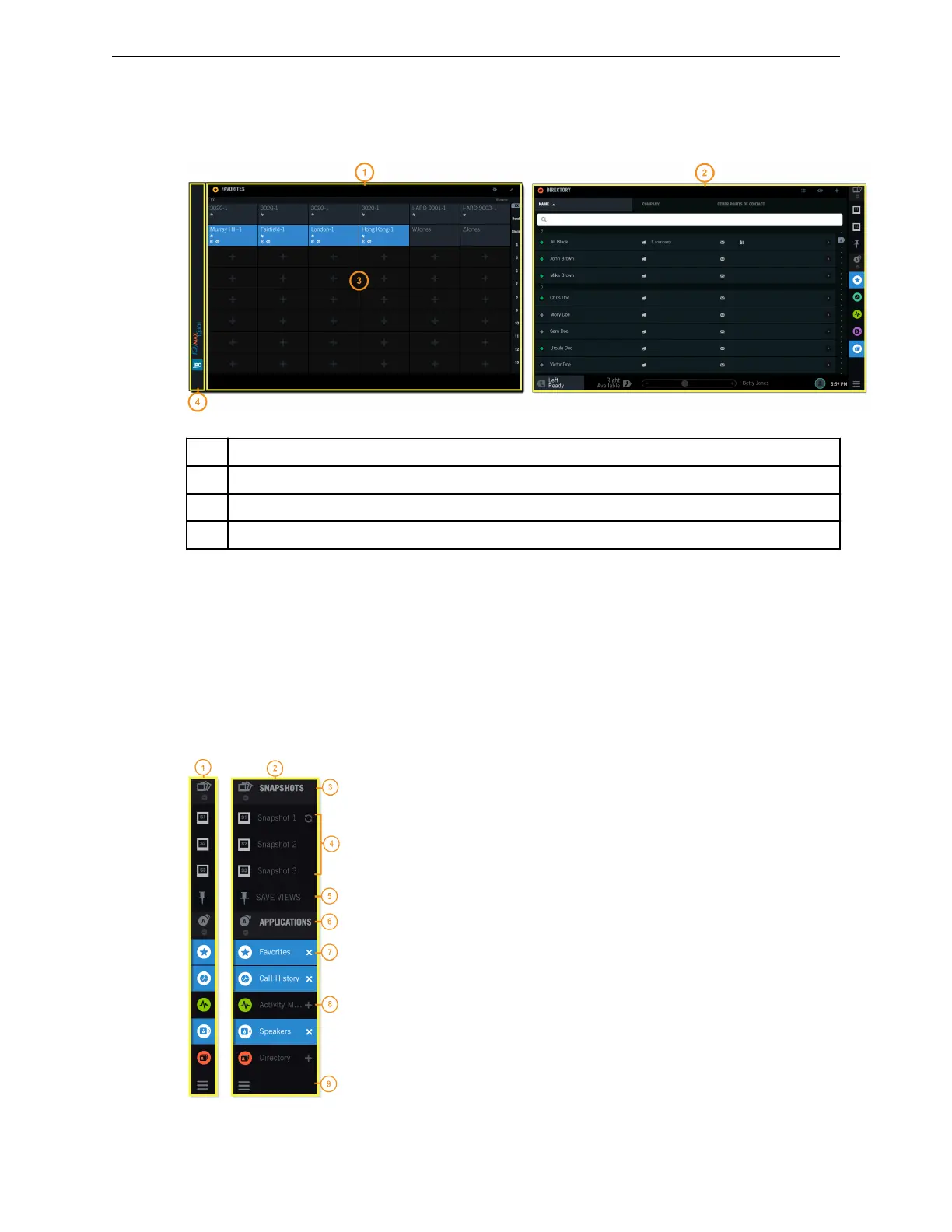
Figure 5: Primary Module with Expansion Module
1 Expansion Module screen
2 Primary Module screen
3 Application area on the Expansion Module
4 Branding area on the Expansion Module
2.2 Navigation bar area
The Navigation Bar or Navbar appears on the right-hand side of the Primary Module touch screen, and
provides access to applications and snapshots. The Navbar is always visible when you are logged in.
The Navbar displays the Snapshots group, the Applications group, and the Navbar handle which can be
used to expand or collapse the Navbar. In collapsed view, only icons are visible on the Navbar. In
expanded view, names (labels) and icons are visible. When expanded, the Navbar overlaps the
Application area and part of the Footer.
Figure 6: Navbar
22 2.2: Navigation bar area
August 26, 2019 IPC Proprietary



 To Next Page