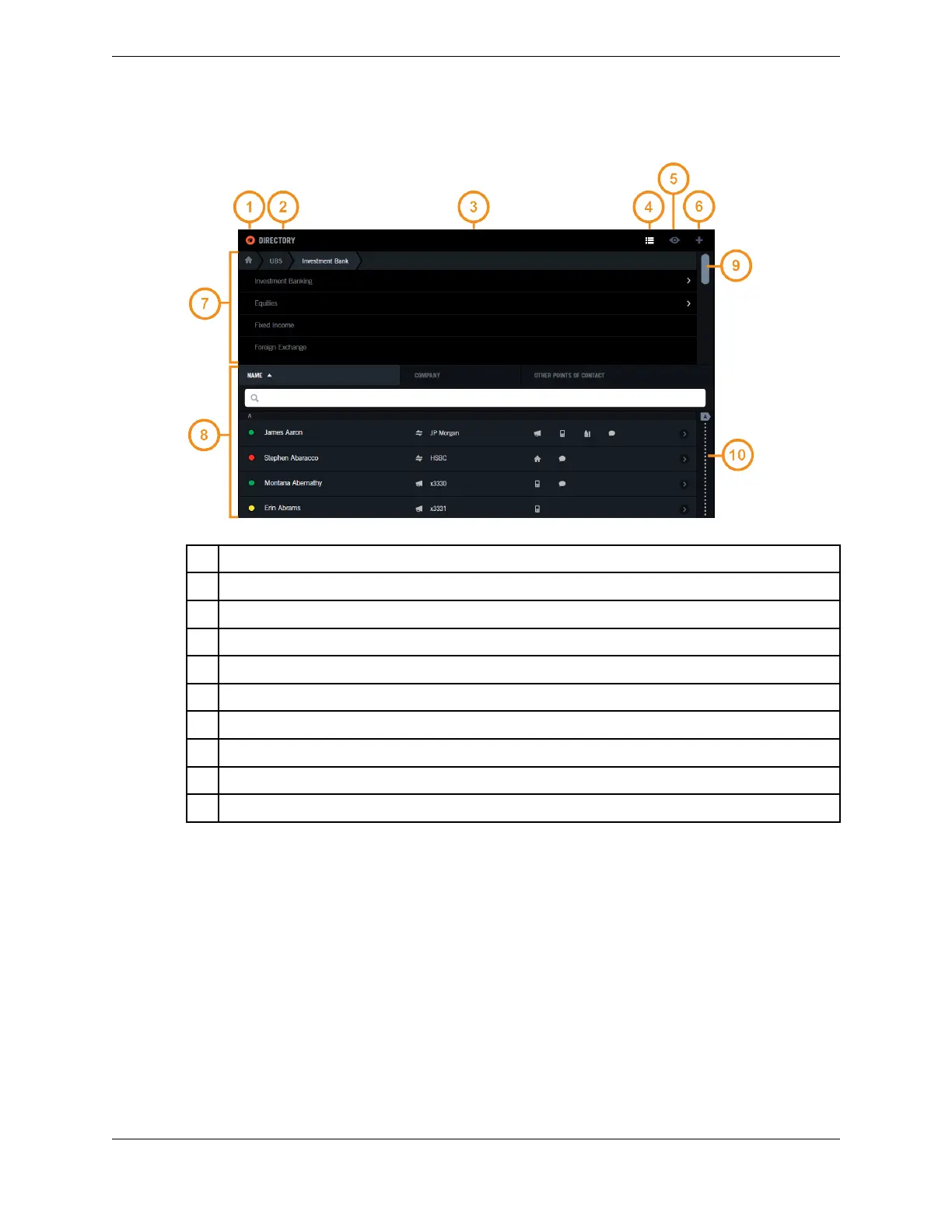
Figure 7: Application area (Directory)
1 Application icon
2 Application name
3 Header bar – contains the application icon, application name, and other icons
4 Browse icon (also called List icon) – navigate the content
5 Filter icon (also called View icon) – view a subset of the content
6 Add icon – access Add functionality
7 Open drawer – content that is displayed by activating an icon, in this case the Browse icon
8 Application content
9 Scrollbar – navigate the list
10 Scrubber (also called indexed scrollbar) – access a point in the list
2.3.1 Views of applications
On a Primary Module, the screen can contain no open applications, one application (full size or full
screen), two applications (half size or half screen), or three applications (third size or third screen) as
shown in the following figure.
24 2.3: Application area
August 26, 2019 IPC Proprietary



 To Next Page