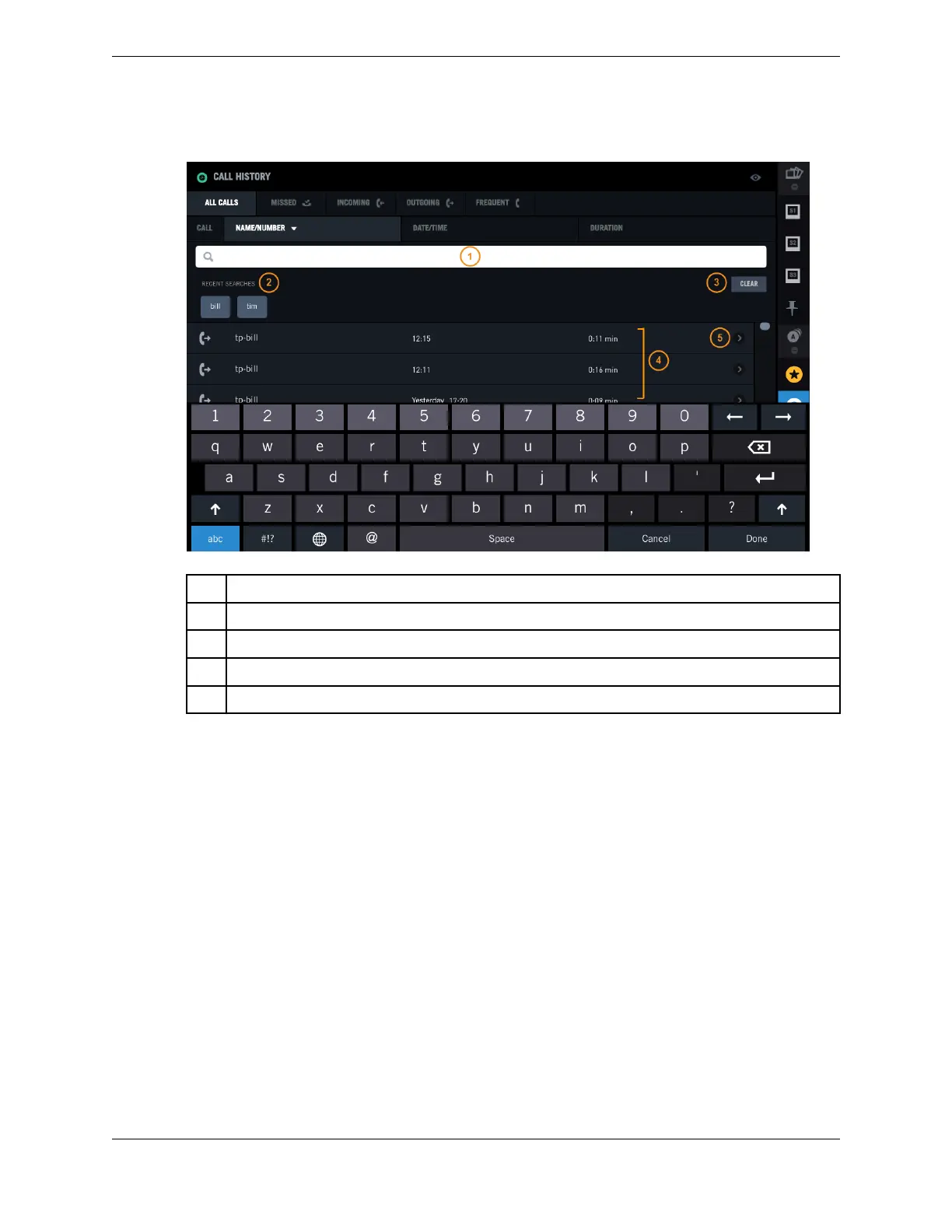
Figure 45: Search Call History – Recent Searches
1 Search field
2 Recent Searches
3 Clear button
4 Search results list
5 Call detail button
5.2 Browse Call History
You can browse Call History data to find a call event.
1. Tap the Call History icon in the Navbar.
The Call History application is displayed showing data for all calls. For an illustration, see Call
History on page 69.
2. Swipe to scroll through the list of all calls as needed.
3. Tap a call category tab to browse calls by category:
•
All calls
•
Missed – calls that ring but are not answered
•
Incoming – inbound calls that are answered
•
Outgoing – outbound calls
•
Frequent – up to 25 of the most recently used contacts from Directory
4. Tap a field in the Call History list header to sort calls by that field:
•
Name/Number
•
Date/Time
5.2: Browse Call History 73
IPC Proprietary Unigy 4.3
IQ/MAX TOUCH Turret User Guide



 To Next Page