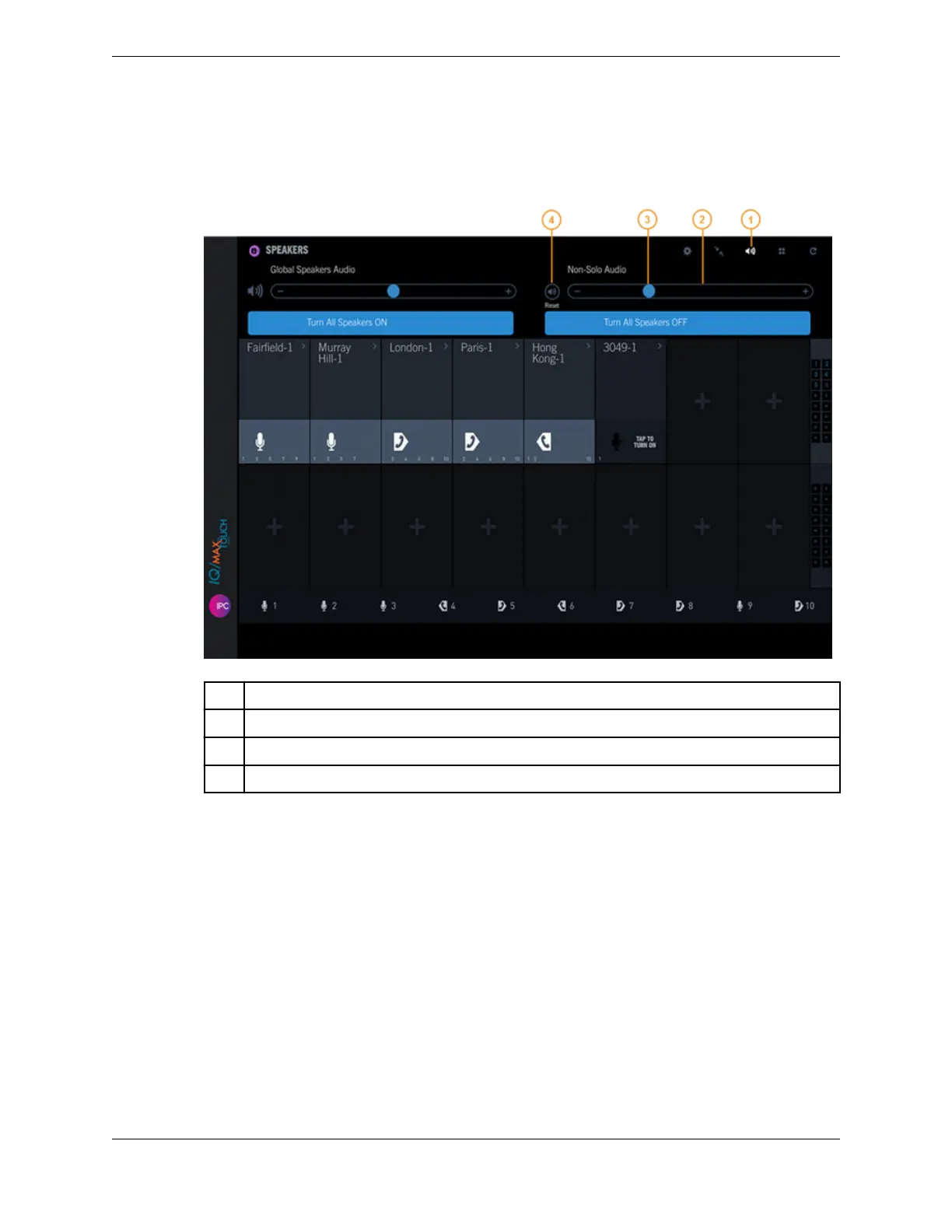
Figure 61: Speakers - Non-Solo Audio volume
1 Global speakers audio icon
2 Non-Solo Audio volume slider
3 Current volume indicator
4 Reset button
3. To turn off speaker solo mode, do one of the following:
•
Tap the Speaker solo icon of the enabled speaker channel.
•
Increase or decrease the volume on a different speaker channel.
•
Enable speaker solo mode on a different speaker channel.
You can mute the channel while it is in speaker solo mode. For information, see Speaker solo mode on
page 137.
10.4.10 Spatial audio
Spatial audio provides a virtual audio experience for IQ/MAX TOUCH end users that makes it easier to
determine who is speaking on a speaker channel when multiple parties are speaking.
This feature, introduced in Unigy v4.0, enables you to specify where the voice from individual parties is
presented. For each speaker channel, you can assign one of the following spatial positions:
10.4: Use the Speakers application 139
IPC Proprietary Unigy 4.3
IQ/MAX TOUCH Turret User Guide



 To Next Page