•
Enable solo mode on a muted channel: the same behavior as above for Press Mute on a speaker
channel that is in solo mode.
•
Enable solo mode on an unmuted channel when there is an active channel muted: the same behavior
as above for Press Mute on a speaker channel that is in non-solo mode.
10.4.9.1 Use speaker solo mode
Use speaker solo mode.
For background information, see Speaker solo mode on page 137.
1. To turn on speaker solo mode:
a) Select an active speaker channel.
b) Tap the Speaker solo icon.
See Speakers on a hard turret on page 128 for an illustration.
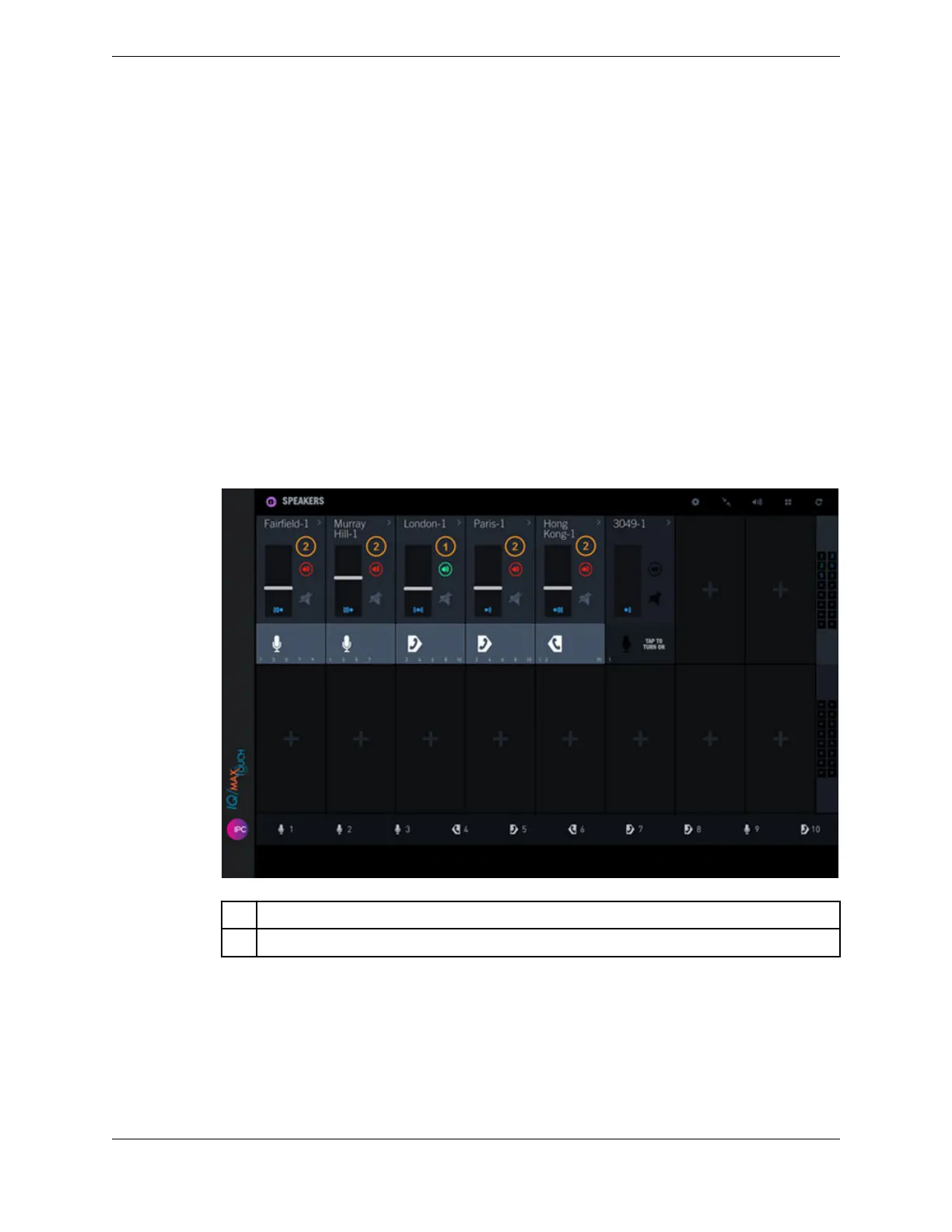
The Speaker solo icon for that channel turns green to indicate that speaker solo mode is enabled;
the Speaker solo icon for the other active channels turns red.
Figure 60: Speaker solo mode
1 Speaker channel in speaker solo mode (green speaker solo mode icon)
2 Other active speaker channels, volume decreased (red speaker solo mode icon)
2. To adjust the volume of the non-solo speaker channels, tap the Global speakers audio icon then
slide the Non-Solo Audio slider to the left or right to decrease or increase the volume.
This sets the same volume for all of the non-solo speaker channels to help accentuate the solo mode
channel. The available range is 0 to 90, where 0 is no volume and 90 is 90% of the volume set for the
speaker channel in solo mode. To reset the volume to the default value, tap the Reset button.
138 10.4: Use the Speakers application
August 26, 2019 IPC Proprietary



 To Next Page