2.6 Master volume
The master volume controls the general volume of speaker channels in the Speakers application as well
as calls that are in hands-free mode (HFM).
Swipe the master volume bar (slider) left or right to adjust the volume. Swipe left to decrease the
volume, and swipe right to increase the volume.
Changes persist through device logout and reboot.
For an illustration of the master volume bar, see Footer area on page 29.
2.7 Soft keyboard
The soft keyboard or virtual keyboard allows you to enter text and other characters on the touch screen.
The soft keyboard appears on the lower part of the screen whenever text entry is required; for example,
when you tap a search field.
The soft keyboard supports alphanumeric characters, modifier keys (Shift, Return), navigation keys,
special characters, and the internationalization switch key (globe icon).
Tap Done on the soft keyboard to dismiss the keyboard when it is no longer needed. When more than
one application is open on a module, you can also tap outside of the original application that invoked the
keyboard to dismiss the keyboard.
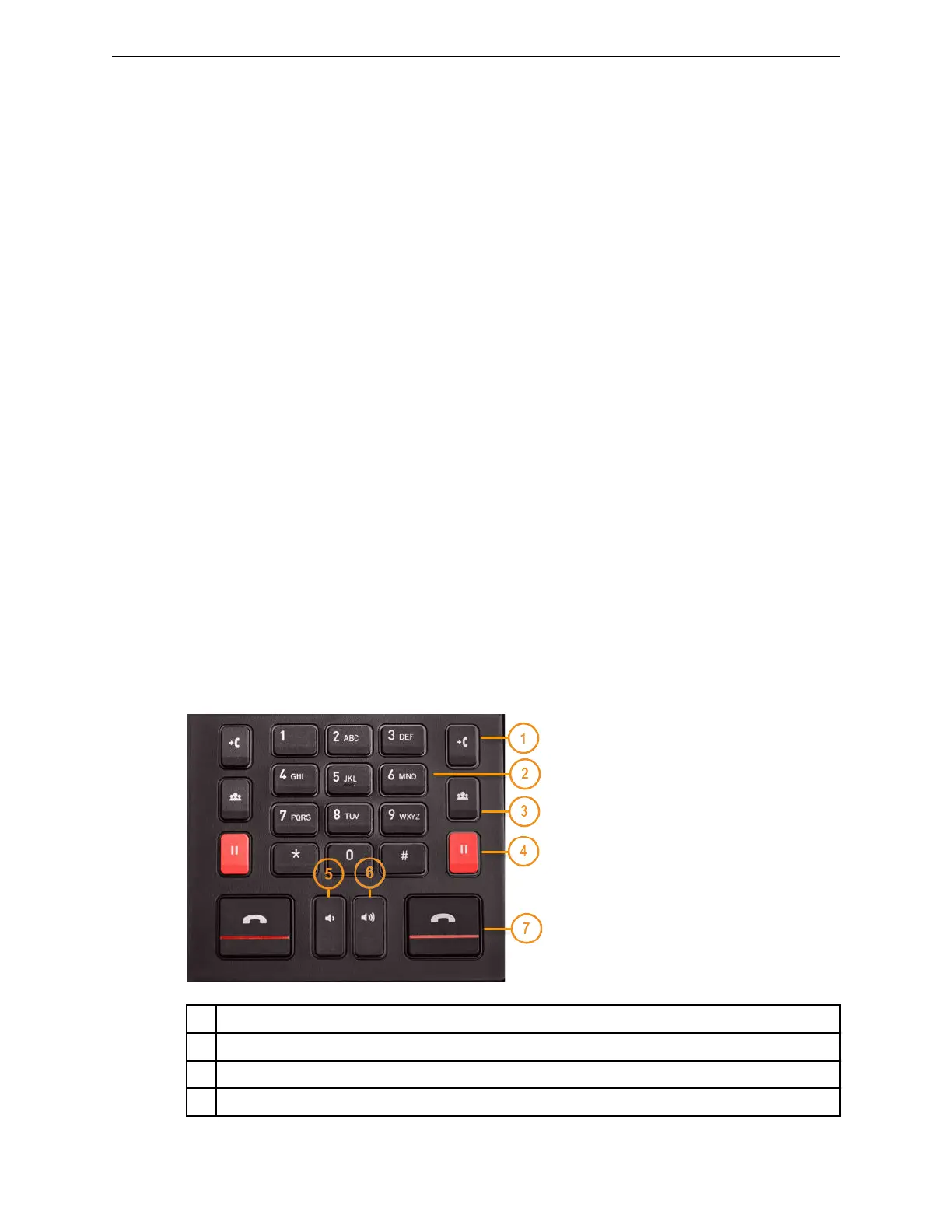
2.8 Dial pad
The dial pad is located on the Primary Module. Use the dial pad to dial digits, initiate a call, transfer a
call, initiate a conference, place a call on hold, release a call, and adjust volume.
There are two identical sets of buttons for left and right handset controls as shown in the following
figure.
Figure 23: Dial pad
1 Transfer
2 Keypad
3 Conference
4 Hold
2.6: Master volume 35
IPC Proprietary Unigy 4.3
IQ/MAX TOUCH Turret User Guide



 To Next Page