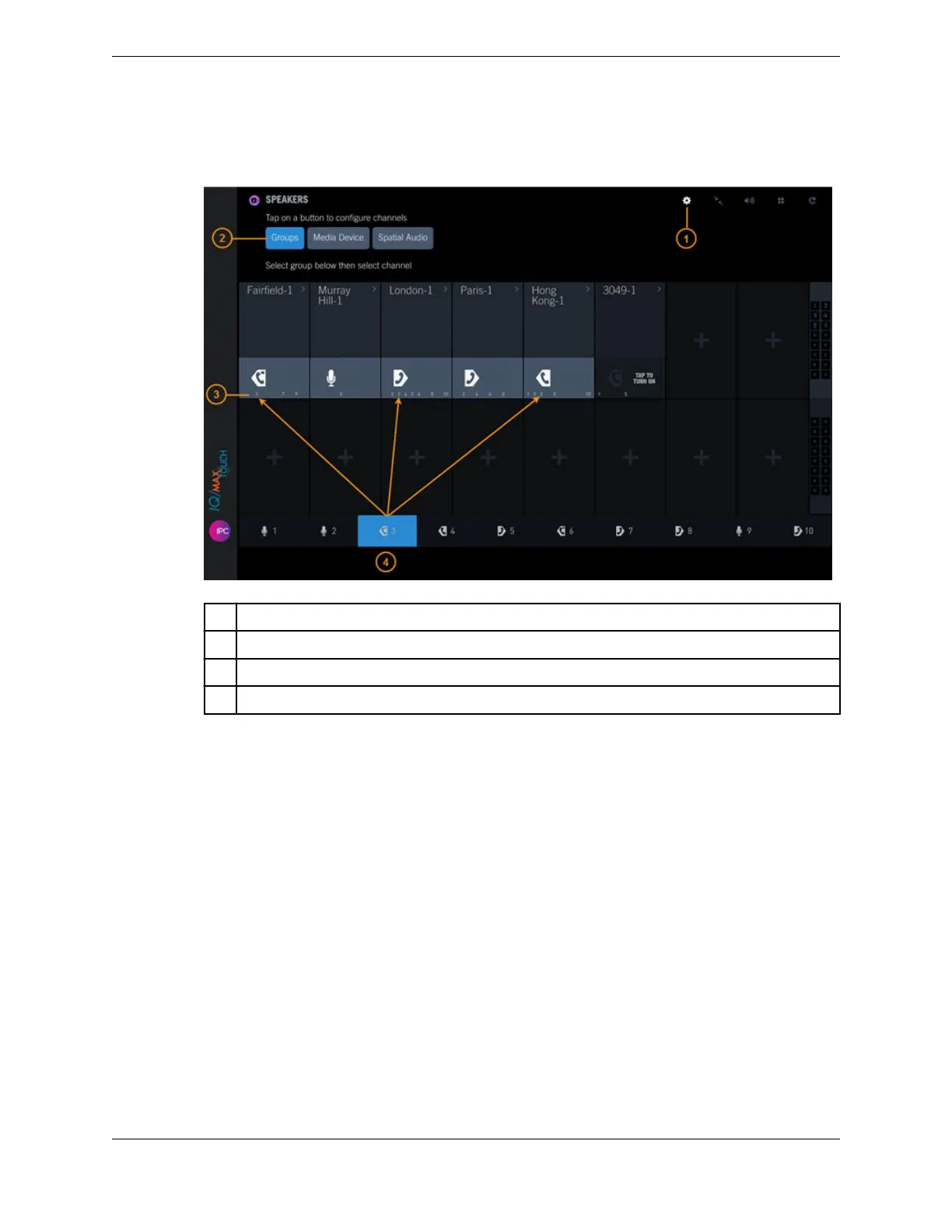
1. Tap the Batch Settings Mode icon.
Figure 66: Speakers: Groups
1 Batch Settings Mode icon
2 Groups button
3 Groups the speaker channel is assigned to
4 Currently selected speaker group
2. Tap the Groups button.
3. At the bottom of the screen, tap the speaker group to which you are assigning the speaker channels.
4. Tap one or more speaker channels to add them to the group.
The speaker group number is displayed within the speaker channel.
5. Tap the Batch Settings Mode icon to leave edit mode.
For information on setting the latch behavior for the speaker groups, refer to Set the latch type for
speaker groups on page 149.
10.5.2 Remove a speaker channel from a speaker group
You can remove a speaker channel from a speaker group.
1. Tap the Batch Settings Mode icon.
148 10.5: Speaker groups
August 26, 2019 IPC Proprietary



 To Next Page