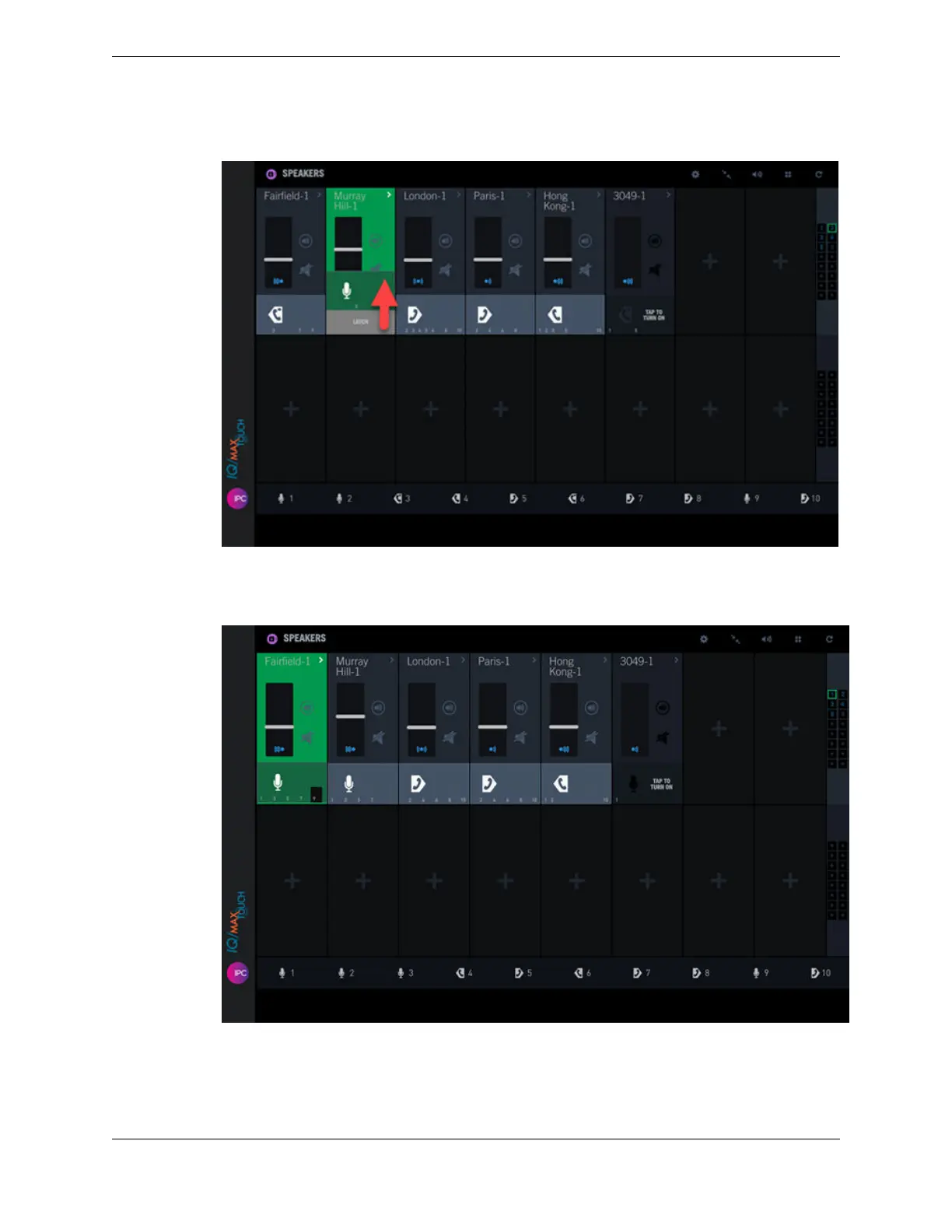
Figure 55: Latch a speaker channel (swipe up)
When the channel is latched, the channel color is green and a black tab is displayed in the lower
right corner of the channel.
Figure 56: Speaker channel is latched
Your voice transmission begins.
3. To stop speaking on a channel:
•
If your speaker channel is set to Push-to-Talk, release the Push-to-Talk button.
10.4: Use the Speakers application 133
IPC Proprietary Unigy 4.3
IQ/MAX TOUCH Turret User Guide



 To Next Page