1.
Within the Speakers application, tap the Batch Settings Mode icon ( ).
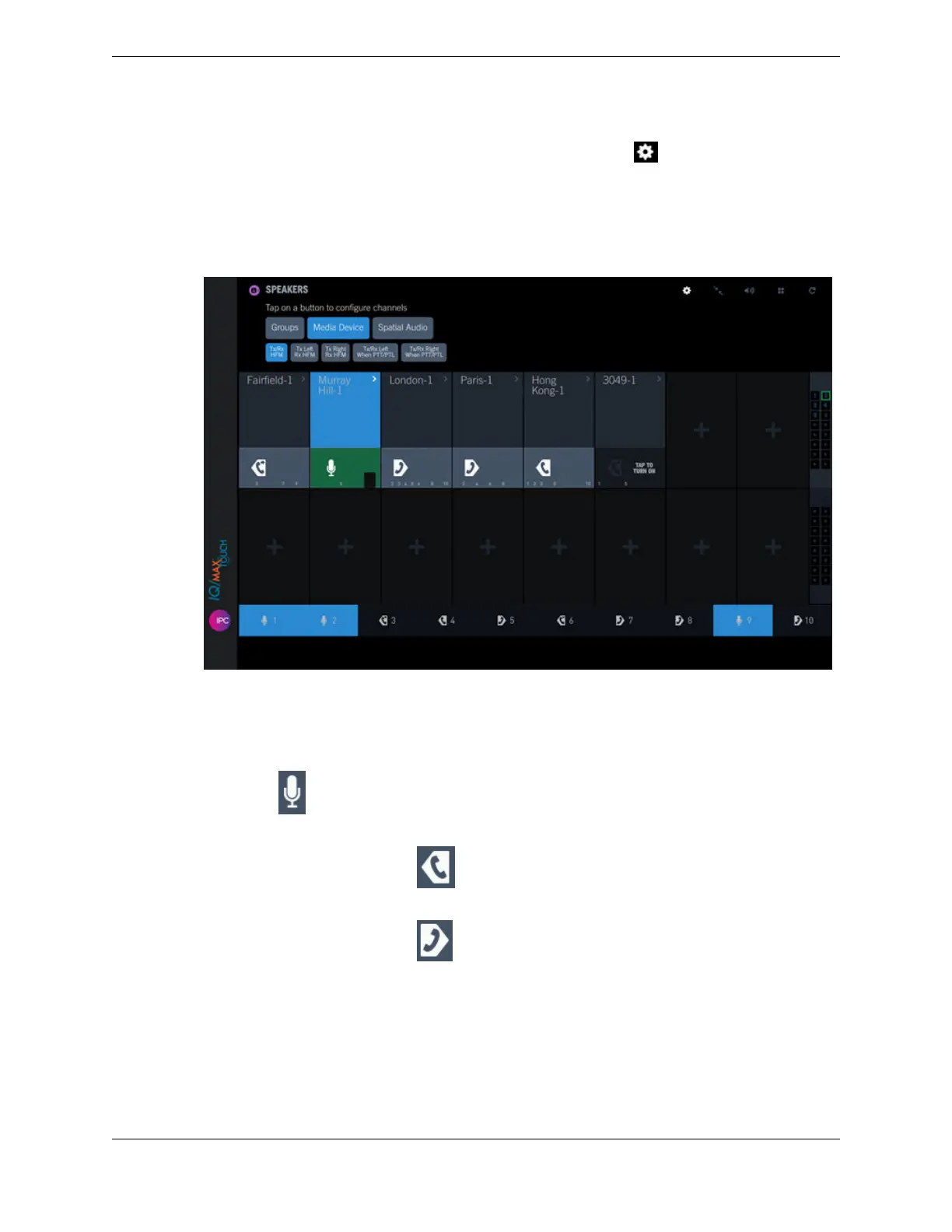
The batch setting mode options are displayed at the top left in the Speakers application.
2. Tap Media Device.
All speaker channels and groups assigned to the currently selected media device are highlighted with
a blue background as shown in the following figure:
Figure 64: Speaker Media Device - Tx/Rx HFM setting
3. To view which speaker channels and groups are configured for a media device, tap the media device
button.
The following devices are available:
•
Tx/Rx HFM: Transmits audio through the turret microphone, receives audio through a turret
speaker ( ).
•
Tx Left Rx HFM: Transmits audio through the left handset or a headset microphone, receives
audio through a turret speaker ( ).
•
Tx Right Rx HFM: Transmits audio through the right handset or a headset microphone, receives
audio through a turret speaker ( ).
10.4: Use the Speakers application 143
IPC Proprietary Unigy 4.3
IQ/MAX TOUCH Turret User Guide



 To Next Page