•
Use an entry in Directory, as described in Initiate a call from contacts on page 85.
•
Use an entry in Call History, as described in Initiate a call from Call History on page 75 .
On turrets, intercom calls can be placed or received using hands-free mode (HFM) or a handset. By
default, intercom calls are hands-free and use the non-default handset side (typically the right side),
provided the non-default handset side is free.
Group calls can be made using the intercom. See Intercom group calls on page 95.
8.3.1.1 Make an intercom call using the ICM button on the Contextual Call Display
If an intercom call is currently active, it is released when you initiate a new ICM call.
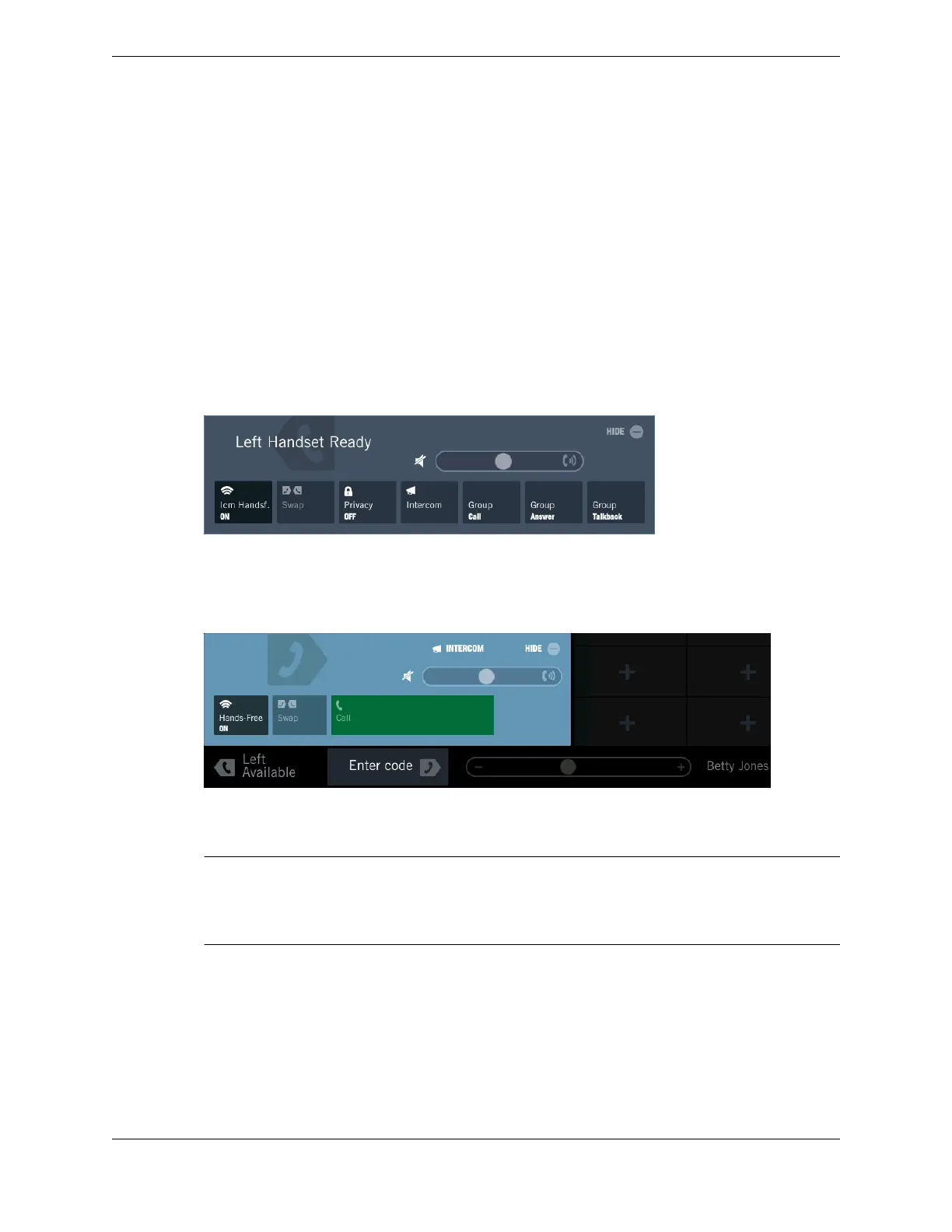
1. Select an idle handset side.
The Contextual Call Display opens and shows controls for the call.
2. Tap the Intercom button.
The message Enter code prompts you to enter an extension number.
3. Enter the extension number.
Note
If the extension number is shorter than the required number of digits, pad the extension number with
leading zeros. If you do not pad the extension number, after dialing the extension, tap Call in the
Contextual Call Display.
•
If the dialed extension is valid and the remote user has auto-answer intercom enabled, the call is
answered automatically.
•
If auto-answer intercom is not enabled on the distant end or the user is busy, the call pends on a
floating button.
•
If the dialed extension is invalid, the remote user is not logged in, or the remote turret is locked,
the message area on the turret shows an error message.
94 8.3: Intercom
August 26, 2019 IPC Proprietary



 To Next Page