7.04 Draw Functions
7.04.1 The Draw Tool
The Draw Tool is accessed by clicking on the 5
th
icon on the Tools Panel. This tool is used to draw
straight lines and Bézier curves. It can be a bit tricky to master but just like with many good things- practice
makes perfect!
Drawing Straight Lines
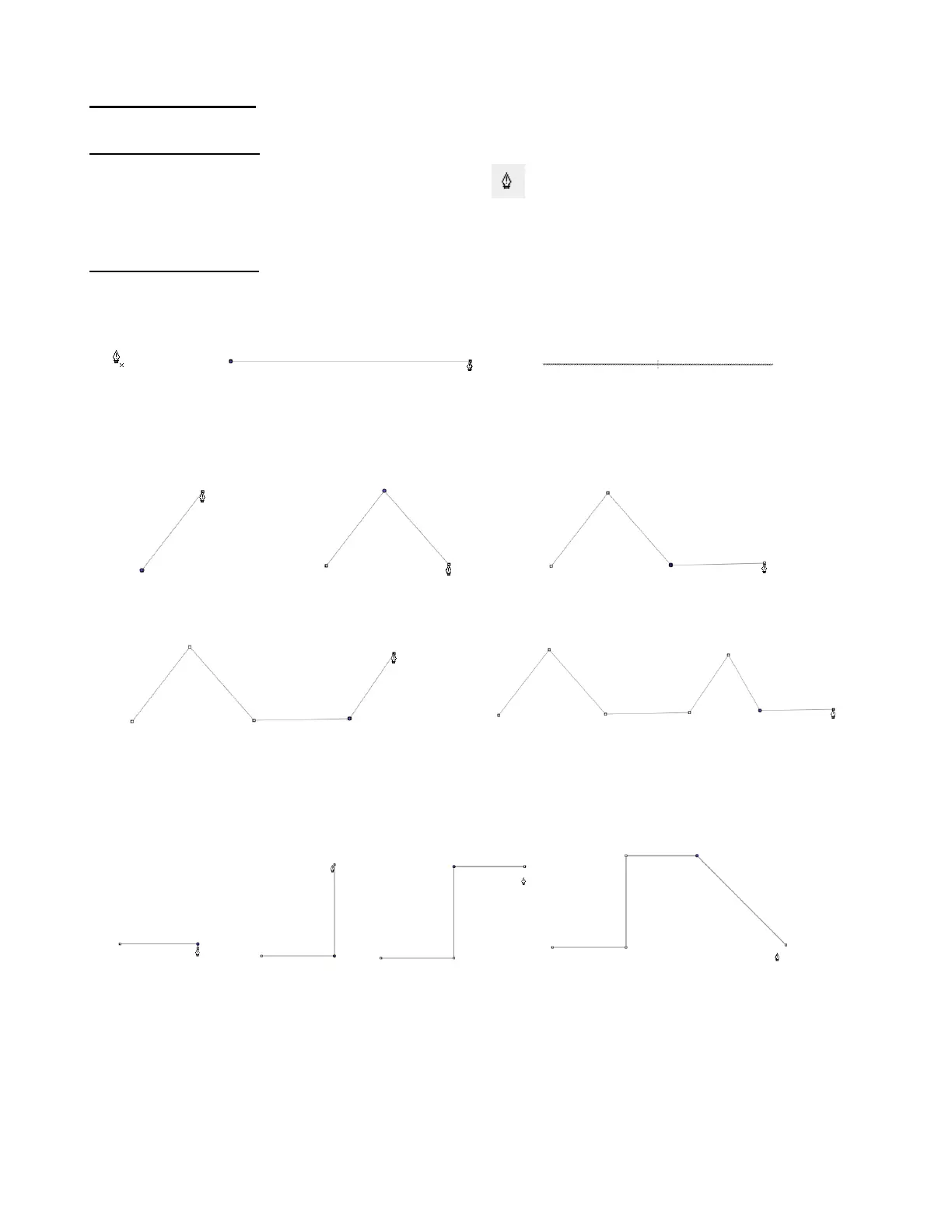
To draw a single straight line, use your mouse to click once where you want to start the line and click again
where you want to end the line. Then immediately press Esc or the Enter key:
If you wish to continue drawing a connecting straight line path, keep left-clicking each time you need to
change directions. Each click produces a node:
If you want to draw perfectly vertical lines, perfectly horizontal lines, or lines at a 45
o
angle, hold the Shift
key while clicking:
Note that if you are on a Mac and you draw a 45
o
diagonal, you need to release the Shift key before
clicking.
If are drawing a closed path then, just as the mouse cursor approaches the starting node, a small diamond
will appear next to the cursor and you can click one last time to end the process. The shape will
automatically join the first and last nodes and fill with color, provided a Fill color is assigned:



 To Next Page