In general, the blade type doesn’t greatly affect the Overcut required. Try using 1.00 mm. In the event you
cut a large closed shape, like an 8” circle, you may find that you’ll need to increase Overcut to 2.00 mm.
2.04 Presets
SCAL has presets for about twenty materials. To select a preset, cilck on the dropdown menu and browse
the list to find the material you are cutting.
When selecting one, remember these should only be used as starting points for a test cut. There are many
factors which can affect the force required, including sharpness of the blade, condition of the mat, humidity,
and intricacy of the design.
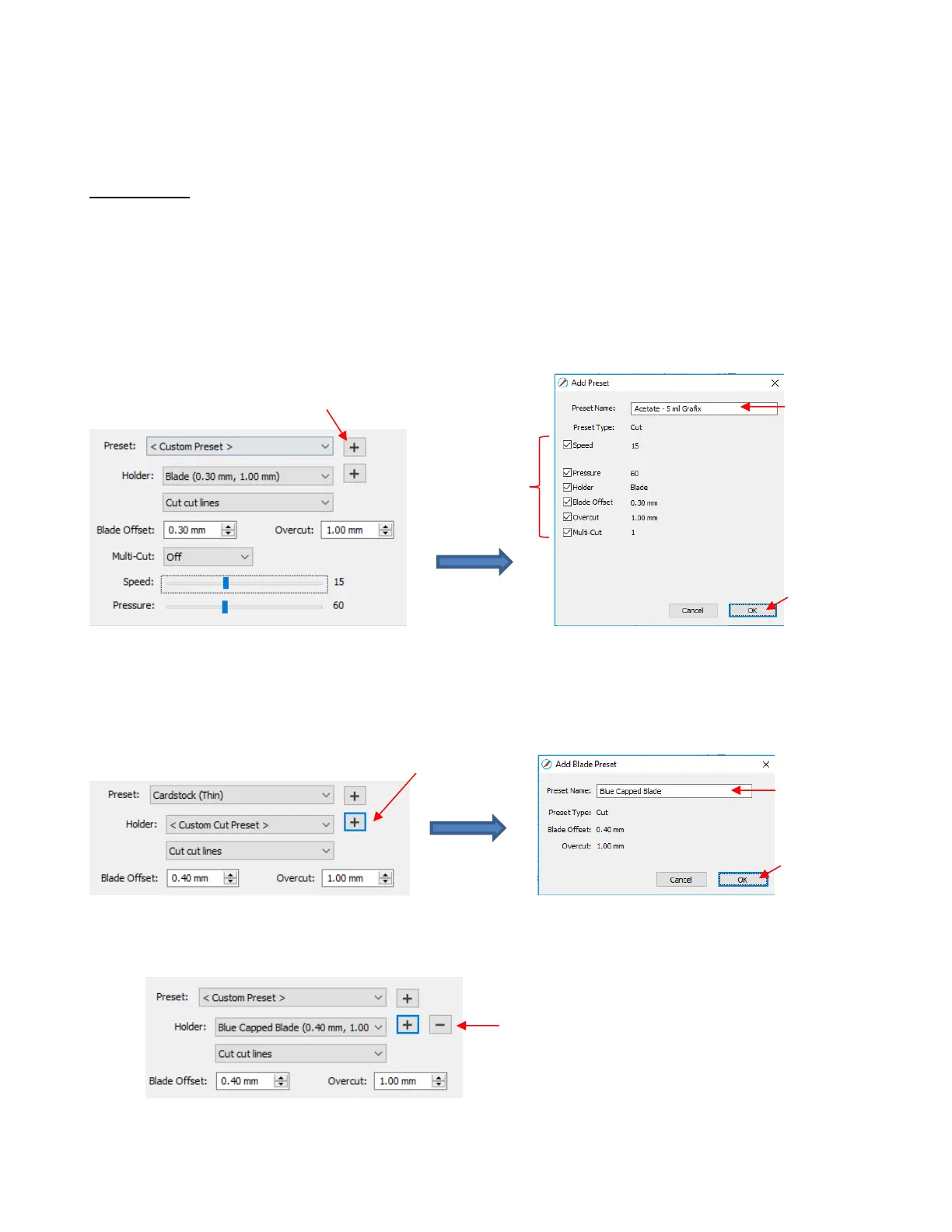
SCAL also offers the ability to save your own presets. To do this, enter the settings you wish to save. Then
click on the “+” to the right of <Custom Preset>:
After clicking on OK, the new preset will be found at the bottom of the list.
In a similar manner, you can also add other Holders to your list, which would typically be blades with other
Blade Offet values. For example:
To delete either type of preset that you personally added, select it from the menu and then a “ – “ button will
appear. Clicking on that button will then remove it from the list:



 To Next Page