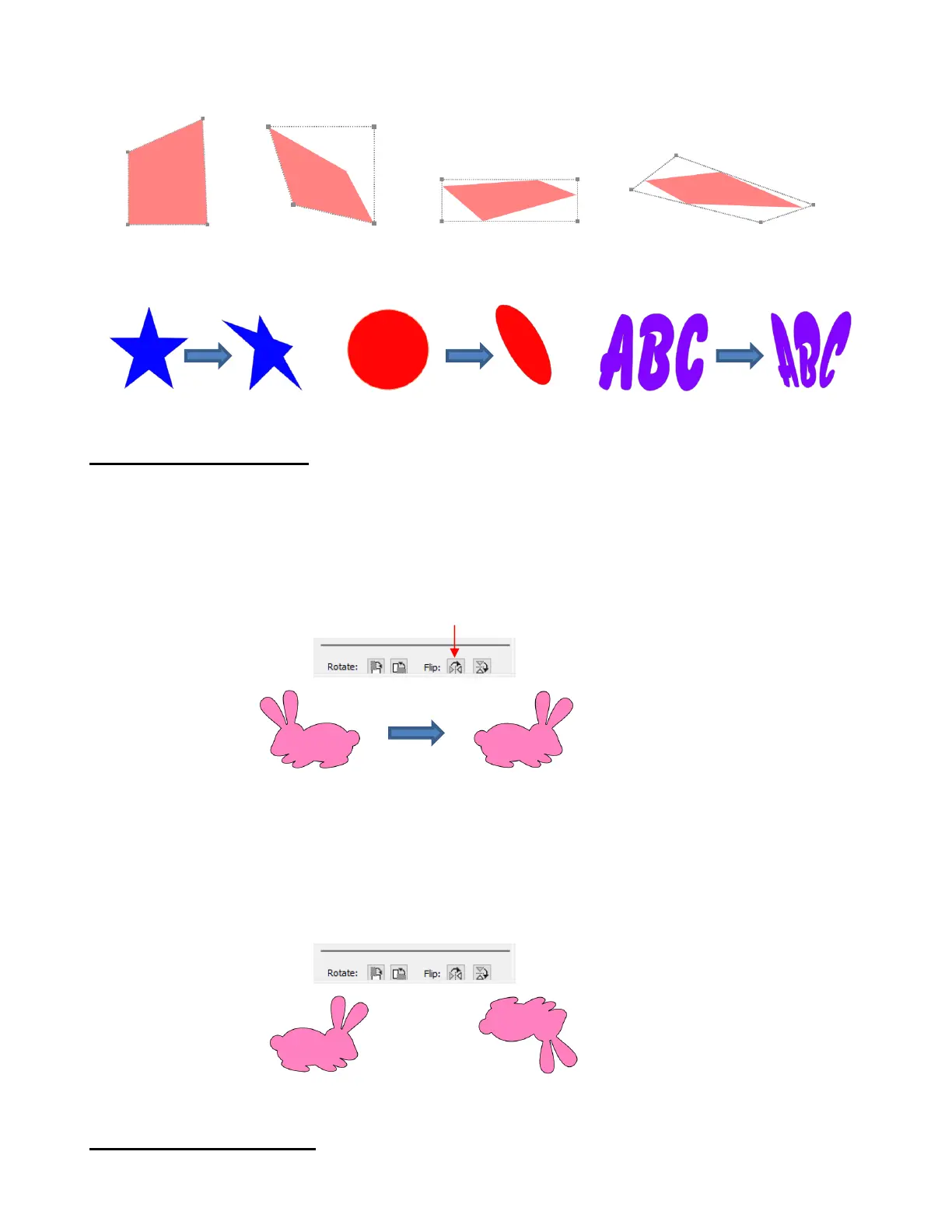
The shape can now be distorted in countless ways by dragging any of the corners :
Of course, the shape doesn’t have to be rectangular. The Distort tool can be applied to anything:
5.07 Mirroring and Flipping
To horizontally mirror a shape, select it and then use one of the following:
Right-click on the screen and select Transform> Flip Horizontal (Mirror)
Go to Object>Transform> Flip Horizontal (Mirror)
Click on the Mirror icon, next to Flip, on the Position & Size Panel:
To vertically flip a shape, select it and then use one of the following:
Right-click on the screen and select Transform> Flip Vertical
Go to Object>Transform>Flip Vertical
Click on the Flip icon on the Position & Size Panel:
5.08 Locking and Unlocking
Locking a shape is normally done to prevent accidental selection and movement of that shape.



 To Next Page