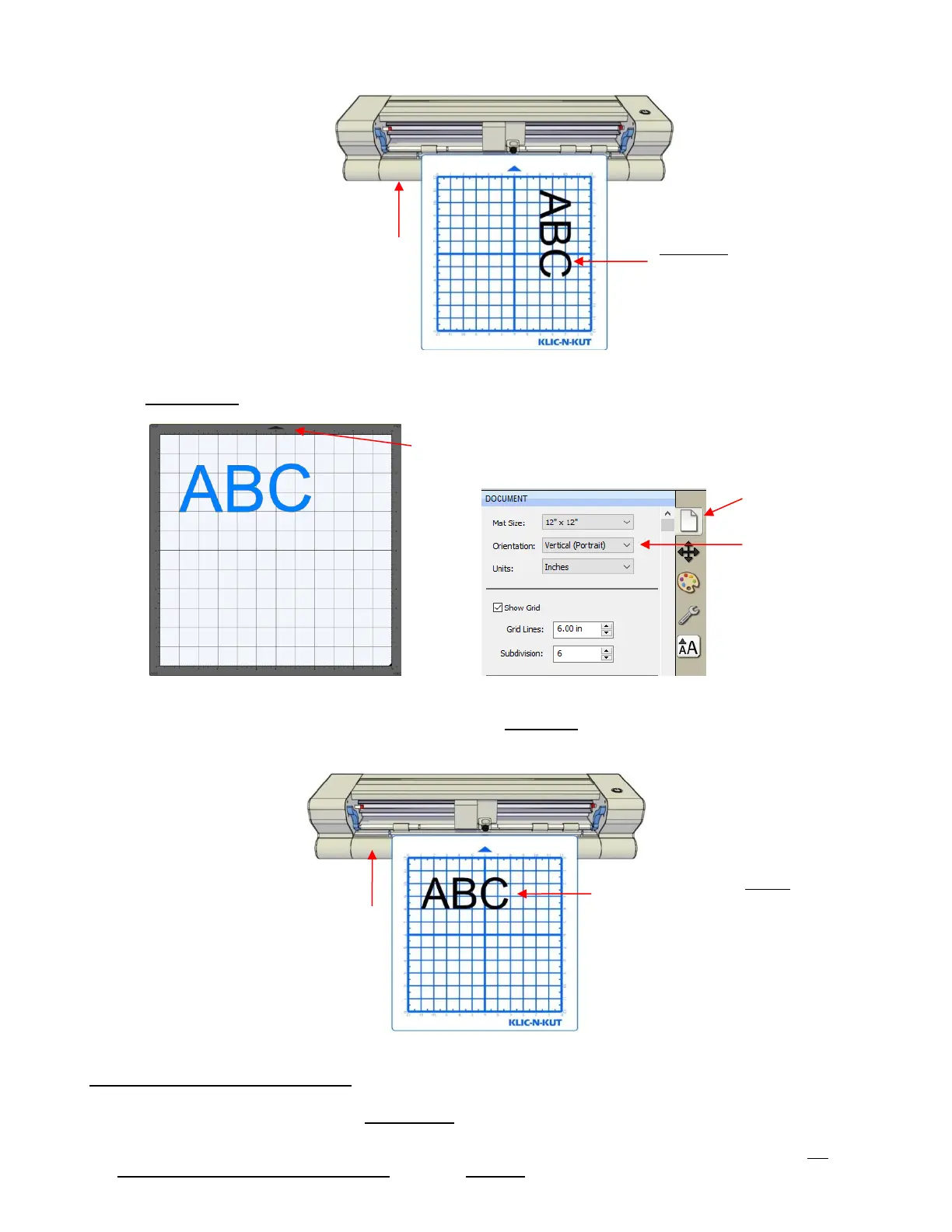
Portrait Mode
In Portrait mode, the arrow on the Cutting Mat will point upwards. When you draw or cut out the “ABC”
shown on a Portrait Cutting Mat, it will be drawn or cut left to right as you face the Zing Air:
1.11.2 Drawing Your First Shape
This first test will show you how the Origin Point mode works. This is a very useful setting because it is
easy to know where your shapes will cut on your material, plus it economizes the use of your materials.
Instead of cutting shapes where they are located on the Cutting Mat, the shapes will be moved and cut
where you set the origin on the material, using the blade tip.
The shape will be cut
Landscape. The exact location
will depend on other settings,
as described in Section 10.07.
The shape will be cut Portrait.
The exact location will depend on
other settings, as described in
Section 10.07.



 To Next Page