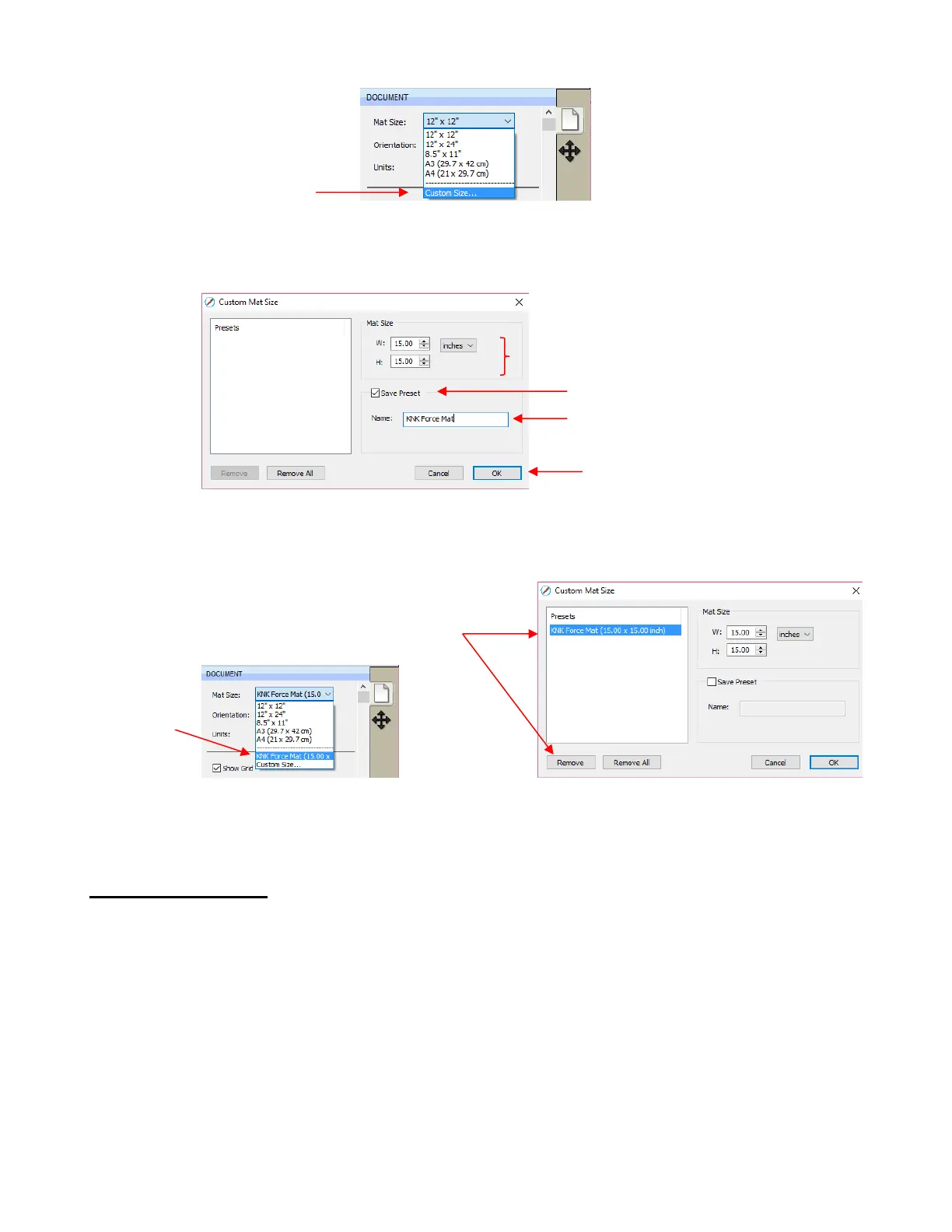
The following window will open where you can enter the dimensions of the mat and provide a name, if you
wish to store it for future use:
A saved mat will now appear at the bottom in the Mat Size menu and will be listed under Presets when you
return to the Custom Mat Size window:
To remove a custom Cutting Mat from the menu, go back to the Custom Mat Size window and select the
mat under Presets. Click on Remove.
3.05.2 Mat Orientation
A Cutting Mat can appear in either Portrait mode or Landscape mode with a triangle indicating the
direction the mat will be fed into the cutter. To better illustrate this, a letter-size Cutting Mat is selected:



 To Next Page