4.05.2 Exporting to the eshape Store
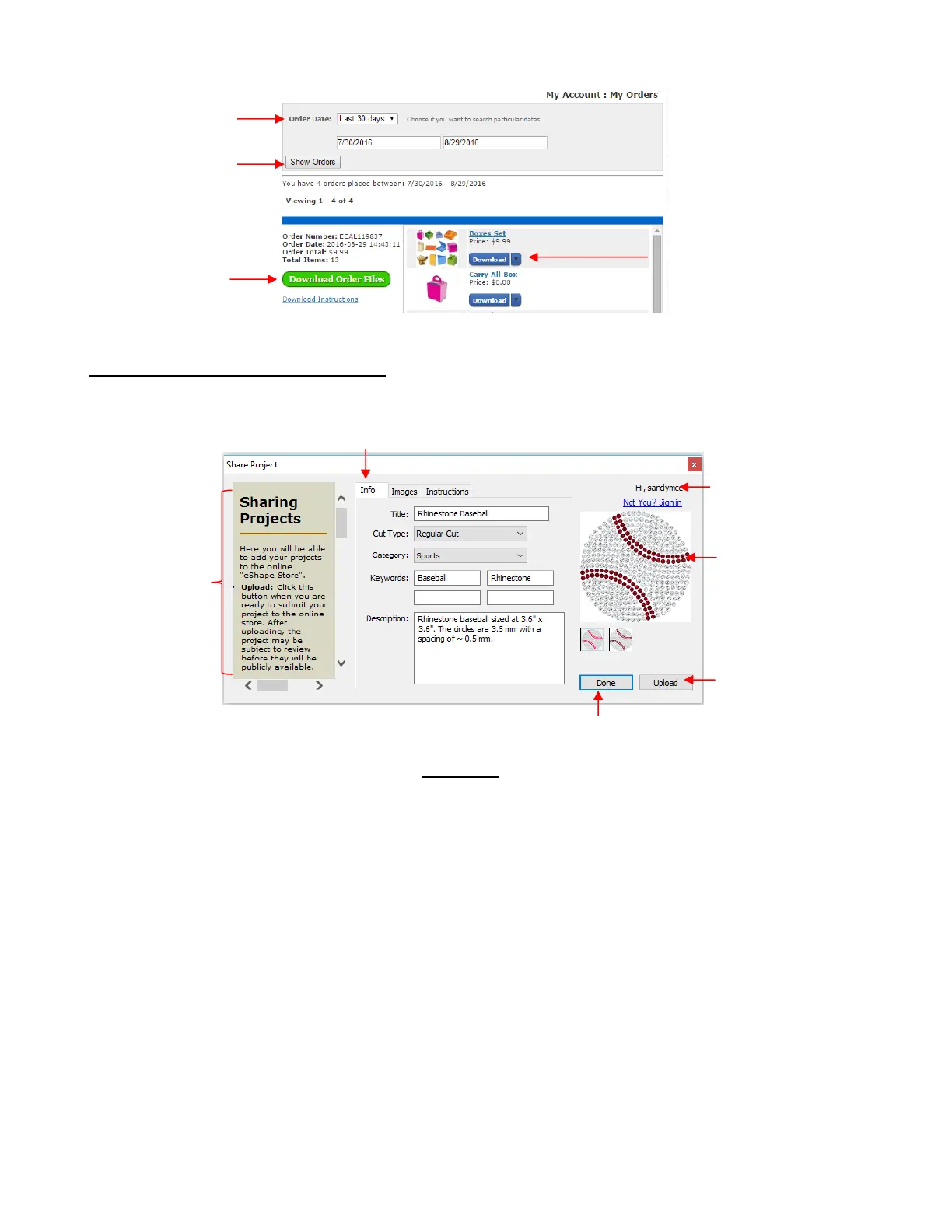
To freely share your own SCAL creations, go to File>Share Project. The following window will open:
There are instructions on the left-hand side. Important: Make sure all of the following settings have been
completed before clicking on Upload:
Title: Provide a descriptive name for your project.
Cut Type: Select from the following:
o Regular Cut: typical cutting projects
o Print2Cut: print and cut projects
o Doodle: projects drawn with a pen rather than cut with a blade
Category: Select from a long menu of choices. Review carefully to make sure the best choice is
selected.
Keywords: Enter keywords based on what other SCAL owners might use to locate a file like yours.
Description: Enter information about the file that will help an owner know if it’s what they might want or
need.
After completing the settings on the Info tab, click on the Images tab:



 To Next Page