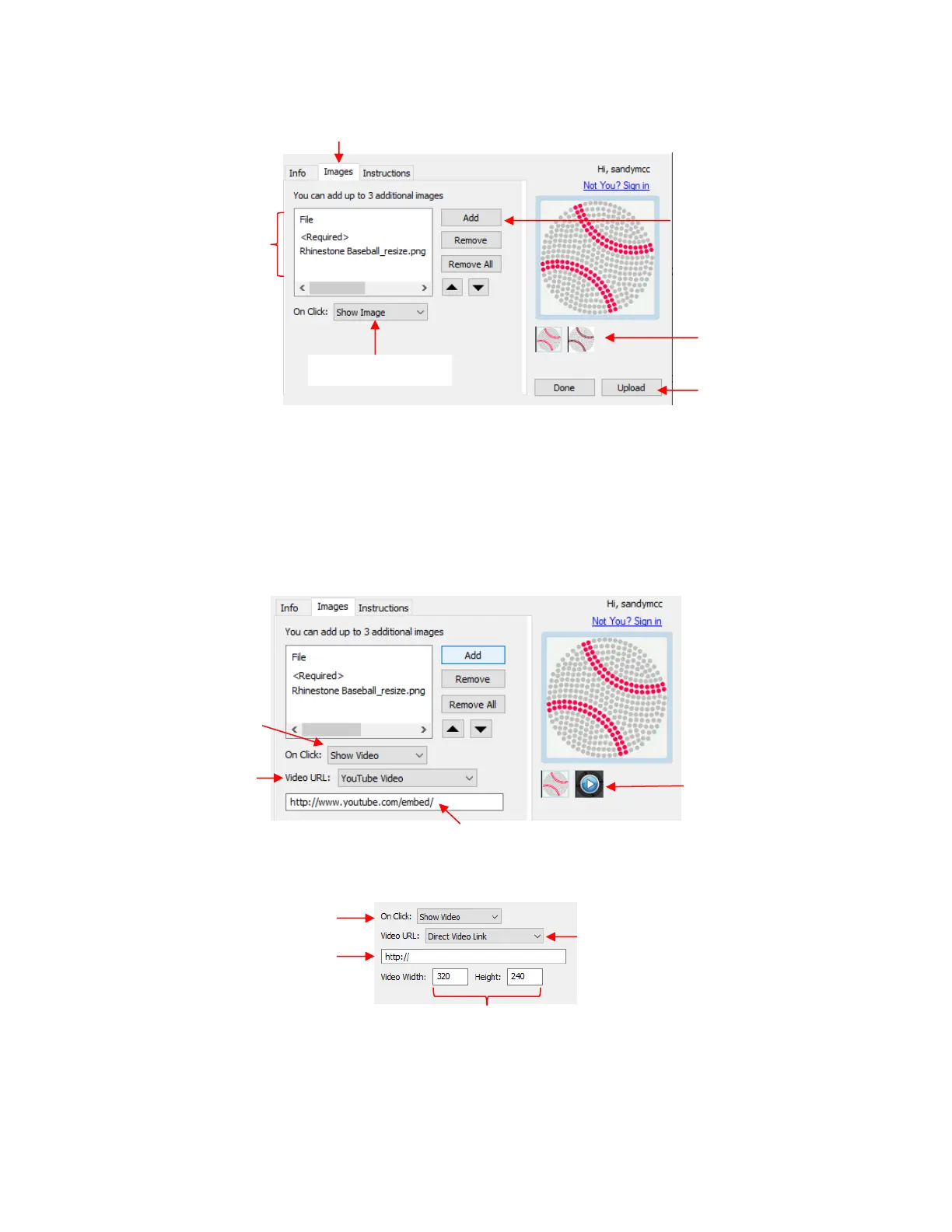
Additional images can be uploaded, such as the rhinestone simulation version shown. Other examples
where more images are appropriate might include final versions of finished greeting cards, fold-up
boxes, and detailed paper-piecing projects.
On Click: the default indicates Show Image. For videos, change this to Show Video from the menu.
o If you have a YouTube video associated with your project, choose YouTube video and the window
changes to include the start of an embedded YouTube video link:
o Alternatively, you can link to an MP4 video located elsewhere:
Finally, click on the Instructions tab and enter any instructions for the project. You have two options:
Type the instructions directly:



 To Next Page