2.02.4 Determining the Cut Settings
In the lower half of the Cut Settings window, there are a number of settings which should be understood
thoroughly, as you will be checking them before every cut. Section 2.03 covers each setting in detail.
The Presets provide very rough estimates of the settings to be used for about twenty materials. For a more
thorough list of materials, it’s recommended that the table at the end of this chapter be used for selecting
settings.
If you cannot find settings for your material, use the flow chart at the following link to test cut your material
and determine optimum settings:
http://www.iloveknk.com/2015/06/test-cutting-materials-a-troubleshooting-flow-chart/
2.03 Cut Settings
2.03.1 Pressure
The cutting Pressure (also called Force) ranges from 1 to 160 where the maximum of 160 represents
~750g of cutting force. If it is set too low, the material cannot be cut. If it is set too high, you will get bad
cutting (even incomplete cutting at times) and tearing of the material. Use suggested settings for the
material you are cutting and perform small test cuts before cutting your actual project. Make adjustments in
order to get a clean test cut before proceeding with your larger cut.
Dull blades will need more force than new blades, thus anticipate increasing the force over the life of the
blade.
When cutting materials that can use either blade, the 45 degree blade will need more force than the 60
degree blade, because of the extra contact with the material being cut.
Recommended settings for a wide range of materials are available in the tables at the end of this chapter
and also at the end of chapter 12.
2.03.2 Speed
The speed is how fast the blade travels while it is in the “down” or cutting position. The Zing Air has 38
speed settings ranging from “snail’s pace slow” to “insanely fast.”
The settings from 1 through 9 are the slow speeds (below 100 mm/sec) and should be used when
cutting dense difficult materials, such as chipboard, craft plastic, styrene, and balsa.
The setting from 10 through 20 are medium speeds and should be used for easy-to-cut materials, such
as cardstock, vinyl, iron-on transfer, and rhinestone template material.
The settings above 20 are the fast speeds and should only be used for engraving, embossing, and
drawing.
2.03.4 Blade Offset
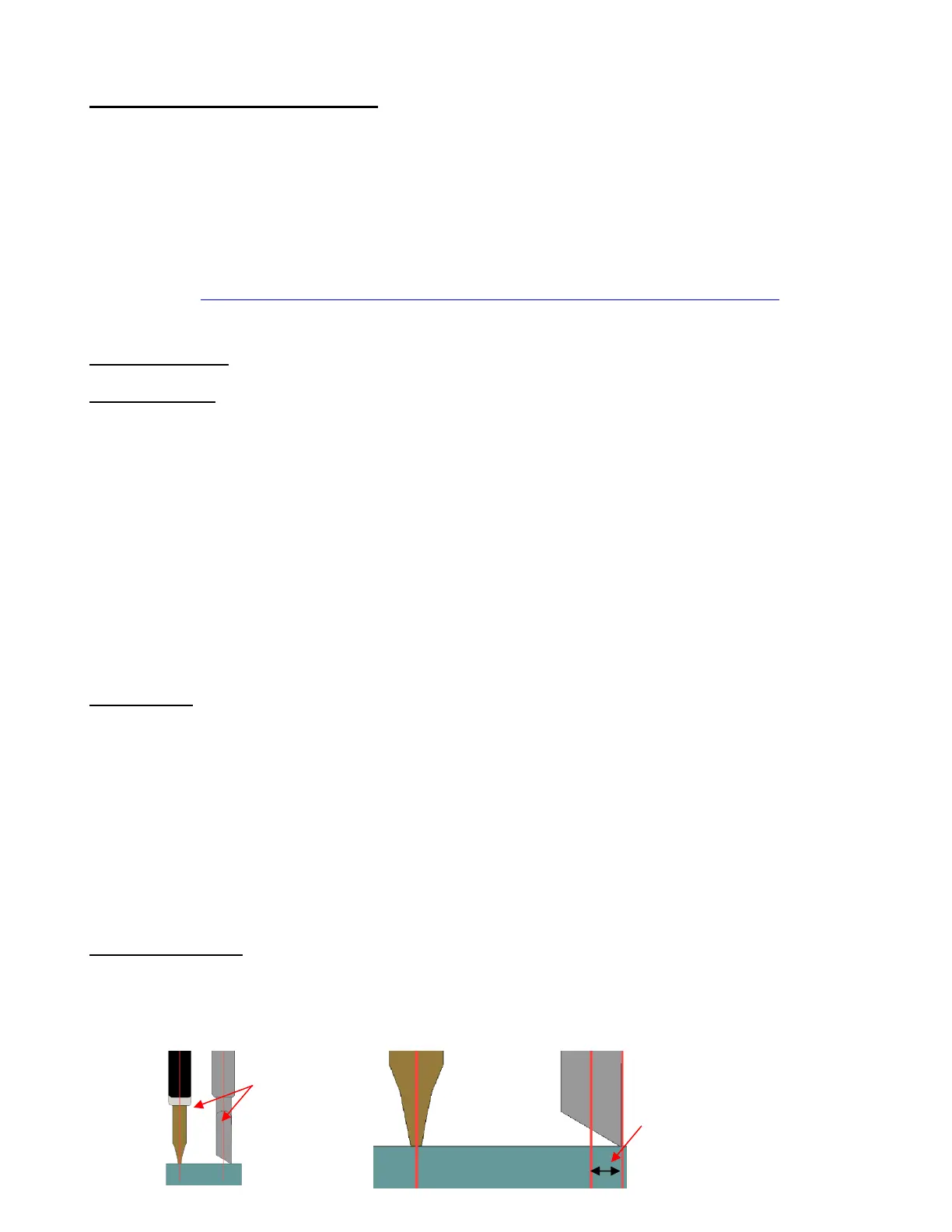
Blade Offset is the horizontal distance from the center of the blade shaft to the tip of the blade. A pen or
engraving tool has an offset of 0 because the tip is centered with the center of the pen/engraving tool shaft.
But a blade is different:



 To Next Page