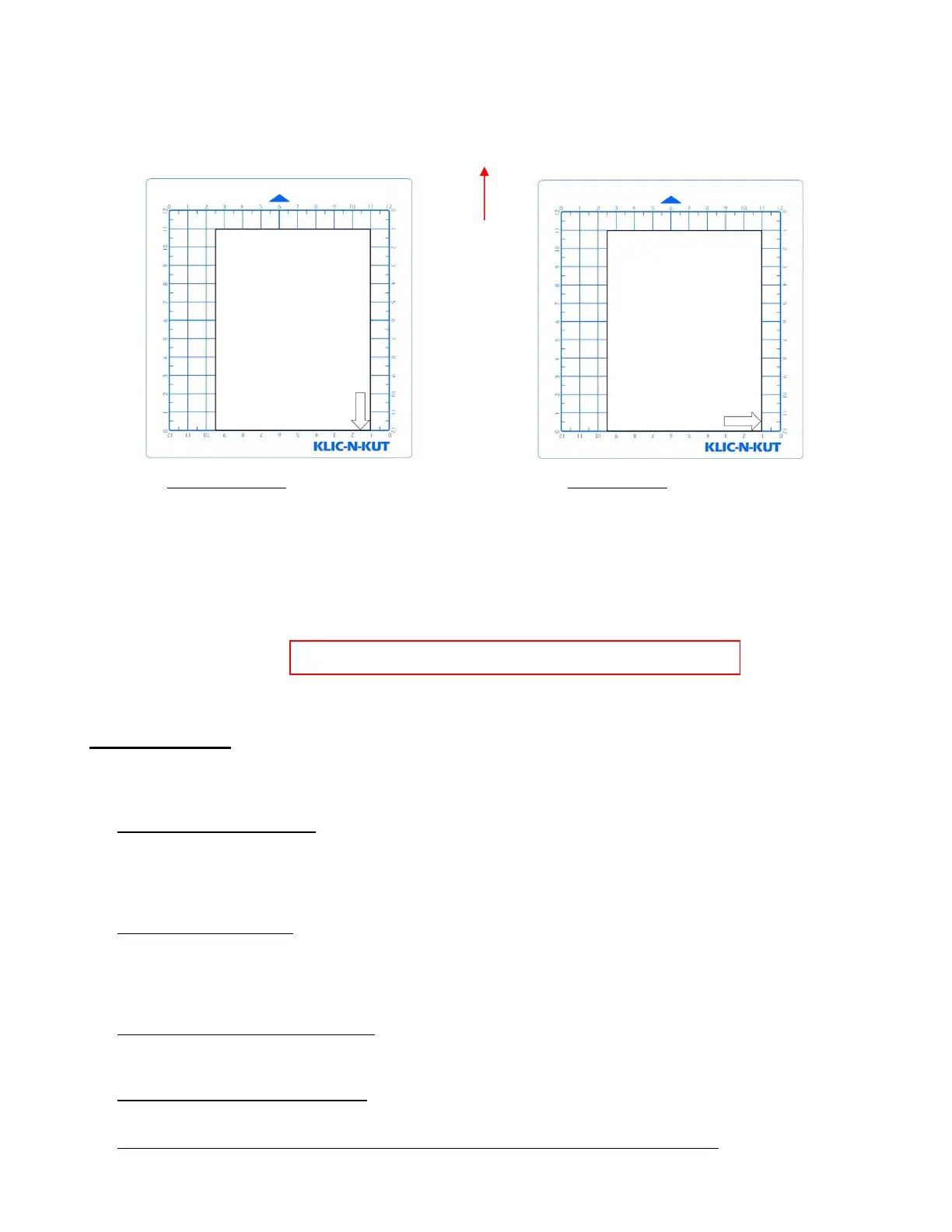
11. Click on the Cut button at the bottom of the Cut Settings window and the arrow will be drawn to align
with the origin you set. After the cut is complete, the cut window will close. Your arrow will be drawn as
shown, with the direction related to whether you originally chose Landscape or Portrait for your
Cutting Mat:
11. To draw again, return to the cut window and choose a different origin. Practice moving the origin to
different locations. This is how Origin Point mode works.
12. If you want the image to draw where you have it located on the Cutting Mat, then you need to switch to
WYSIWYG mode. Again, set the origin in the lower right corner of the paper based on the laser light.
Refer to Section 10.07 for more details on controlling where images will cut.
1.12 Maintenance
Klic-N-Kut machines do not require any kind of lubrication or routine checks. However, here are a few things to
keep in mind for successful operation of your cutter:
Keep the pinch wheels clean. Depending on the adhesive being used on the cutting mat, it’s possible for the
pinch wheels to become sticky and pick up small pieces of cardstock or other material being cut. This can
lead, in some cases, to the mat skewing or ruining materials during subsequent cuts. To clean the pinch
wheels, use a lint-free cloth and an adhesive remover such as isopropyl alcohol or Un-Du to clean the pinch
wheels thoroughly.
Keep the grit shafts clean. Equally important as the pinch wheels, the grift shafts beneath the cutting mat
should also be free of adhesive and tiny bits of material. They can be cleaned the same way as the pinch
wheels. Note: Do not pour cleaner onto a grit shaft. Instead, dab some adhesive remover onto the lint-free
cloth and then use the damp cloth to clean the shafts. You can also use tweezers to remove any material or
adhesive that is stuck to a shaft.
Keep the cutting mat clean and sticky. As mentioned in the Section 1.06.2, the cutting mat can be washed
with soap and water to remove small invisible pieces of material which are reducing the tackiness of the
cutting mat. After drying, you can add more repositionable adhesive, if needed.
Check your blade holder, as needed. If suddenly you cannot get a clean cut, check the blade holder for any
tiny slivers of material that may have been caught up by the blade and fed up inside the blade holder.
The pinch wheel levers on the KNK Zing Air may need to be tightened from time to time. If the levers are
difficult to operate, use a screwdriver to slightly tighten (clockwise only) the screws on the levers.



 To Next Page