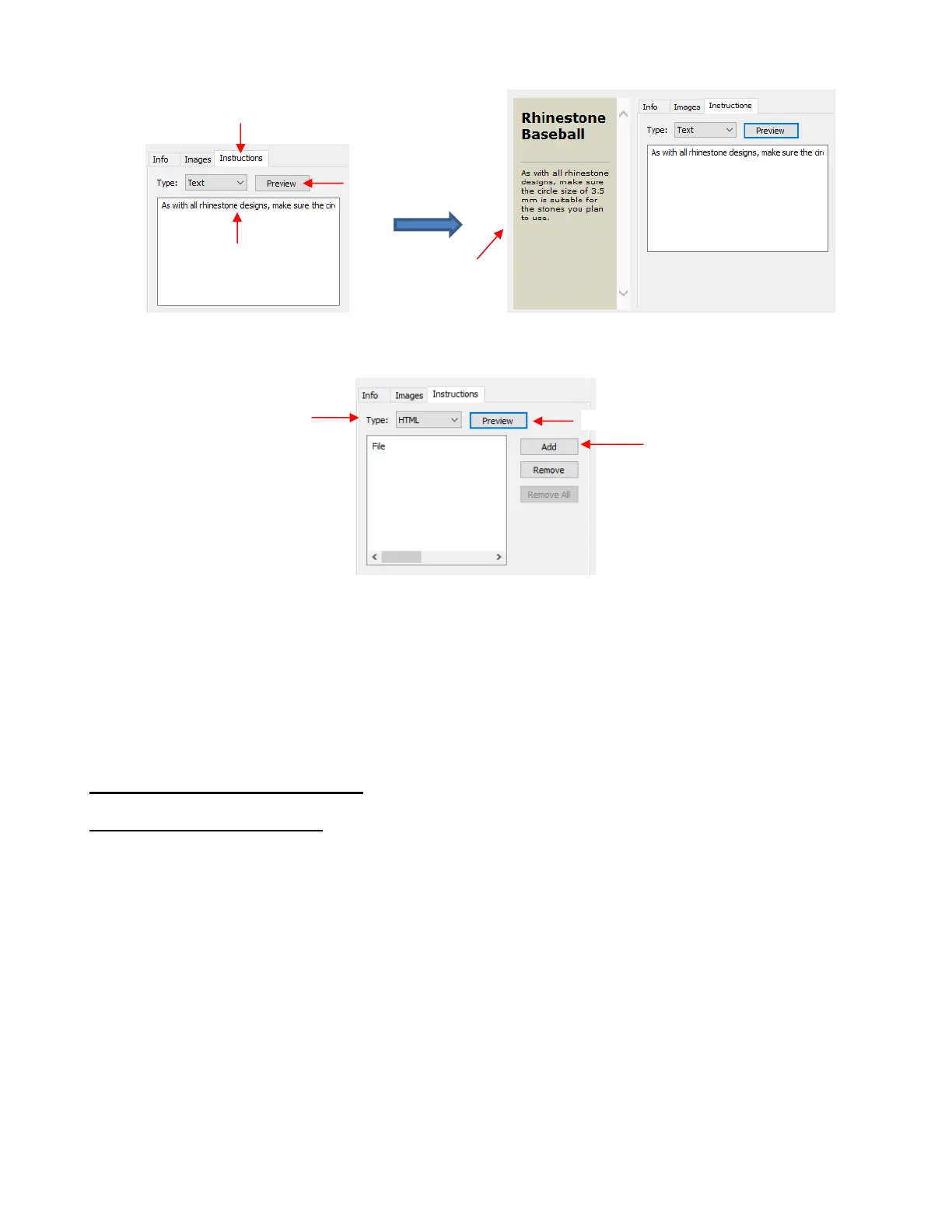
Import an HTML formatted file by clicking on Add and then selecting the file:
Once the desired choices and information are added for your file, check it all one last time. Then go back to
the Info tab and click on Upload. Note that clicking on Done will save this informarion with your file for
uploading at a later time.
After clicking on Upload, a progress window will open indicating your file is being sent to the eshape Store.
A final Upload Finished window will open and notify you that the uploaded file will be reviewed for approval
before being available.
4.06 Importing Other File Formats
4.06.1 Importing Vector Files
The following vector formats can be imported into SCAL:
SVG: common export format for vector programs, thus popular format used for sharing files on blogs
and selling files in online design sites
SCUT4: format used to save projects in SCAL4
SCAL: format used by eshape Store
PDF: While a PDF can be created from a raster image, a vector image, or both, only the vector parts of
a PDF will import into SCAL.
AI (Adobe lllustrator): common format due to the popularity of Adobe Illustrator
EPS: another common export format for many vector programs
FCM: format used by the Brother ScanNCut machines
GSD: format created by RoboMaster, RoboMaster Pro and Wishblade Advance. This format was used
with the Craft Robos, Wishblade, and original Silhouette cutter.
PLT (SCAL PRO version only): developed by HP for their plotters, the PLT file evolved into a standard
format used by early vinyl cutters



 To Next Page