EasyManua.ls Logo

KNK Zing Air - Entering Settings and Printing

KNK Zing Air
302 pages
Print Icon
To Next Page IconTo Next Page
To Previous Page IconTo Previous Page
Loading...
249
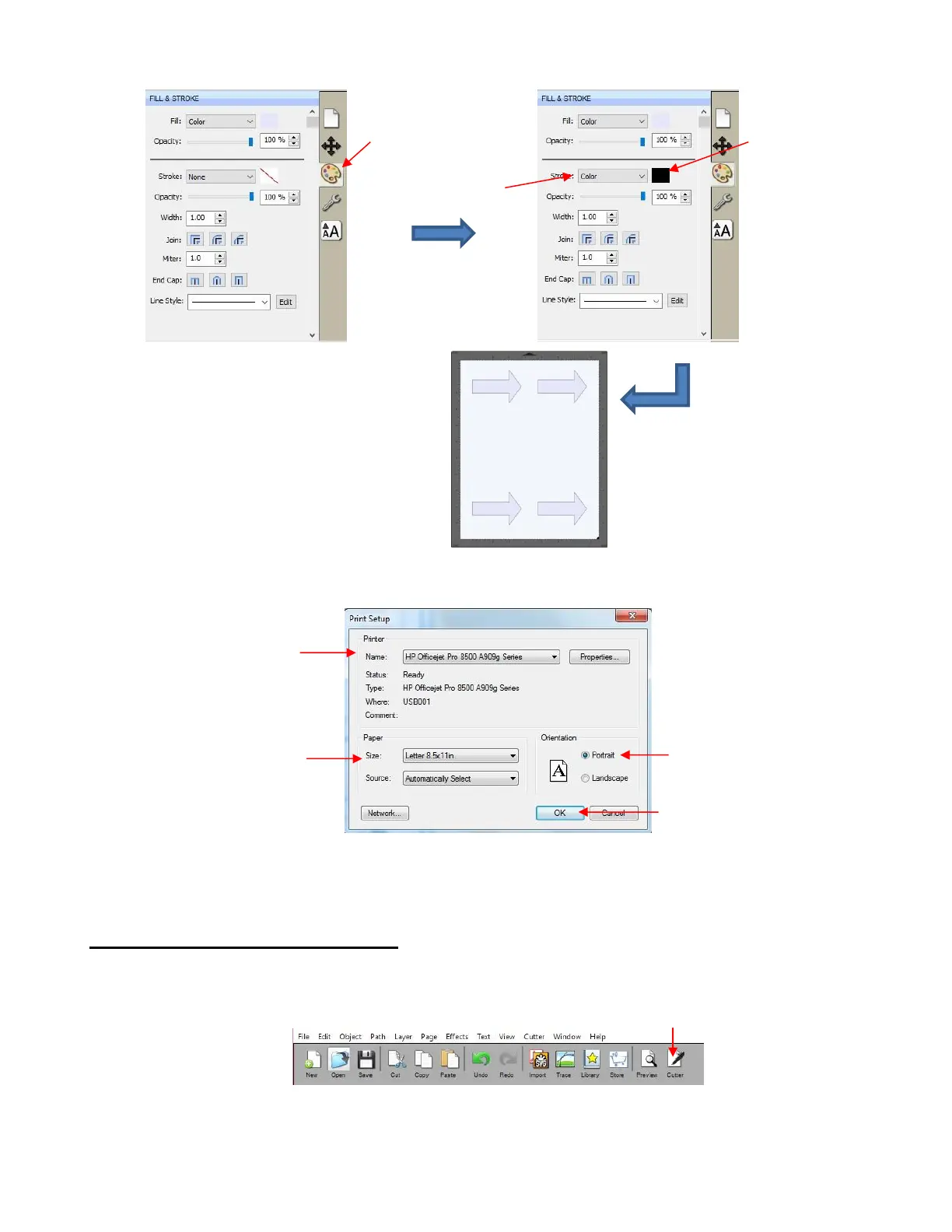
(7) Go to File>Print Setup, select the printer you plan to use, paper size, and Orientation:
(8) Do NOT use File>Print at this point because the reg mark settings still need to be adjusted. This will be
done in the next section.
11.03.3 Entering Settings and Printing
(1) Click on the Cutter icon to open the cut window:
(2) Click on the Settings button to open the Cutter Settings windows:

C
lick here to
o
pen
Fill & Stroke
window
Change to
Color
Click here to
open a color
menu.
The arrows will now have a
thin black line border.
Choose
Portrait
Select your printer
Click on
OK
when done.
Verify paper size
Click here to open
Cut
Settings
window:

Table of Contents

Related product manuals