Scroll the bar at the bottom to change the size of the lettering. To add a character to the Cutting Mat, left-
click on it. While it is far quicker to type out text using the Type tool (again, refer to Section 6.03), this
window is the best way to add special characters within a font or when using dingbat fonts.
The menu icon in the upper right corner can be used to temporarily add a font that’s not installed on
your computer. Click on it and then browse to the folder containing the font you wish to add. Again, refer to
Section 6.03 regarding temporary font usage.
4.03.3 Projects Tab
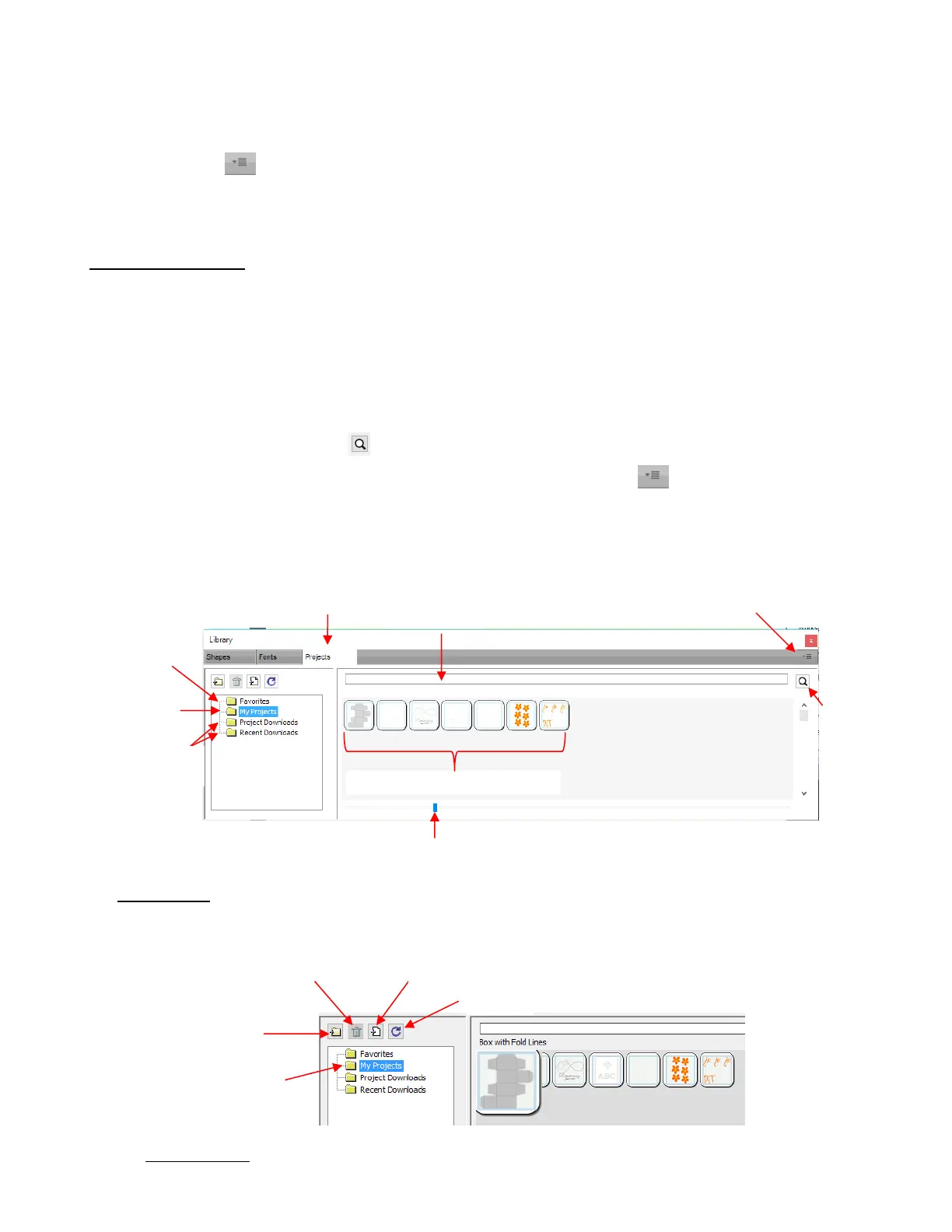
The Projects tab is similar to the Shapes tab. Instead of .SVG files, however, it helps you organize and
access your .SCUT files, also referred to as projects.
As with the Shapes tab, there are no default categories or pre-added files. However, you will notice these
other similar features:
Favorites folder – select any project, right-click, and select Add to Favorites from the popup menu
My Projects folder – virtually identical to My Designs folder (more information follows)
Search field and search icon – for locating files with a particular word in the file name
Project Downloads and Recent Downloads folders and top right icon : these pertain to eshape
Store. Refer to Section 4.05.
Scroll bar to change the size of the thumbnails.
Hover over a thumbnail and it will get larger. The project name will appear below the Search field.
My Projects: This is the main folder where you can organize your own projects for easy access.
Once you click on My Projects, the icons above the folder menu will become active:
Add subfolders: The projects in the above screenshot have been added to My Projects but are not in
subfolders. To create subfolders for additional organizing:



 To Next Page