5.06 Skewing and Distorting
5.06.1 Skewing
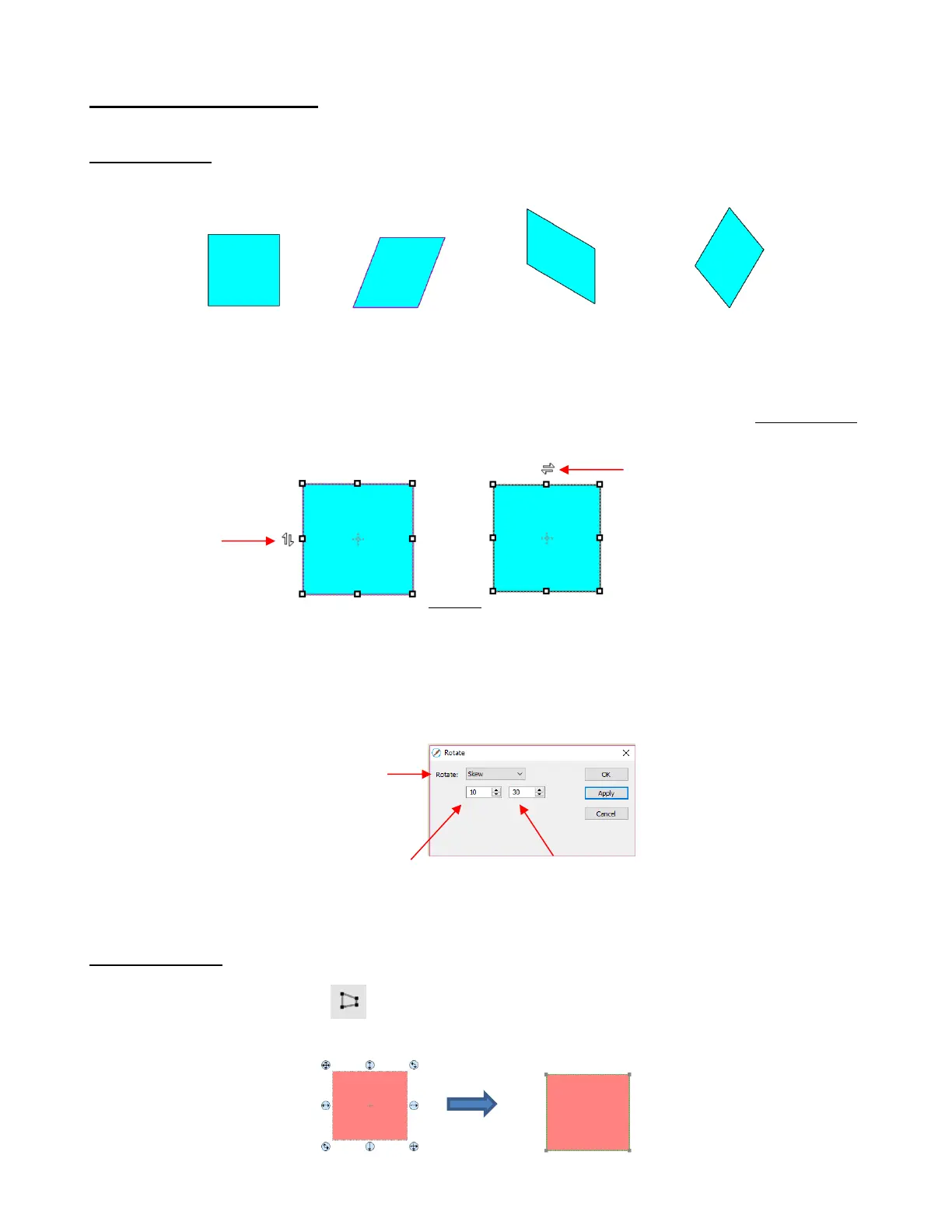
Shapes can be skewed either horizontally or vertically:
There are two ways to skew a shape:
With the shape selected and Advanced selected on the Tool Options, rest your mouse slightly outside
of a handle in the middle of a side. The skew mode cursor will appear and it can be dragged to skew the
shape:
With the shape selected, open the Rotate window by using one of these two methods:
o Right-click and select Transform>Rotate
o Go to Object>Transform>Rotate
Then switch from Angle to Skew and enter a skew angle:
5.06.2 Distorting
The Distort tool is the 5
th
icon from the bottom on the Tools Panel. Select a shape and then click on
the icon. The four corners of the bounding box will display small boxes:



 To Next Page