Make sure you have all of the cut settings made under the General tab of the Cut Settings window. Once
you click on Cut, all of the duplicates will be cut out and it appears that using Cancel, in the current version
of SCAL, will not abort the cut.
10.07 Controlling Where Shapes Will Cut
10.07.1 Overview
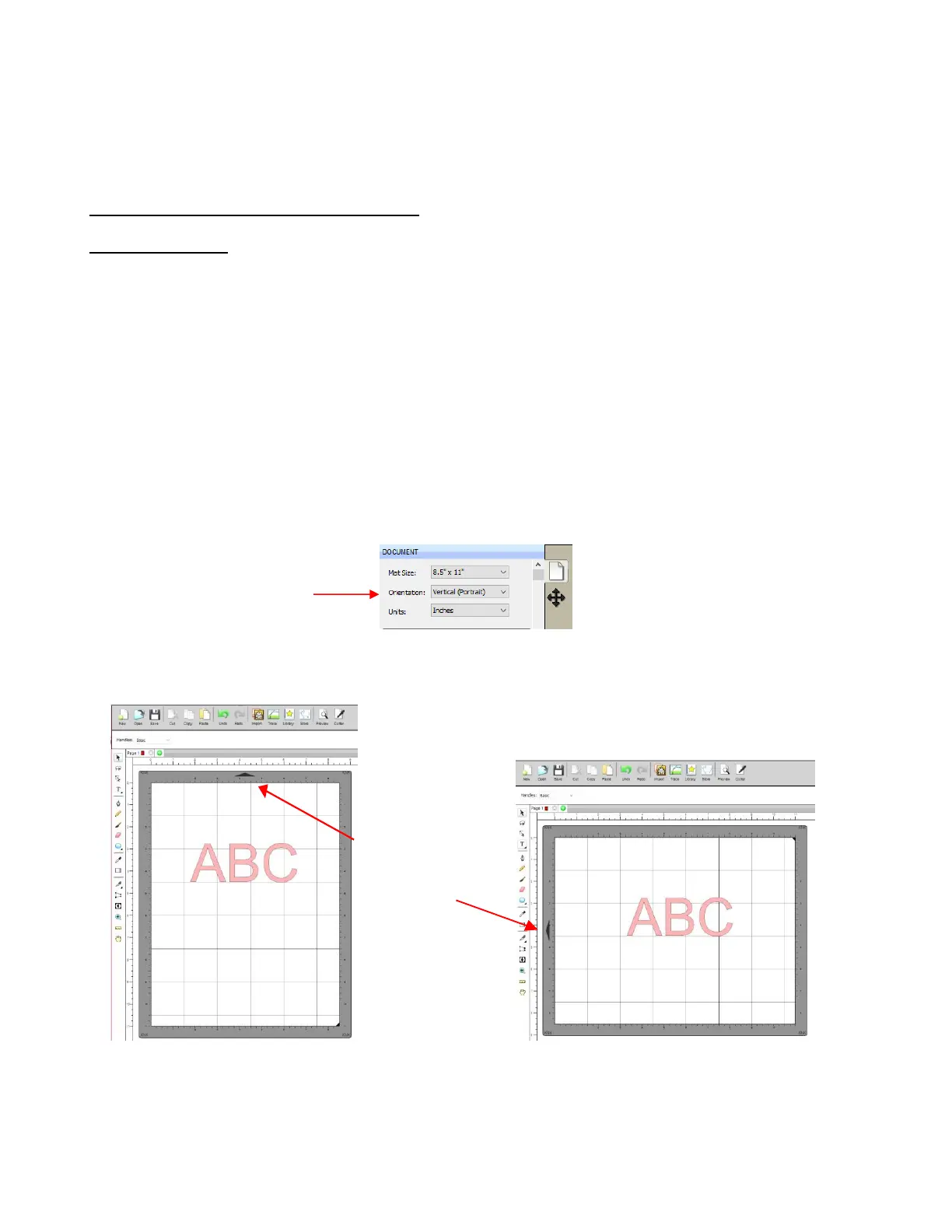
There are two Orientations for cutting:
Portrait – Shapes will cut in the same orientation you see on the Cutting Mat
Landscape – Shapes will cut 90
o
clockwise to the orientation you see on the Cutting Mat
There are 3 available Cut Modes when cutting to the KNK Force:
WYSIWYG – Shapes will cut relative to their position on the virtual Cutting Mat
Origin Point – Shapes will cut to align with the origin set before cutting
Print and Cut – Shapes will cut based on manual or automatic alignment with printed registration marks
(refer to Chapter 11)
The Orientation is set on the Document Panel:
The choice between Portrait and Landscape is a personal one – use whichever one makes the most sense
to you. For long projects, such as for large vinyl cuts, Landscape is usually chosen because the project
displays better on the computer monitor. However, you still have the option to use Portrait, if desired.
The Cut Mode is set in the Cut Settings window:



 To Next Page