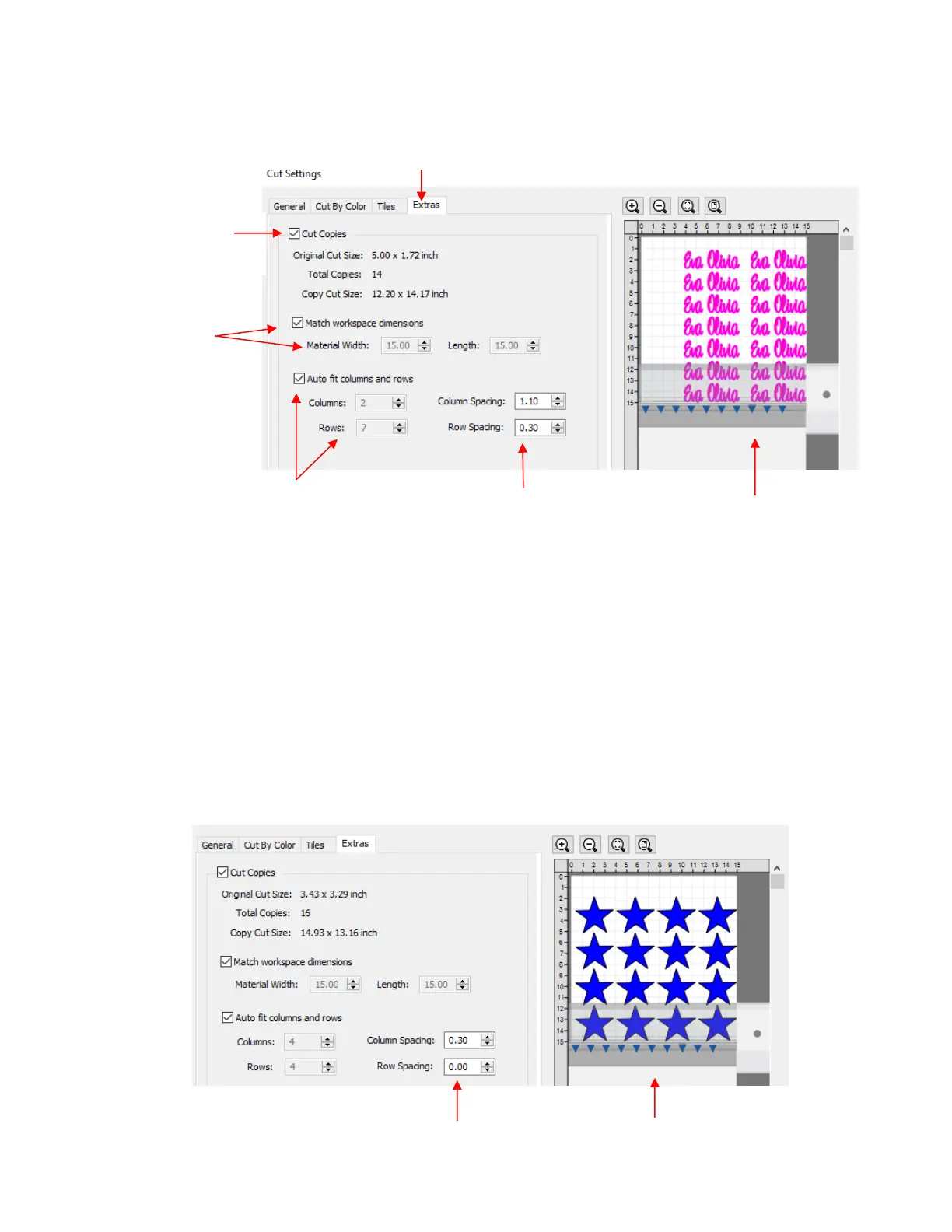
Cut Copies: Mark this option first so that other settings become editable
Match workspace dimensions: If your material is the same size as the Cutting Mat, then mark this
option. Otherwise, enter the Width and Length of the material to be used. Pay attention to the Preview
window to make sure you have the orientation correct to match how the material is placed on the cutting
mat.
Auto fit columns and rows: Mark this option if you want as many duplicates as possible cut from the
material. Otherwise, enter the desired number of Columns and Rows to match the number of copies
needed.
Spacing: Adjust the spacing as desired. In general, shapes can be quite close together when cutting
from thinner materials, such as vinyl and cardstock. In some cases, such as with a star, you can even
use 0 for the Row Spacing, since the bottom of the shape is not close to the top of the shape in the row
below it:



 To Next Page