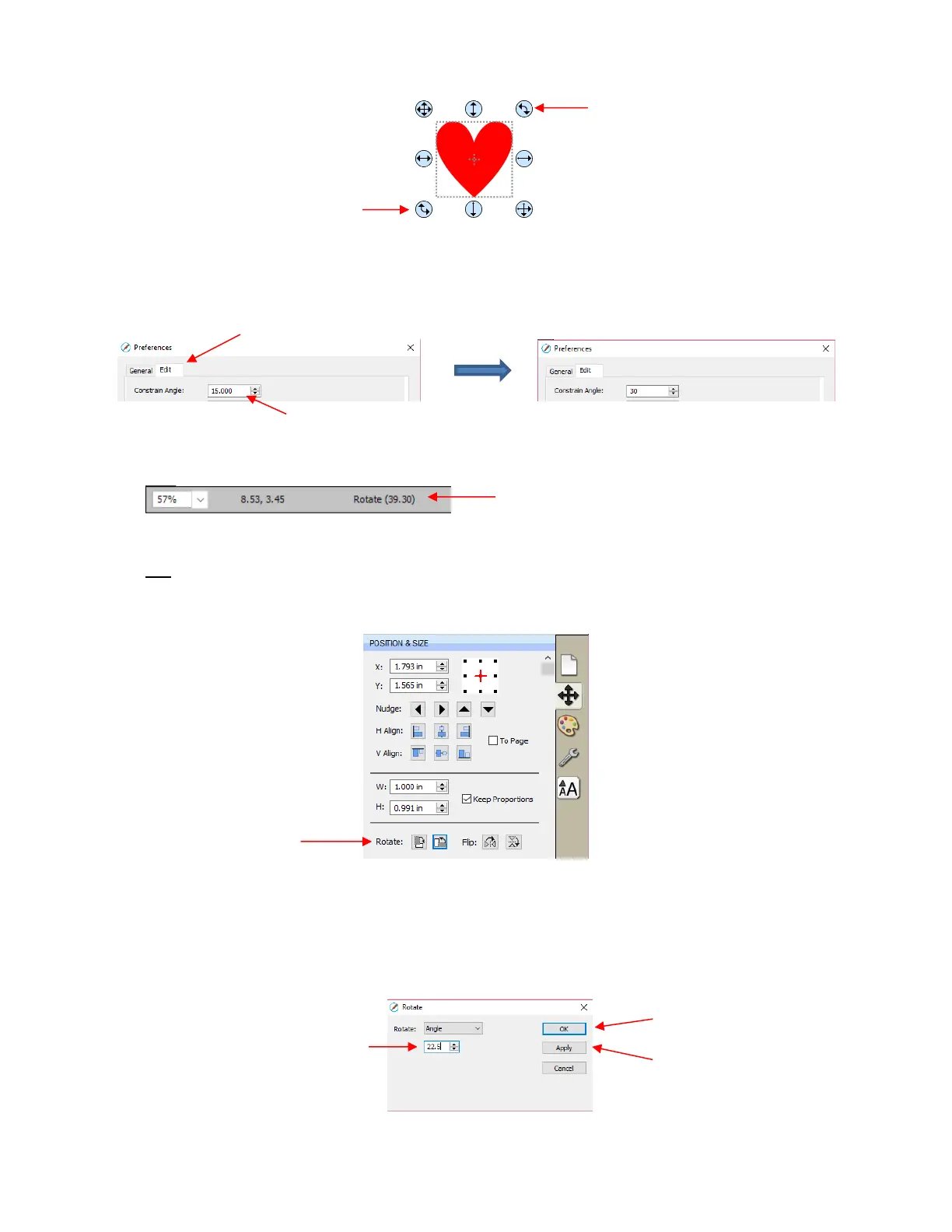
Holding the Shift key, while rotating, will rotate the shape in 15
o
increments. However, if you need to
rotate in increments other than 15
o
, go to Edit>Preferences, click on the Edit tab, and change the
Constrain Angle to the desired increment (from 1 to 180
o
). Click on OK to save the change:
The Status Bar at the bottom of the screen will indicate the current degree of rotation:
Note: the Status Bar will continue to show the last degree of rotation until another shape is selected
and rotated.
A selected shape can be rotated exactly 45
o
clockwise or counter-clockwise, by clicking the Rotate icons on
the Position & Size Panel:
To rotate a specific angle, open the Rotate window in either of two ways:
Right-click on a selected shape and go to Transform>Rotate
Go to Object>Transform>Rotate
Enter the desired angle:


 To Next Page
 Loading...
