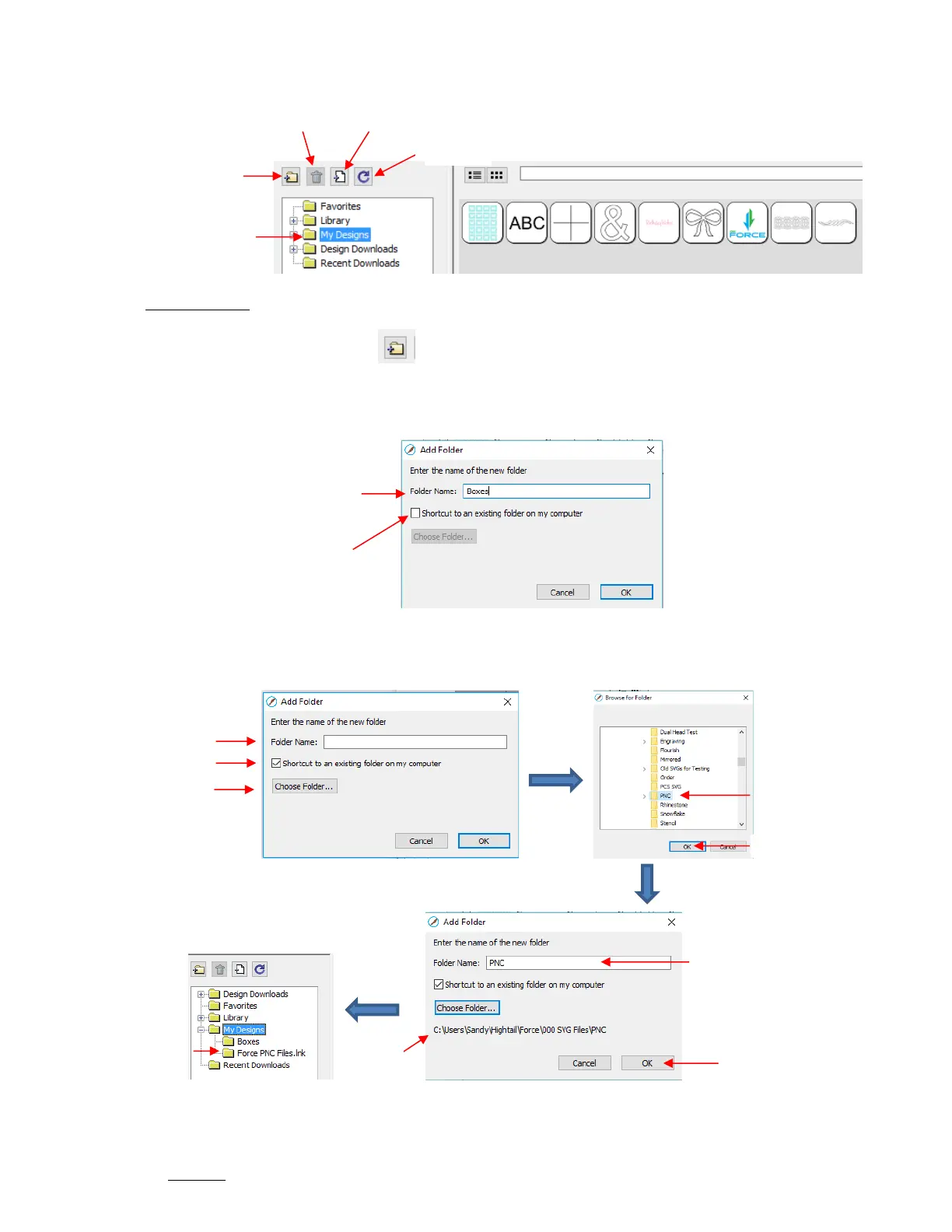
Add subfolders: The shapes in the above screenshot have been added to My Designs but not into
subfolders. To create subfolders for additional organizing:
o Click on the Add Folder icon
o Right-click on My Designs and select Add Folder from the popup menu
After choosing to add a folder, the following window opens where you have two options:
If you select Option 2, the Choose Folder button will activate and clicking it will bring up this window
where you can browse your computer to locate an existing folder of SVG files:
Note that the Folder Name was changed to Force PNC Files before clicking on OK. The name will have
a .lnk extension added indicating that it is linked to another folder on your computer.
To add files to a folder inside My Designs:
Option 2: Check this box to
then link to an existing folder
of SVG files on your computer



 To Next Page