108 User Manual QuickTOC
®
purity
ATEX 2 04E3920
7 How to Work With the Analyser
7.2 Configuration LAR | PROCESS ANALYSERS AG
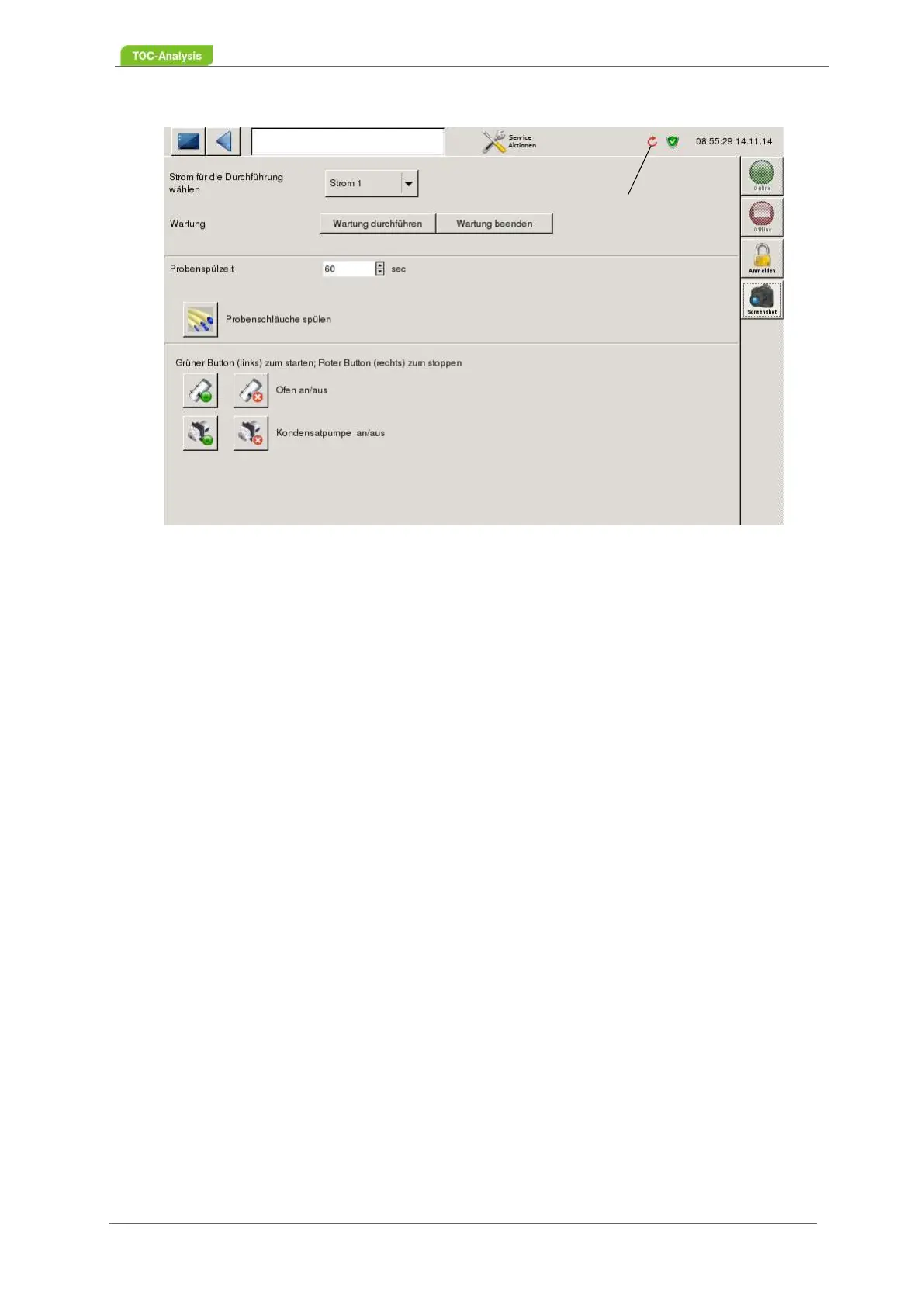
Fig. 71: Service actions - „Perform maintenance“
The icon (1) in the status bar on the right symbolizes that the "Perform maintenance" button has been
pressed.
7.2.12.2 Maintenance
Pressing the „End Maintenance“ button greys and disables all of the service action buttons on the Online
Action Services screen. The Perform Maintenance button activates the maintenance or maintenance
buttons.
7.2.12.3 Rinse Sample Tubes
To prepare the measuring process, the sample tubes can be filled with the sample. The sample purging
time is entered in seconds.
1. Select sample current (Fig. 71, page 108) via the "Select current for the execution" button.
2. Enter the sample rinsing time and save it via the "floppy disk symbol"
3. Press the "Carry out maintenance" button.
4. Press the button "Rinse sample tubes".
5. After completing the rinsing for the sample tubes, the button "End maintenance" must be pressed.
Only then a measurement can be started.
7.2.12.4 Switching the Furnace On and Off
1. Press the "Perform maintenance" button Press
2. Press the "Furnace off" button. To switch the stove back on, activate the "Furnace on" button. After
switching on the furnace, press the "End maintenance" button. Only then can a measurement be
started.
1



 To Next Page