04E3920 User Manual QuickTOC
®
purity
ATEX 2 145
8 Care and Maintenance
8.3 Care and Maintenance Tasks
LAR | PROCESS ANALYSERS AG
be checked.
4. Start the measurement to complete the check
8.3.13 Perform a calibration
See Chapter 7.3.11 from page 127.
8.3.13.1 Perform a Gas Calibration
1. Please check the stability of the carrier gas flow in the status screen.
2. Make sure that the injection system of the injection loop has also been previously cleaned with
calibration gas.
3. Choose the Calibration Gas Concentration in Dependance of the Measuring Range of NDIR
Detectors:
4. Open the main valve on the calibration gas cylinder and set the secondary pressure between 0.5
and 1 bar. The internal pressure regulator (KH8) of the QuickTOC
purity
is set to 0.2 bar. In the
status screen (user level II) the system pressure is displayed with approx. 200 mbar.
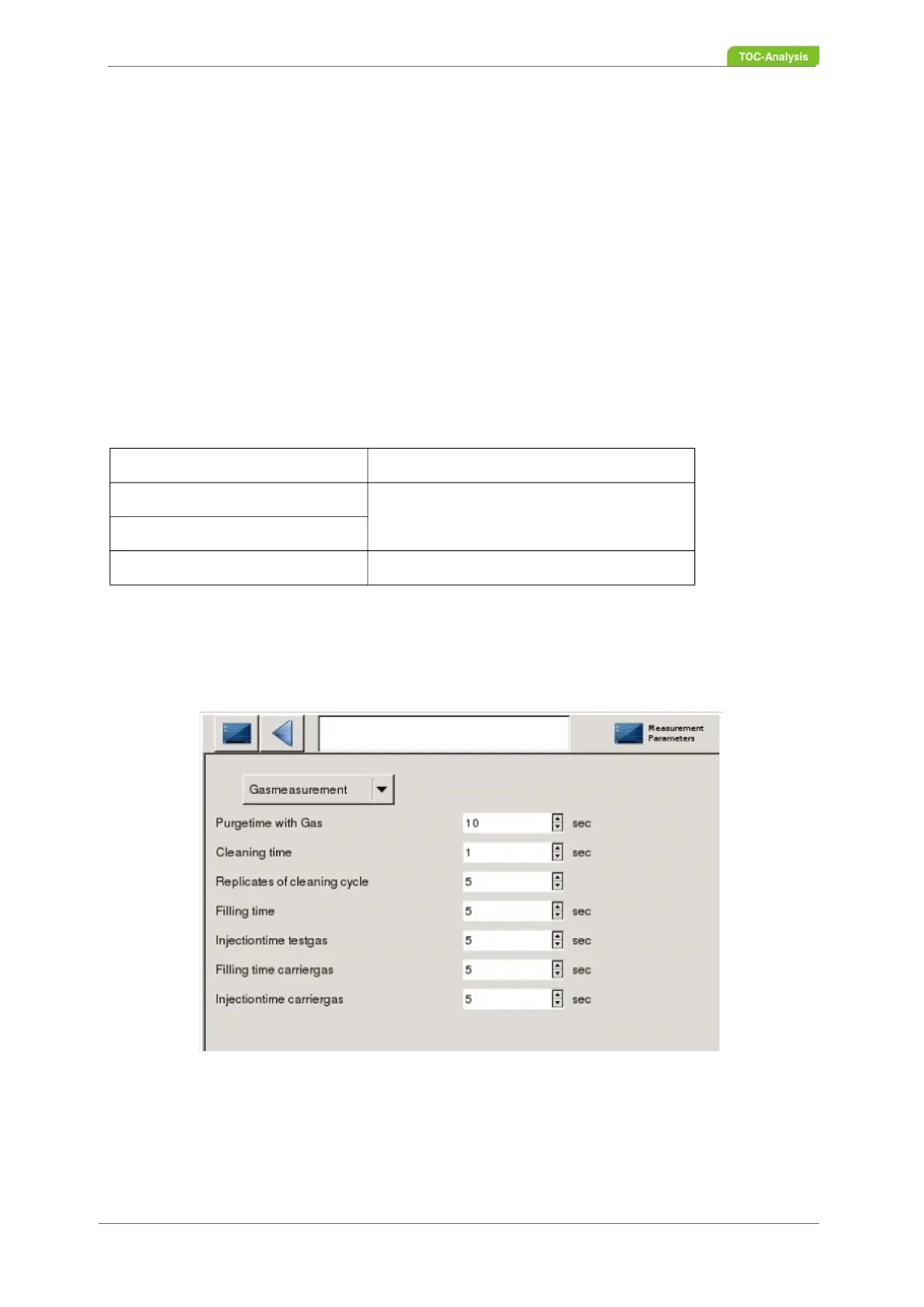
5. In user level II, enter the following values in the "Measurement parameters" screen:
6. In User Level II, go to the "Perform Calibration" screen on the drop-down menu and select "Gas
Calibration".
Tabelle 15: Gas Calibration
NDIR [CO2] Calibration Gas
50 ppm 450 ppm
150 ppm
500 ppm 1500 ppm



 To Next Page