130 User Manual QuickTOC
®
purity
ATEX 2 04E3920
7 How to Work With the Analyser
7.3 Good to know LAR | PROCESS ANALYSERS AG
7.3.13 Update Manager
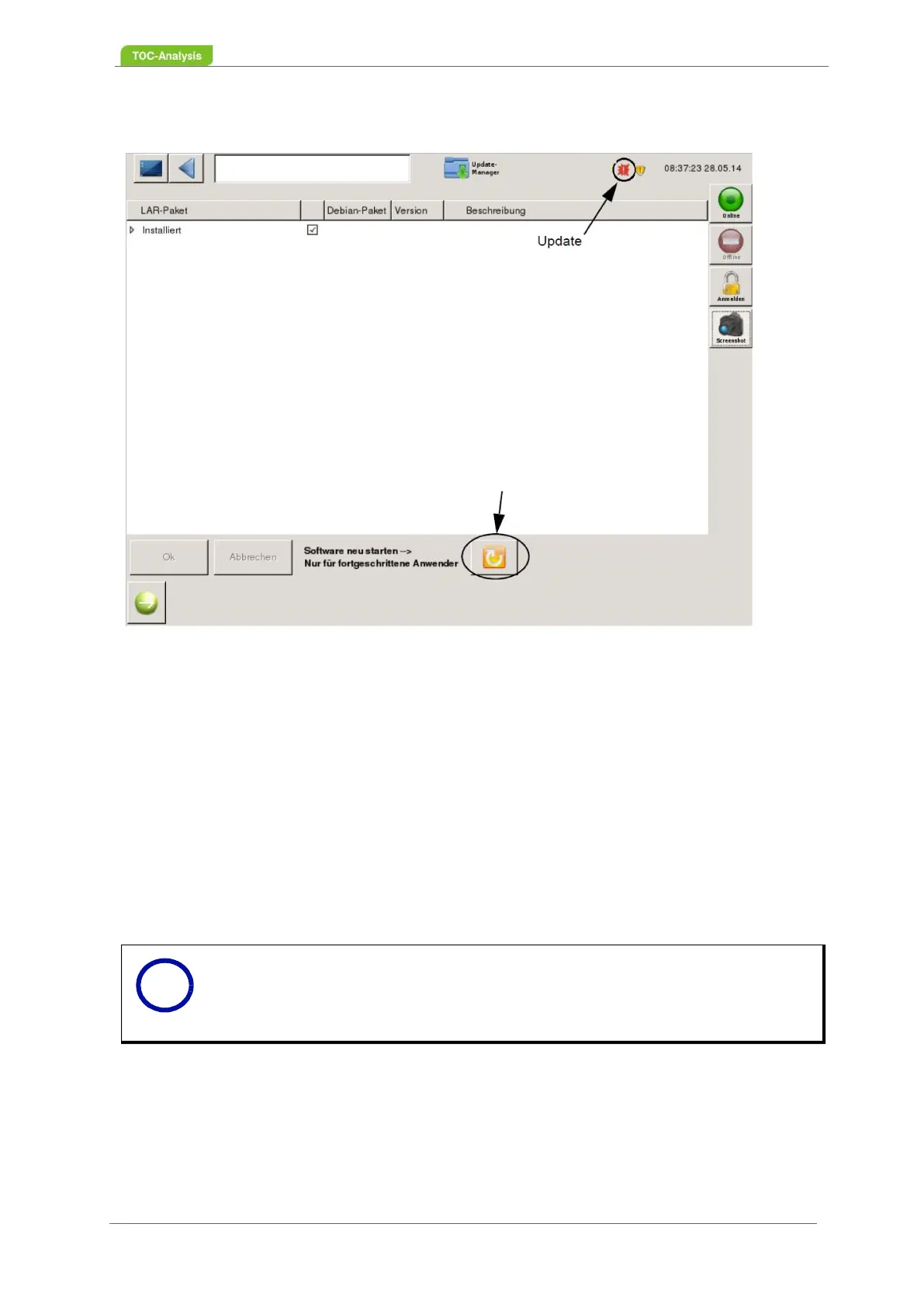
Fig. 98: Update Manager screen
This screen allows new software updates to be installed. To do this, a USB stick with access authoriza-
tion for user level 3 and the update must be connected to the device. Furthermore, all installed files are
displayed.
The yellow arrow key (bottom center) restarts the LAR software.
To run a software update:
1. Connect the USB stick with the analyser update.
2. A red "Update" symbol appears in the status bar. Click the icon to get to the Update Manager.
3. The screen for Update Manager will be displayed.
4. Select the installation file by checking the appropriate box.
5. Click "OK" to install the software. Click on "Cancel", if e.g. an incorrect file would be selected.
6. After pressing the "Ok" button, the screen will turn off for 30-40 seconds and the new software will
be installed.
Notice
Already installed files can not be activated or deactivated.
New start
i



 To Next Page