32 User Manual QuickTOC
®
purity
ATEX 2 04E3920
3 Product
3.5 Trackball LAR | PROCESS ANALYSERS AG
3.5 Trackball
The analyser can optionally be equipped with an external trackball. With the external trackball, you can
control the analyser and operate the keyboard on the screen without having to open the case. This pre-
vents the overpressure in the analyser from being reduced or having to rebuild first.
The external trackball can be used to access all software functions. In operation mode, readings, signals,
and statistics are available.
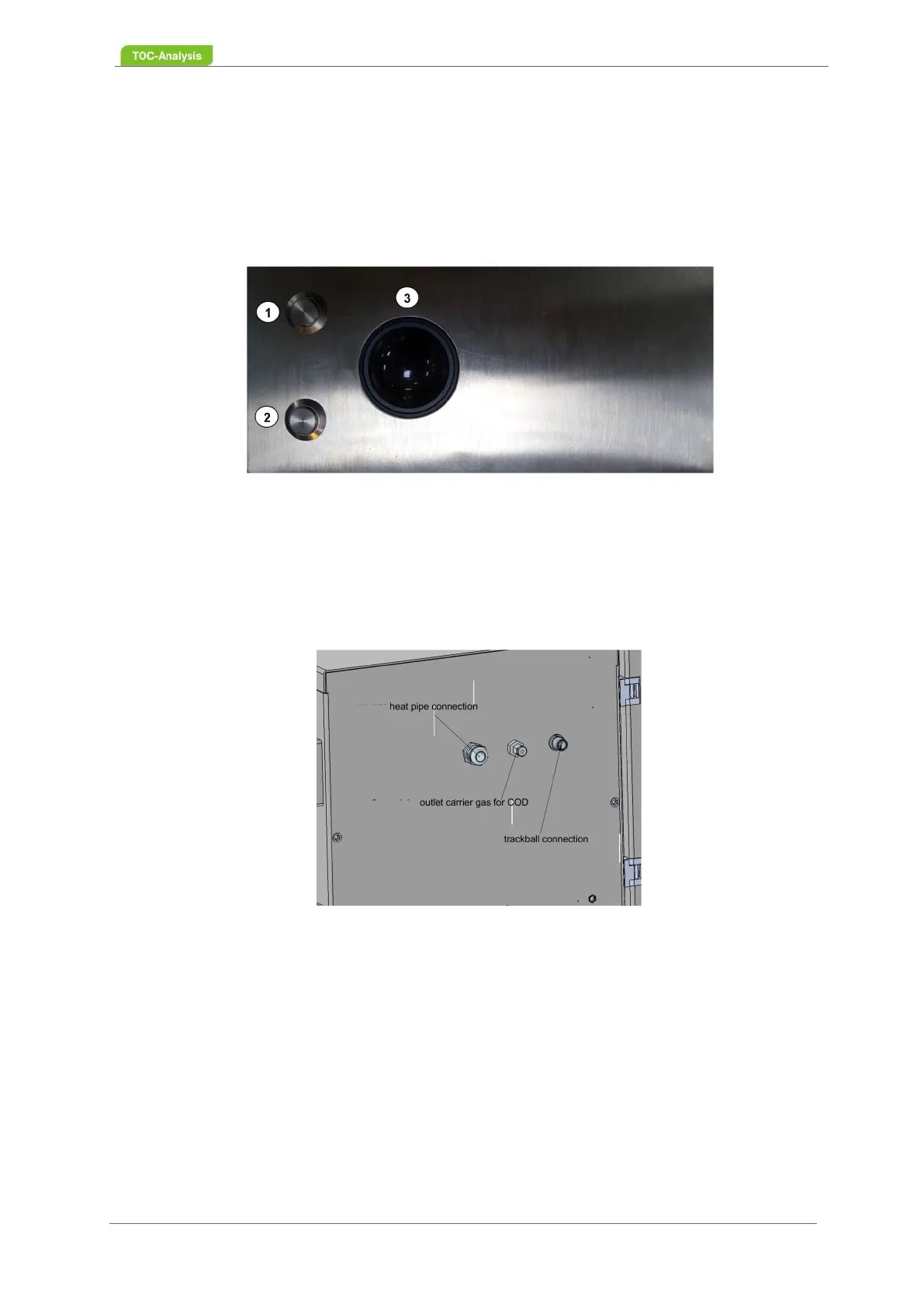
Fig. 16: Example of aTrackball
The function of the trackball (3) is the same as a mouse; however, only the left mouse button (2) is used
to operate the software. The right mouse button (1) is inoperative.
The trackball is connected to the left housing wall. If the trackball is not connected, there is no leak in the
housing wall.
The trackball can be connected at any time while the analyser is running.
Fig. 17: Connection of the trackball
3.6 Components of the Explosion Protection
3.6.1 Overpressure System
The pressurized enclosure is provided by the F840 control unit (1). The control unit ensures continuous
flushing with an inert gas. The housing is continously filled via a proportional valve (2), so that all leaks
in the housing are compensated and a slight internal pressure in the housing is ensured.
When the device is put into operation, the control unit starts with a rinsing phase to flush out potentially
explosive gases. The analyser remains switched off. All cavities larger than 20 cm
3
are flushed with inert



 To Next Page