146 User Manual QuickTOC
®
purity
ATEX 2 04E3920
8 Care and Maintenance
8.3 Care and Maintenance Tasks LAR | PROCESS ANALYSERS AG
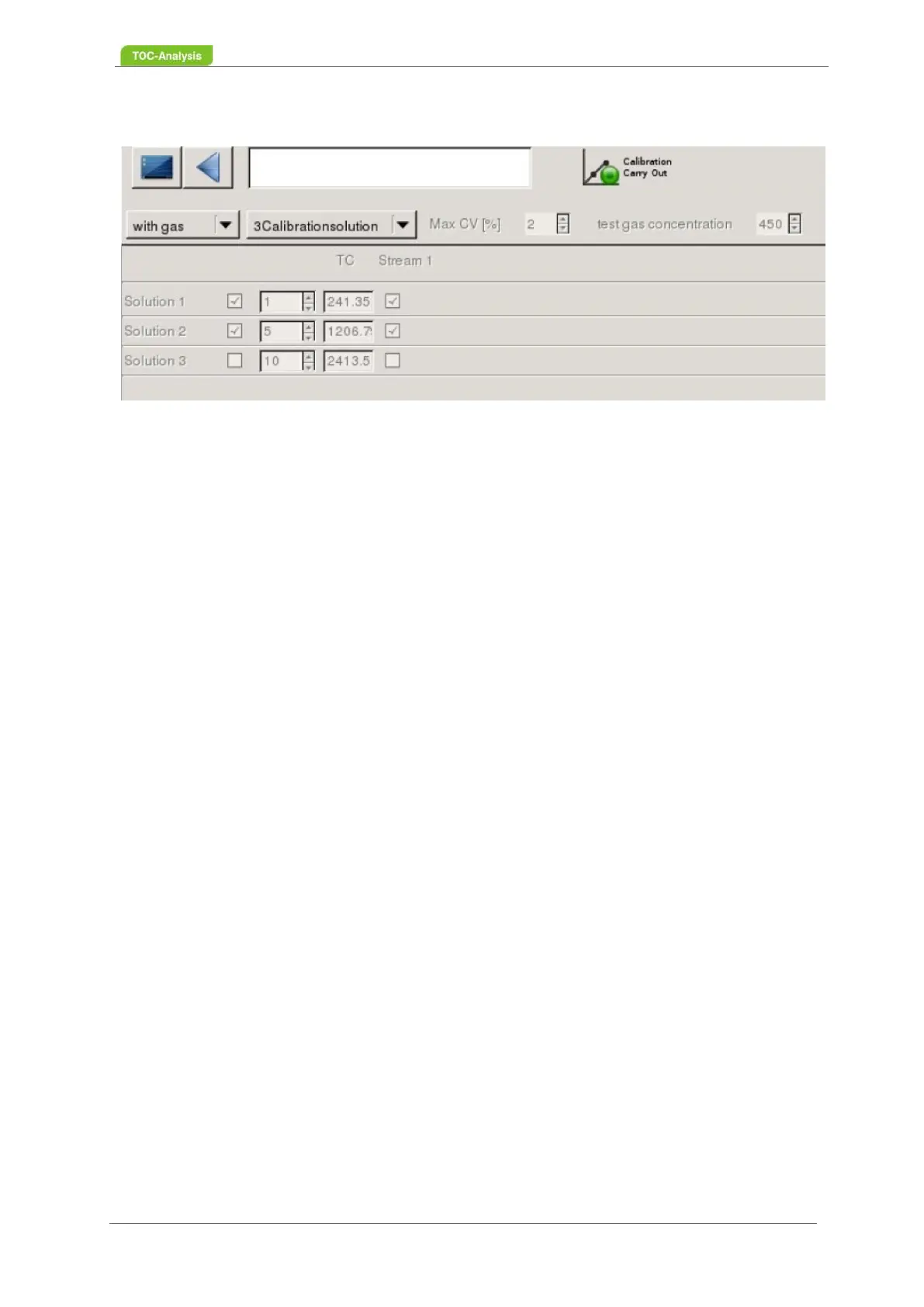
7. Enter the gas calibration values in ppm in the far right box.
8. Select the calibration points (at least three calibration points) and the number of injections for each
calibration point.The different concentration results depend on the number of loop injections. The
software automatically calculates the concentration for each calibration point in ppb.
9. Start calibration in user level II - "Perform calibration". The analyzer automatically executes all
selected calibration points.
8.3.14 Check and Document the Status of the Analyser.
See Chapter 8.2 from page 137.
8.3.15 Check and Document a Measurement
1. Check the temperatures or displays in the device status. The instrument will only take measure-
ments when the furnace has reached the working temperature of 1200° C and the radiator has
reached its operating temperature between 4 and 5° C.
2. Check the carrier gas pressure on the indicating instrument. The setpoint is 0.3-0.5 bar.
3. Check the volumetric flow in the status screen in idle state, e.g. V
on
: 10-50 l / h, V
off
: 10-50 l / h. V
on
= V
off
. At 15 l / h input value, the setpoint for the output is also 15l / h.
4. Only during the injection may the output value have a deviation of up to 5% from the input value.
8.3.16 Replace Pump Tubes and Condensate Tubes
1. Switch off the pump (user level 2, screen window Service Actions, see Chapter 7.2.12 on
page 106).
2. Take the pump hose out of the pump on both sides and insert a new, same hose into the pump.
3. Continue until all pump hoses have been replaced.
4. Switch on the pump and press the "End maintenance" button (user level 2, screen window Service
Actions, see Chapter 7.2.12 on page 106).
5. After this maintenance work, the measurement can be restarted.



 To Next Page