04E3920 User Manual QuickTOC
®
purity
ATEX 2 129
7 How to Work With the Analyser
7.3 Good to know
LAR | PROCESS ANALYSERS AG
7.3.12 Service Parameter
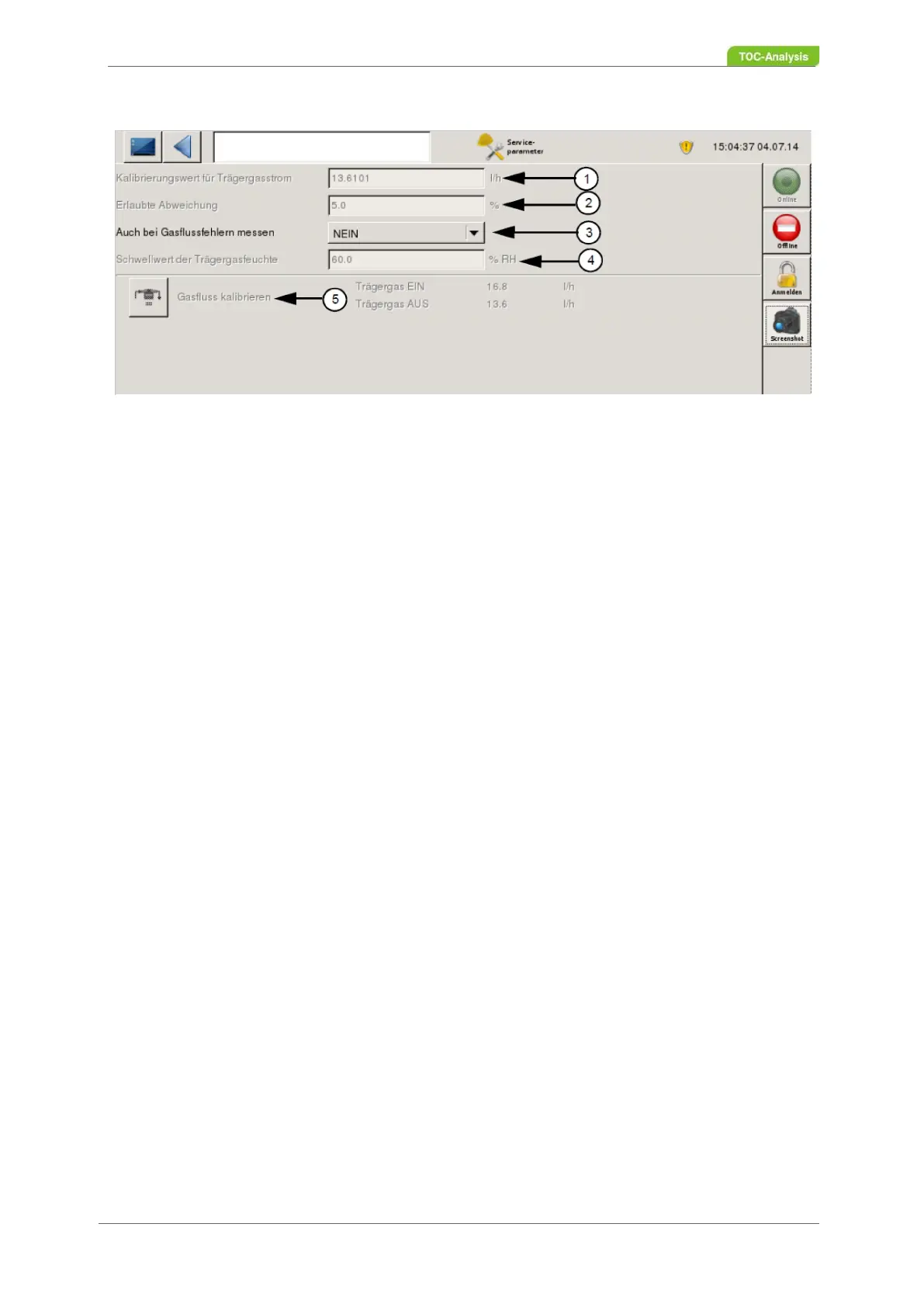
Fig. 97: Service Parameter screen
Define and view parameters for the carrier gas flow in this screen.
Definable parameter:
• Also measure for gas flow errors (3)
• Here you can choose between YES or NO. If YES is selected, the measurement will also be made if
the deviation from the carrier current calibration value is greater than the value specified by them.
Fixed parameters:
• Calibration value for carrier gas flow (1)
• After a calibration, the value for the carrier gas flow is displayed here. If the actual value does not
match the calibration value during a measurement, the measurement is aborted and the error must
be corrected before a new measurement can be started.
• Permitted deviation (2)
• Here, the allowable deviation of the carrier gas flow will be indicated. If the deviation is below the
percentage, it will still be measured.
• Threshold of carrier gas moisture (4)
• Here, the threshold value for the carrier gas moisture is defined. If the actual value is greater than the
threshold, no measurement can be performed until the error is corrected. In the "Status screen", a
"target value" is displayed for the two carrier gas sensors. This "target value" is generated by the
"Carrier gas flow calibration value". The value that was generated during a calibration is
automatically displayed.
• Calibrate gas flow (5)
• At this point, the carrier gas inputs and outputs can be viewed. This setting is factory set to YES.



 To Next Page