04E3920 User Manual QuickTOC
®
purity
ATEX 2 91
7 How to Work With the Analyser
7.2 Configuration
LAR | PROCESS ANALYSERS AG
7.2.2 Setting the Measuremement Parameters
The measuring parameters are set up in user level 2. As soon as all measuring parameters have been
set up, the measurement can be started by clicking the "Online" button.
The measured values are displayed on:
• Measurement screen at level I (user level 1)
• Status screen (user level 2)
• Database (user level 2, display "Measurement Parameters")
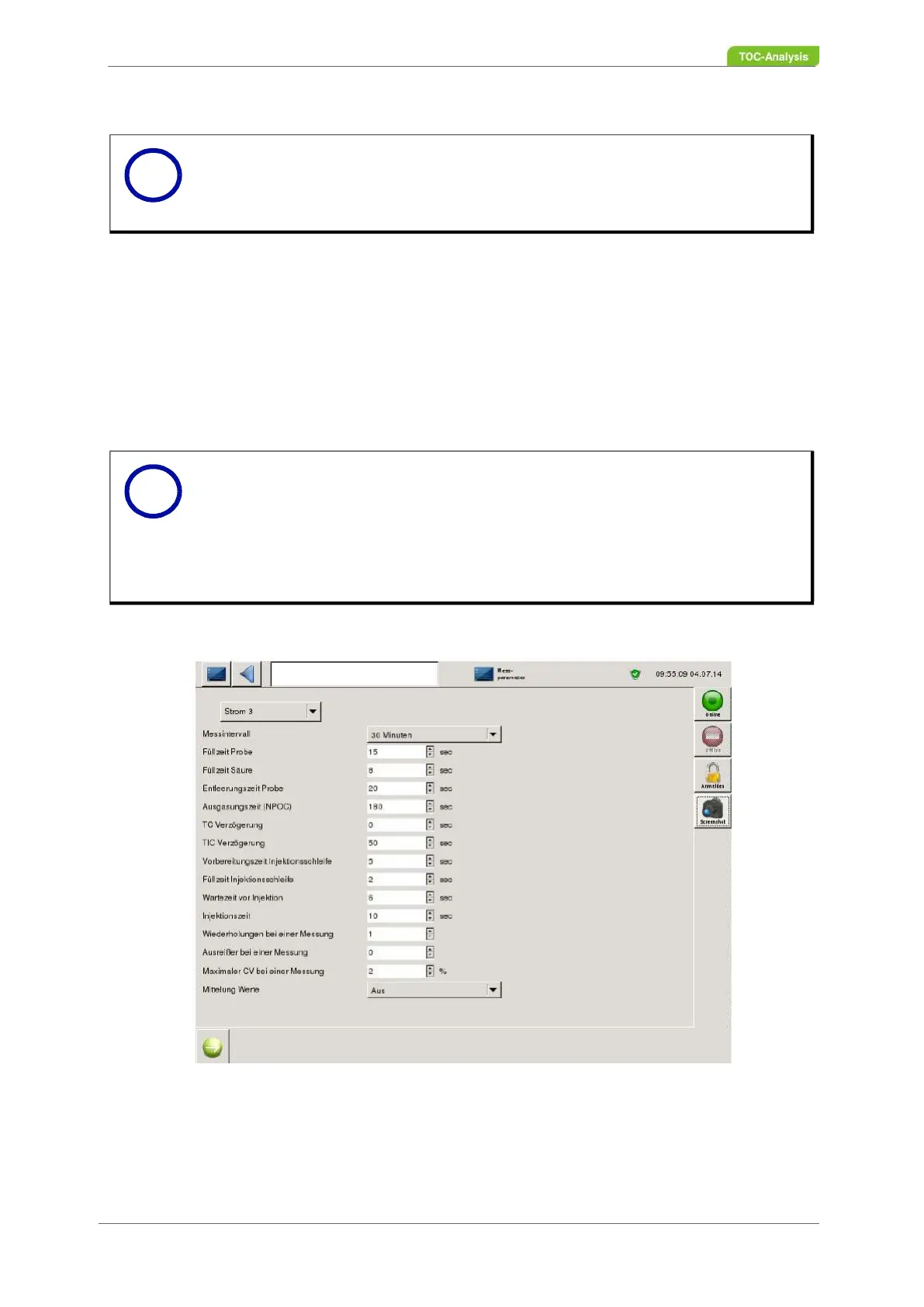
Fig. 55: Setting the measurement parameters (Example)
Here, parameters for gas measurement (gas calibration / gas validation) and sample measurement for
the respective sample stream can be set.
Notice
Some values are set up by LAR Technical Support or a LAR-authorised technician.
All values depend on the application and must be adapted to it. To change the values
of the operating parameters, please contact LAR Technical Support
Notice
The unit in the signal screen or during calibration is indicated in FSR. FSR stands for
"Full Scale Range". The values are between 0 and 1 FSR (corresponds to 0 to 20 or
4 to 20 mA).
Tthe "Status screen" lists all detectors. LAR has predefined the correct detectors of
the device according to the application. If the parameters need to be changed, contact
the LAR technical support (Chapter 15.1 on page 183).
i
i



 To Next Page