110 User Manual QuickTOC
®
purity
ATEX 2 04E3920
7 How to Work With the Analyser
7.2 Configuration LAR | PROCESS ANALYSERS AG
and CV) can be adjusted before a single measurement. Once the three parameters (repeated measure-
ments, outliers, max.CV) have been set and saved with the disk symbol, the single measurement can
be started via the "Start single measurement" button. The table displays the repetitions, results and the
CV of the measurement. The outliers are automatically highlighted in yellow and not included in the cal-
culation.
Proceed as follows to set parameters:
• Repetition during a measurement
This option can be used to specify how many individual measurements are to be made per output
measured value. The permissible values are between 1 and 10. The default value of this option is 1.
Several individual measurements are averaged over a measured value.
• Outliers in a measurement
Using the outlier correction, incorrect measurements can be taken out of the averaging of the
individual values. Permissible values are 0 to 2 measured values. For the determination of the
outlier, the measured value with the largest standard deviation is chosen as the mean value. If the
standard deviation lies in the tolerance range of the maximum CV, the measured value of the
individual measurements is used for averaging. If this is above the maximum CV, the measured
value is treated as an outlier and is ignored when calculating the mean value and the coefficient of
variation (CV).
• Maximum CV in one measurement
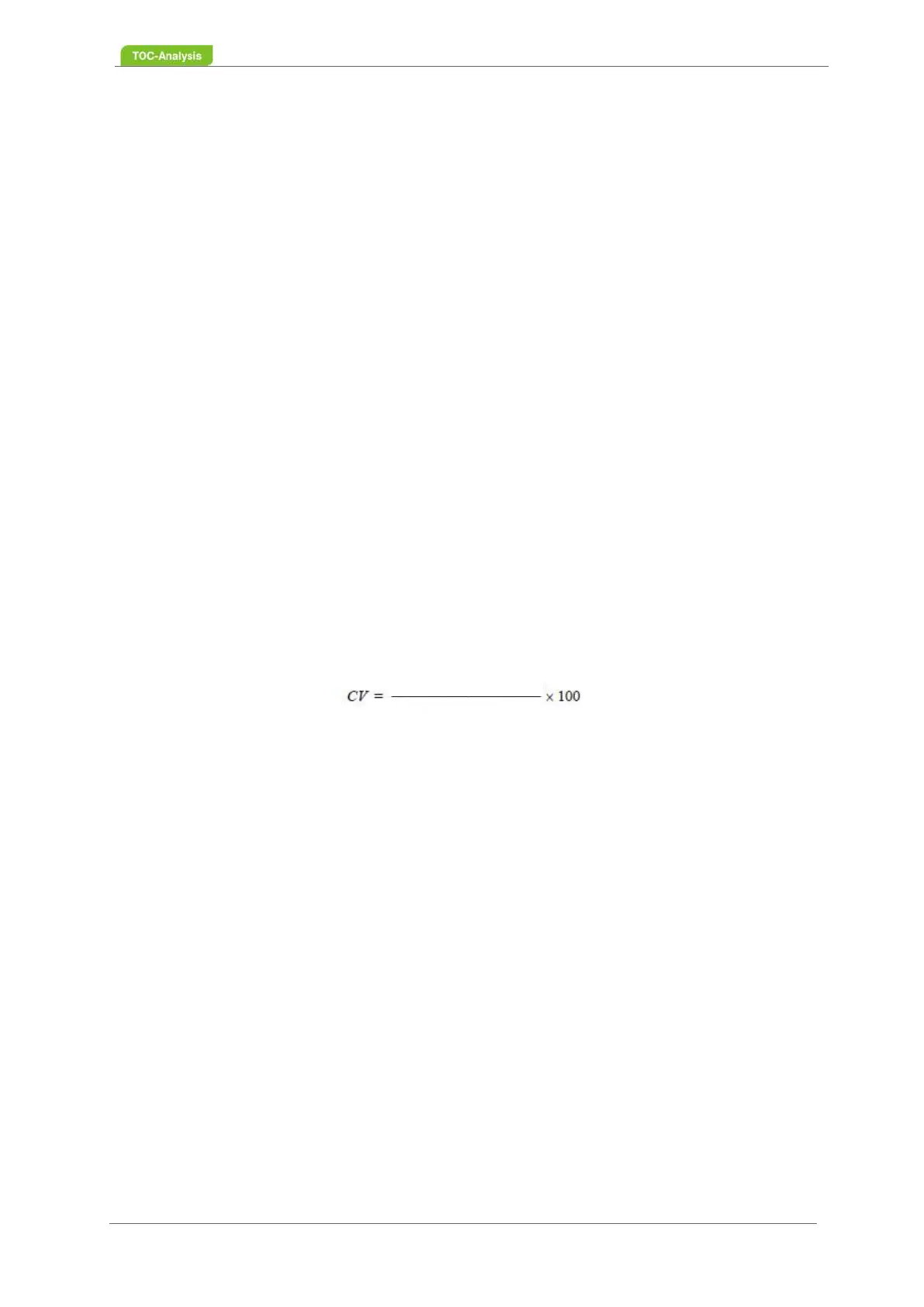
The maximum CV or coefficient of variation describes the repeatability or reproducibility of several
consecutive individual measurements taken on the same sample. The maximum CV or coefficient of
variation is only effective in combination with the outlier correction. If the outlier correction is
activated by entering the numbers 1 or 2, then the maximum CV is taken into account when
determining the outlier. The default value is 0, i. there is no consideration. The maximum adjustable
value is 10%.
7.2.14 Auto Check
This screen offers you the following functions:
• Auto Calibration: Automatic calibration by standards
• Auto-Check: Automatic check by standards
Standard deviation
Average



 To Next Page