90 User Manual QuickTOC
®
purity
ATEX 2 04E3920
7 How to Work With the Analyser
7.2 Configuration LAR | PROCESS ANALYSERS AG
• User level 2
The user can view data (such as readings) and use functions described in this chapter. For user level
2 an access authorization with password can be set up (Chapter 7.3.1 on page 120).
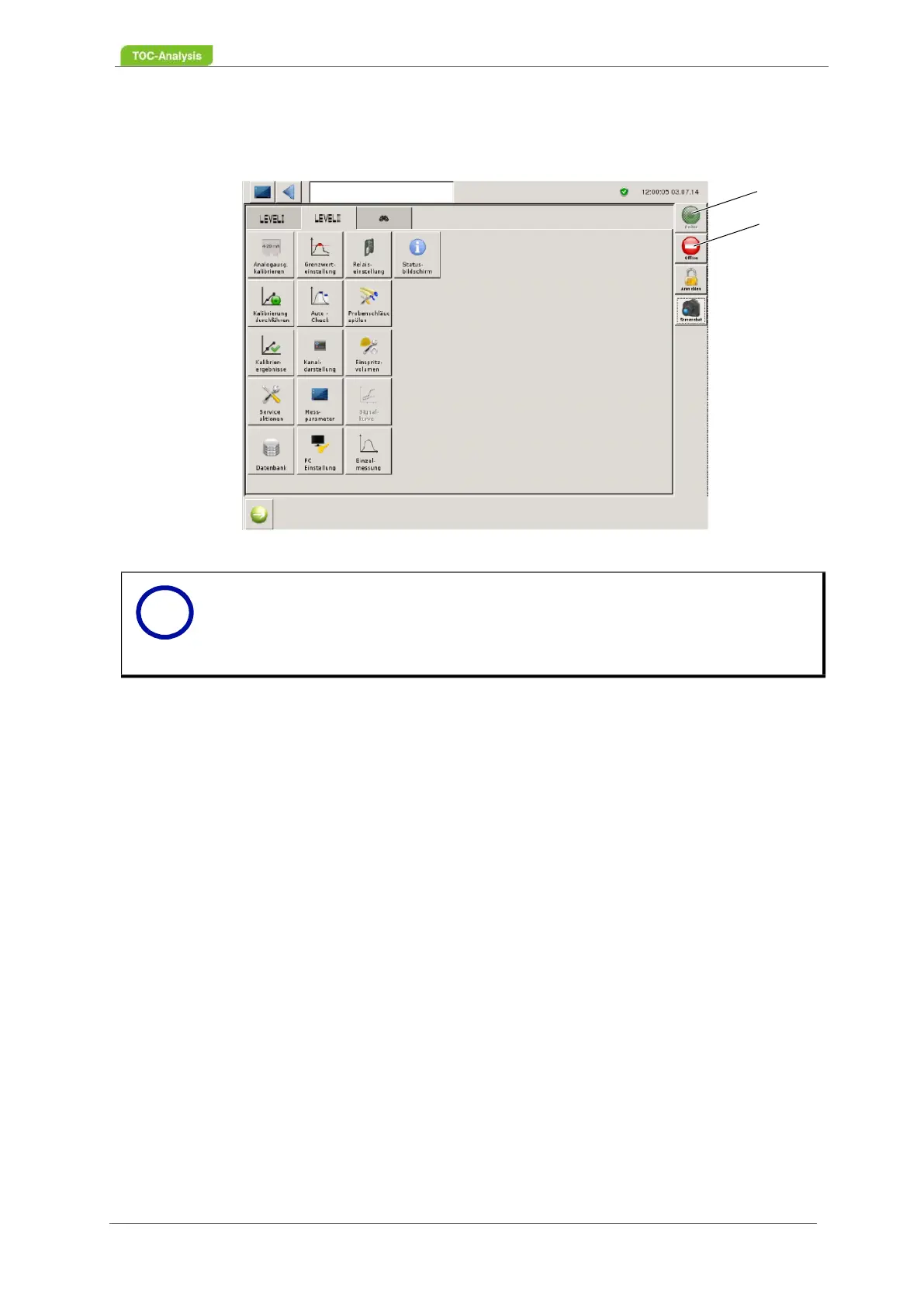
Fig. 54: Opening screen user level 2
After pressing the green "Online" button (1), the analyser goes into RUN mode. To cancel a running
measurement or another action, press the red "Offline" button (2).
• User level 3
In user level 3 advanced settings can be made. The advanced settings are described in
Chapter 7.3.10 on page 122
7.2 Configuration
7.2.1 Setting the Working Parameters
In user level II, the measurement parameters, calibration, relay settings, operator password, date / time,
name and units as well as the channels are set up. To set up the specific requirements, the following
steps are necessary. Check the set parameters before starting the measurement.
• Setting up the measuring parameters (Fig. 7.2.2, page 91)
• Definition of the measured value screen (Fig. 7.2.1, page 90)
• Setting the limit values (Fig. 7.2.15, page 112)
Notice
In order to use the functions of user level 3 (expert level), you must first undergo trai-
ning with LAR. If you are interested in this training, contact LAR Technical Support
(Chapter 15.1 on page 183).
User level 3 (expert level) can only be activated via an authorized USB stick from LAR.
1
2
i



 To Next Page