04E3920 User Manual QuickTOC
®
purity
ATEX 2 115
7 How to Work With the Analyser
7.2 Configuration
LAR | PROCESS ANALYSERS AG
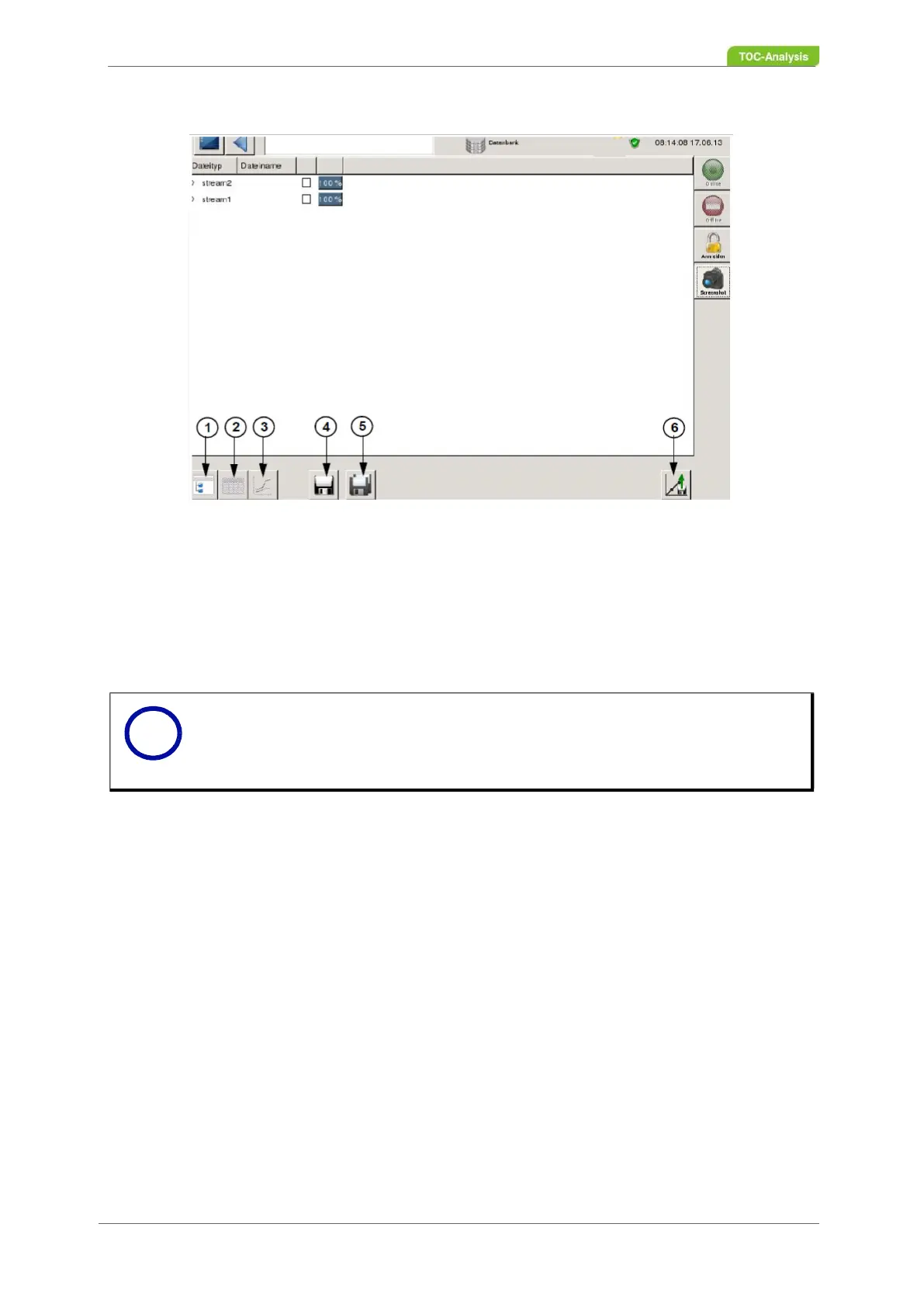
1 Overview of the database
2 Data in table form
3 Dayly results
4 Save data to storage device
5 Save all data to storage device
6 Dub parameters
Fig. 77: Database screen
Save data
1. Measurement data can be stored on a USB stick.
2. Connect the USB stick to the analyser.
3. Select the desired measurement data. All measurement data can also be selected individually.
Activate the respective check boxes.
4. Press the "Save" button; the files are copied to the USB stick.
Dub parameters
After successful commissioning, the default parameters are transferred to a USB stick. If parameters
have been changed or the analyser is no longer running properly, the default commissioning parameters
can be replayed on the analyser.
1. Stop measurement.
2. Connect USB stick to the device.
3. In the "Database" screen, click the "Transfer parameters" button.
4. A query is displayed. Confirm this with the green tick.
5. A query with Yes / No takes place: If yes, the device is automatically restarted. If no, the process is
aborted.
6. After successful dubbing the stick can be removed.
Notice
Only when a file is selected (100% loaded) the "Table shape and waveform of the
measured data" button can be selected.
To see the subfolders, press the small triangle to the left of the stream or date.
i



 To Next Page