LDI Intellectual Property.
Not for secondary distribution or replication, in part or entirety.
DIGISONDE-4D
SYSTEM MANUAL
VERSION 1.2.11
SECTION 6 - MAINTENANCE 6-9
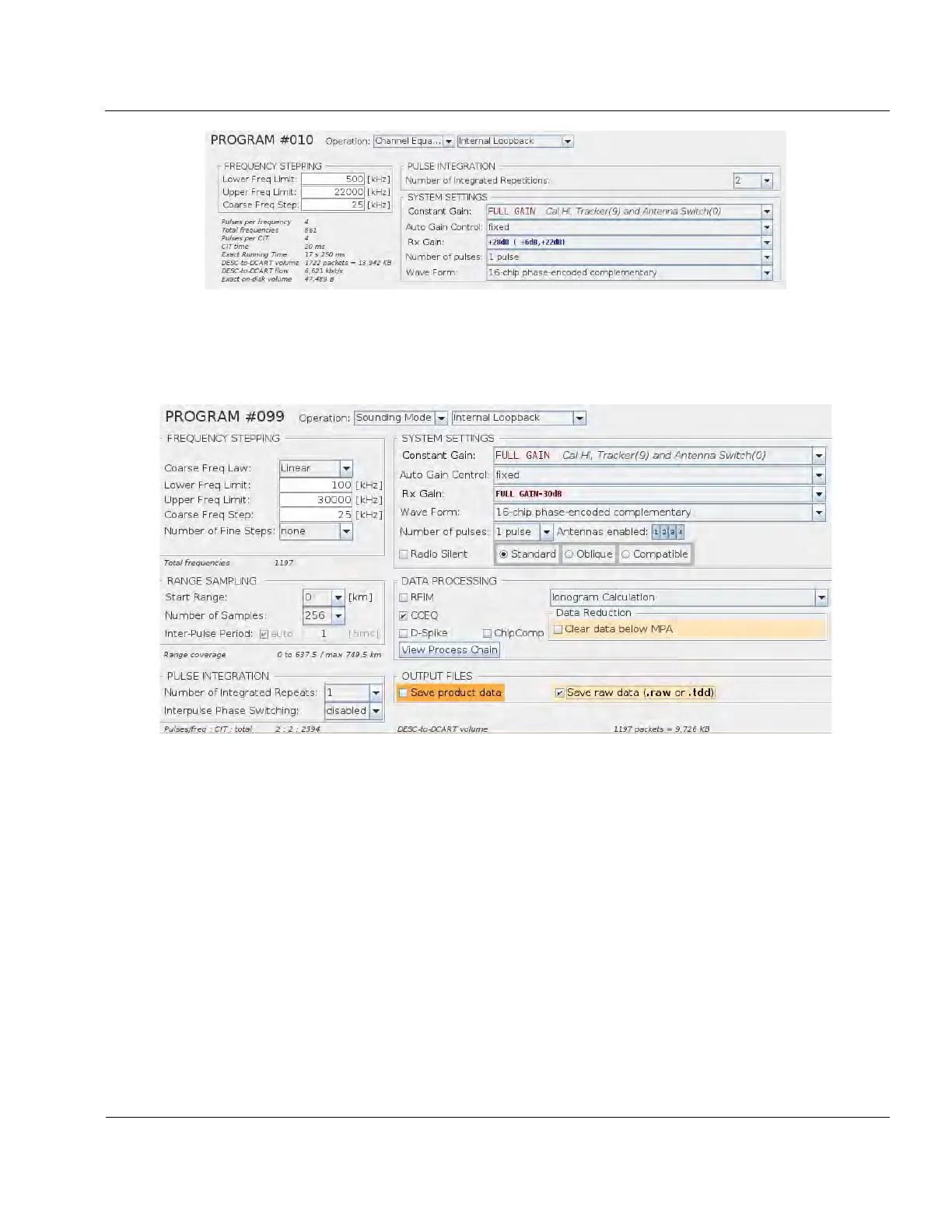
Figure 6-6: CCEQ Program
6:19. Verify All 4 channels work in “internal loopback”.
6:20. Create/find the following “Sounding Mode” “Internal Loopback” program: (name it TRKR Test)
Figure 6-7: TRKR Test Program
6:21. Run the program.
6:22. Navigate to the “Sounding Mode” tab.
6:23. If the data display is not enabled, then enable it by clicking “Enable Data Display” in the upper left
hand corner of the screen.
6:24. Ensure the following display settings are set:
6:25. “Presentation” is set to “echogram”, “Use dB” is checked, “All” is checked, and dropdown menu is
set to “max”



 To Next Page