LDI Intellectual Property.
Not for secondary distribution or replication, in part or entirety.
DIGISONDE-4D
SYSTEM MANUAL
VERSION 1.2.11
3-58 SECTION 3 - OPERATING INSTRUCTIONS
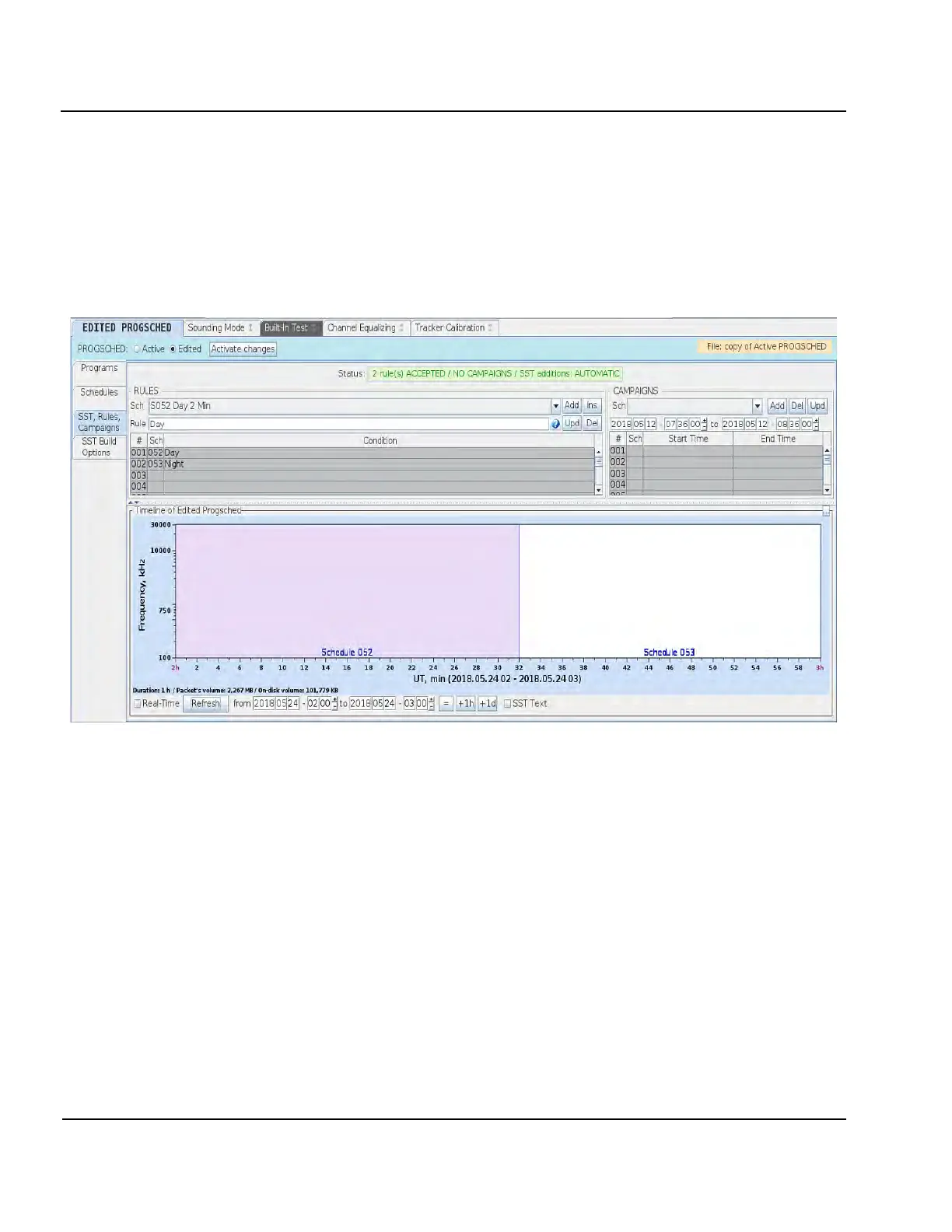
Figure 3-46 shows 1 hour of Digisonde
®
operations from 2018.05.24 02:00UT to 2018.05.24 03:00UT, during
which daytime schedule #52 is switched to nighttime schedule #53, at 2:32 UT.
NOTE
Timeline image may not show individual programs if selected timeline interval produces programs
that are so close as to be too dense to see. Use Programs and Schedules text fields in the Timeline
panel to specify the threshold at which detailed view is no longer provided because of screen clutter.
Figure 3-46: SST Editor
Planning Rules
3:105. One Planning Rule contains (a) Schedule Number and (b) Condition that can be one of three kinds:
• START CONDITION for the schedule to start,
• INTERVAL CONDITION for the schedule to start and finish, or
• DEFAULT CONDITION for the schedule to run when no other conditions apply.
3:106. Rule conditions can be written as simple formulas that use
• UT time of the day (keywords StartUT and RangeUT) specified in hh:mm:ss.sss format
• Daylight time in the F region (keyword Day and its boundaries Day.Start and Day.End)
• Nighttime in the F region (keyword Night and its boundaries Night.Start and Night.End)
• Offset from condition one row higher in the table (keyword Offset)



 To Next Page