EasyManua.ls Logo

Leica C - Taking pictures; Taking still pictures

Leica C
292 pages
Print Icon
To Next Page IconTo Next Page
To Previous Page IconTo Previous Page
Loading...
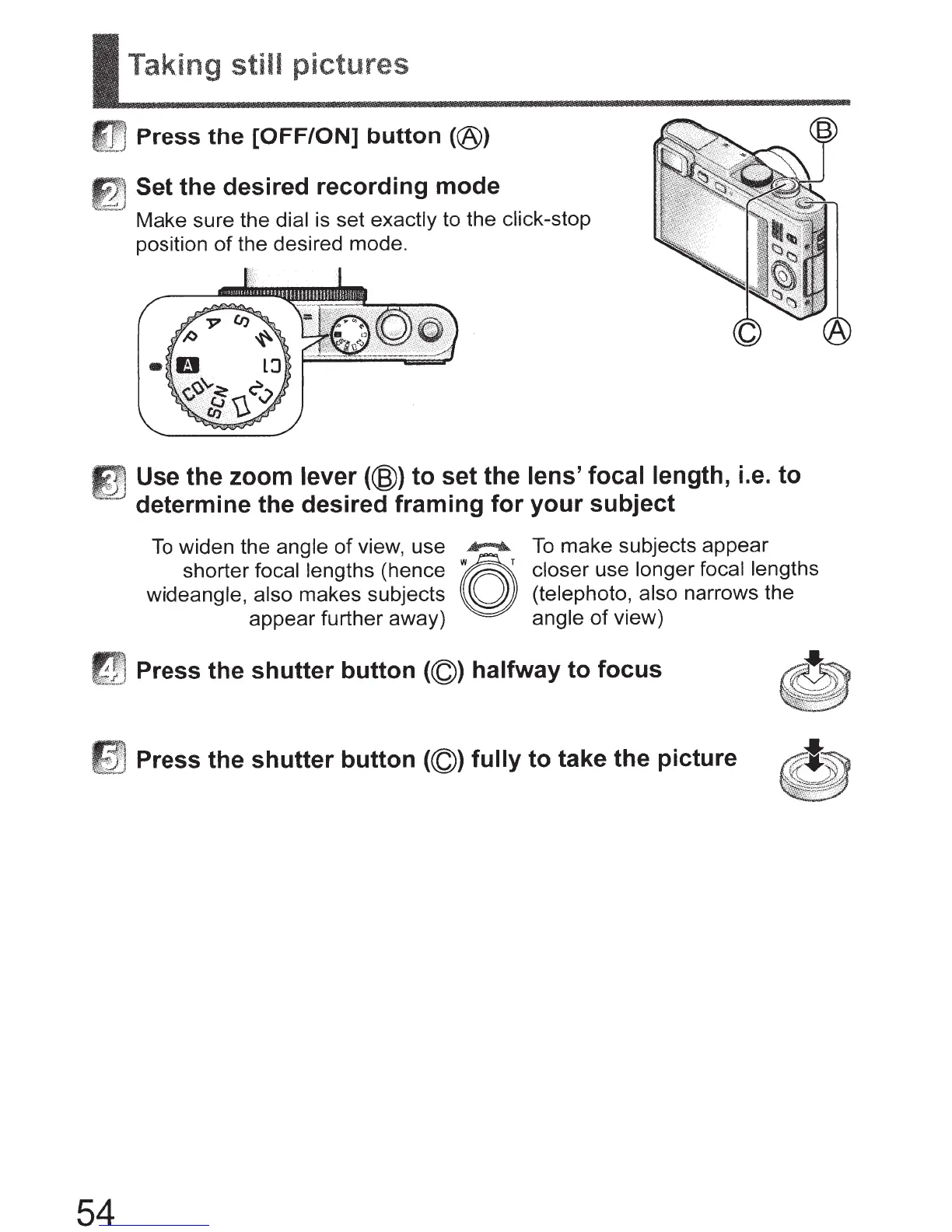
r Taking
still
pictures
Press
the
[OFF/ON]
button
(@)
~
Set the desired recording mode
'.}
Make sure the dial
is set
exactly
to the click-stop
position
of
the desired mode.
Use the zoom
lever
(@)
to set the
lens' focal length,
i.e. to
determine the desired framing for your subject
To
widen the
angle
of
view, use
.............
.
To
make subjects appear
shorter
focal lengths
(hence
~
closer
use longer focal lengths
wideangle, also
makes subjects
~
(telephoto, also
narrows the
appear further away)
angle
of
view)
Press the shutter button
(©)
halfway to focus
,_,~
Press the shutter button
(©)
fully to take the picture
54

Table of Contents

Other manuals for Leica C

Related product manuals