I
Recording
motion
pictures
You
can record motion pictures with audio (stereo). The lens' zoom can also be
used during recording.
56
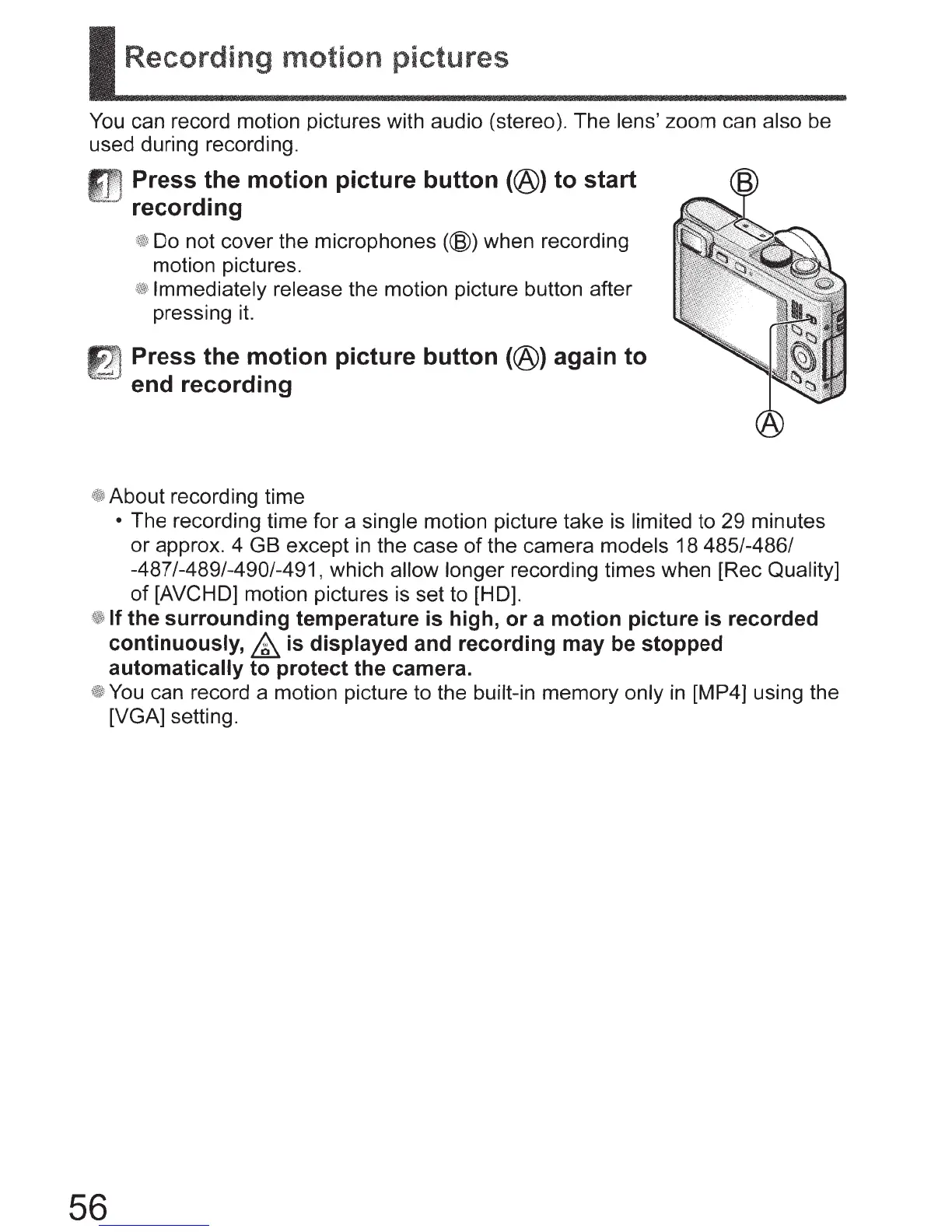
Press the motion picture button (@) to start
recording
Do not cover the microphones
(@)when
recording
motion pictures.
Immediately release the motion picture button after
pressing
it.
Press the motion picture button (@) again to
end recording
About recording time
• The recording time for a single motion picture take
is
limited to 29 minutes
or approx. 4 GB except
in
the case
of
the camera models 18 485/-486/
-487/-489/-490/-491, which allow longer recording times when [Rec Quality]
of
[AVCHD] motion pictures is set to [HD].
If the surrounding temperature
is
high, or a motion picture
is
recorded
continuously,
&
is
displayed and recording may be stopped
automatically to protect the camera.
You
can record a motion picture to the built-in memory only
in
[MP4] using the
[VGA] setting.


 To Next Page