Handling the LU600 LiveU LU600 User Guide
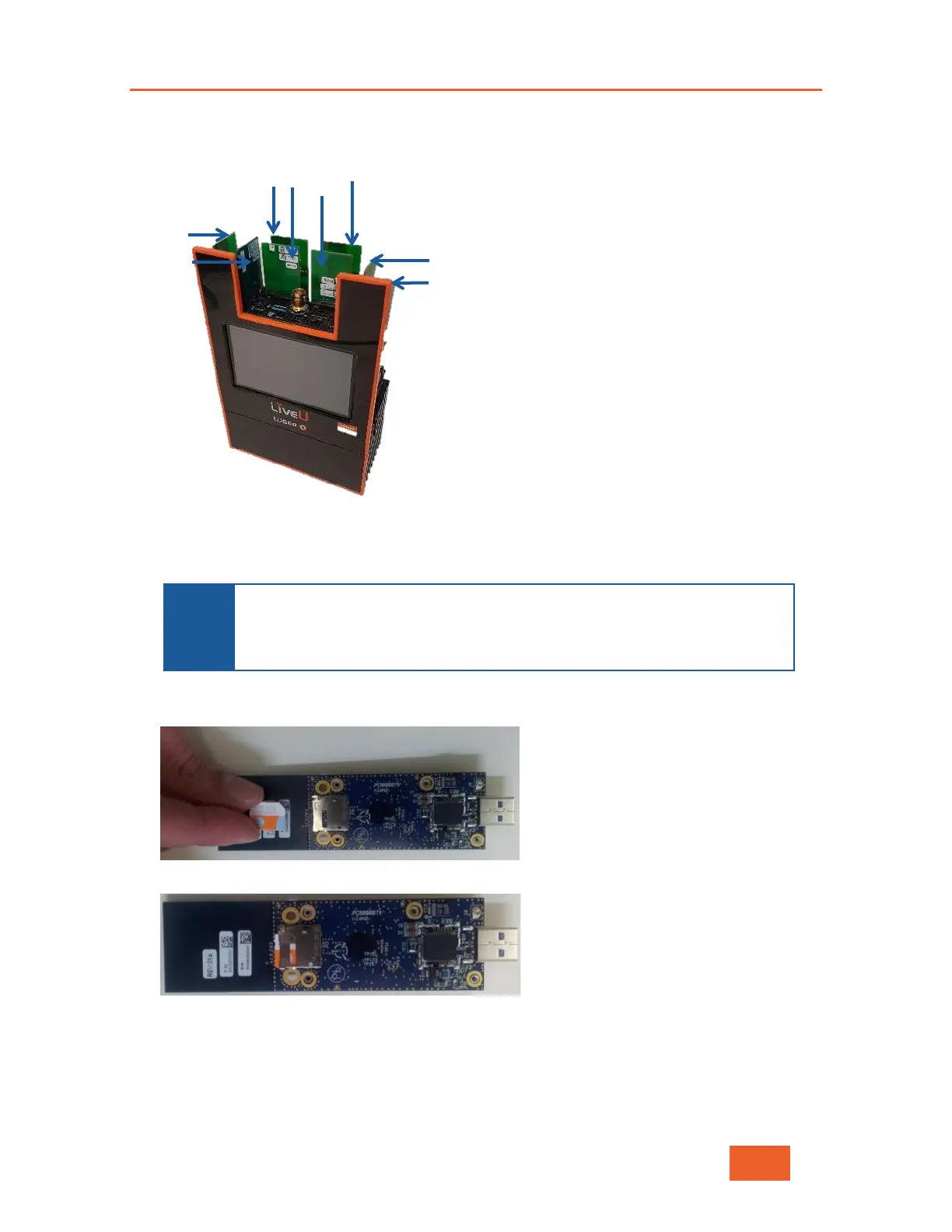
The following shows the eight ports in which a module is placed:
Figure 103: Module Positions
The four internal slots from left to right are numbered, 4, 3, 2 and 1. The four external
slots from left to right are numbered 8, 7, 6, and 5.
NOTES
Modules can be inserted into the ports in any order. We recommend using
all eight ports, but it is not mandatory.
For easy recognition, modules are clearly marked to indicate whether they
are for 3G or 4G.
3 Insert the SIM card into the module. The module does not need to be removed in order
to insert the SIM card. The figures below show the correct way to insert the SIM card.
Figure 104: Inserting a SIM Card into a Module – 1
Figure 105: Inserting a SIM Card into a Module – 2
4 Replace the cover of the LU600, remembering to replace and tighten the thumbscrew.



 To Next Page