Handling the LU600 LiveU LU600 User Guide
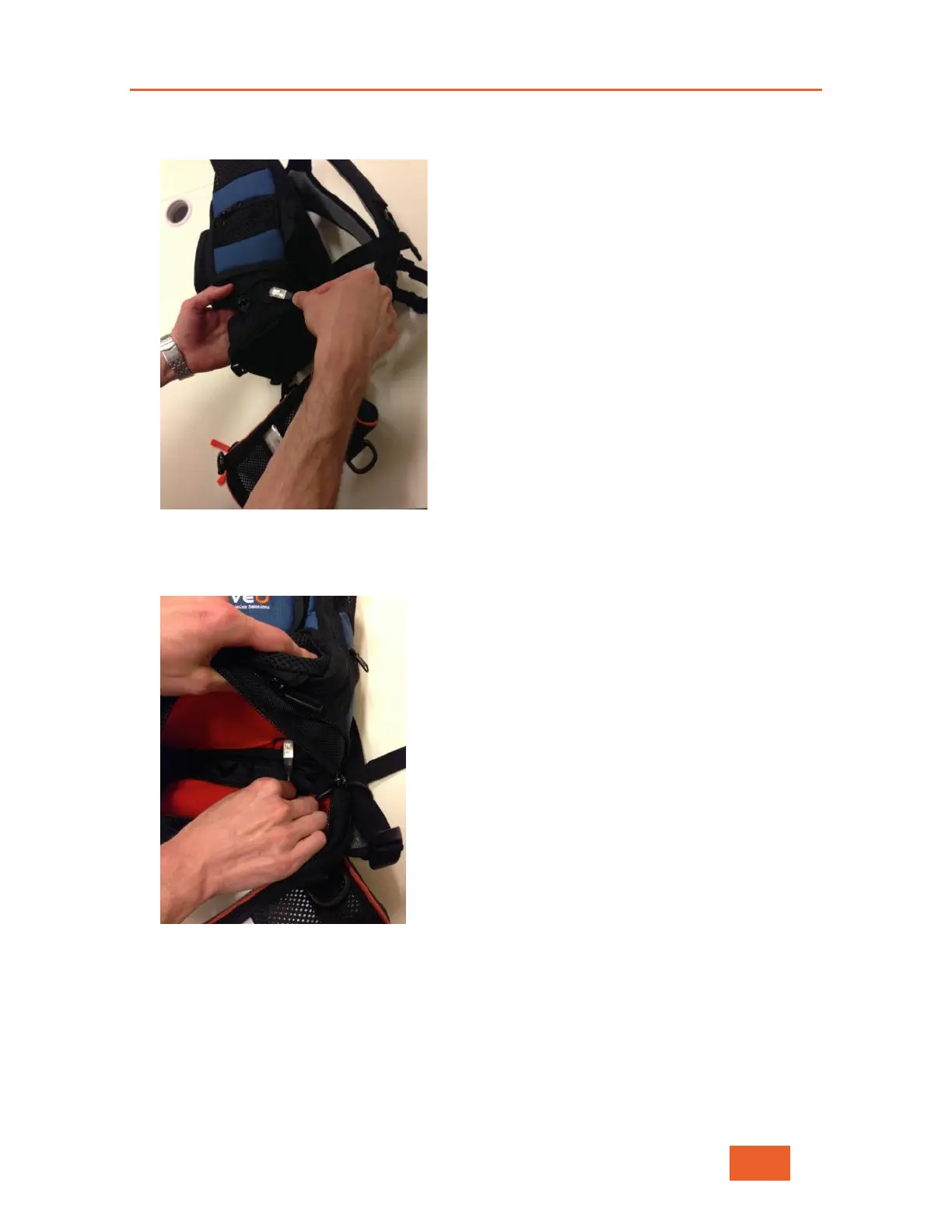
5 Thread the LAN cable through the plastic opening on the side of the backpack, as shown
below:
Figure 115: Threading the LAN Cable
6 Push the cable from the inside of the backpack through the designated hole into the
bottom of the inside of the backpack in order to connect to the LU600.
Figure 116: Pushing the Cable Through the Hole in the Backpack
7 Put the LU600 device into the backpack and connect this cable to its LAN port 2, as
shown below:



 To Next Page