215651 150 Revision B
$
%
&
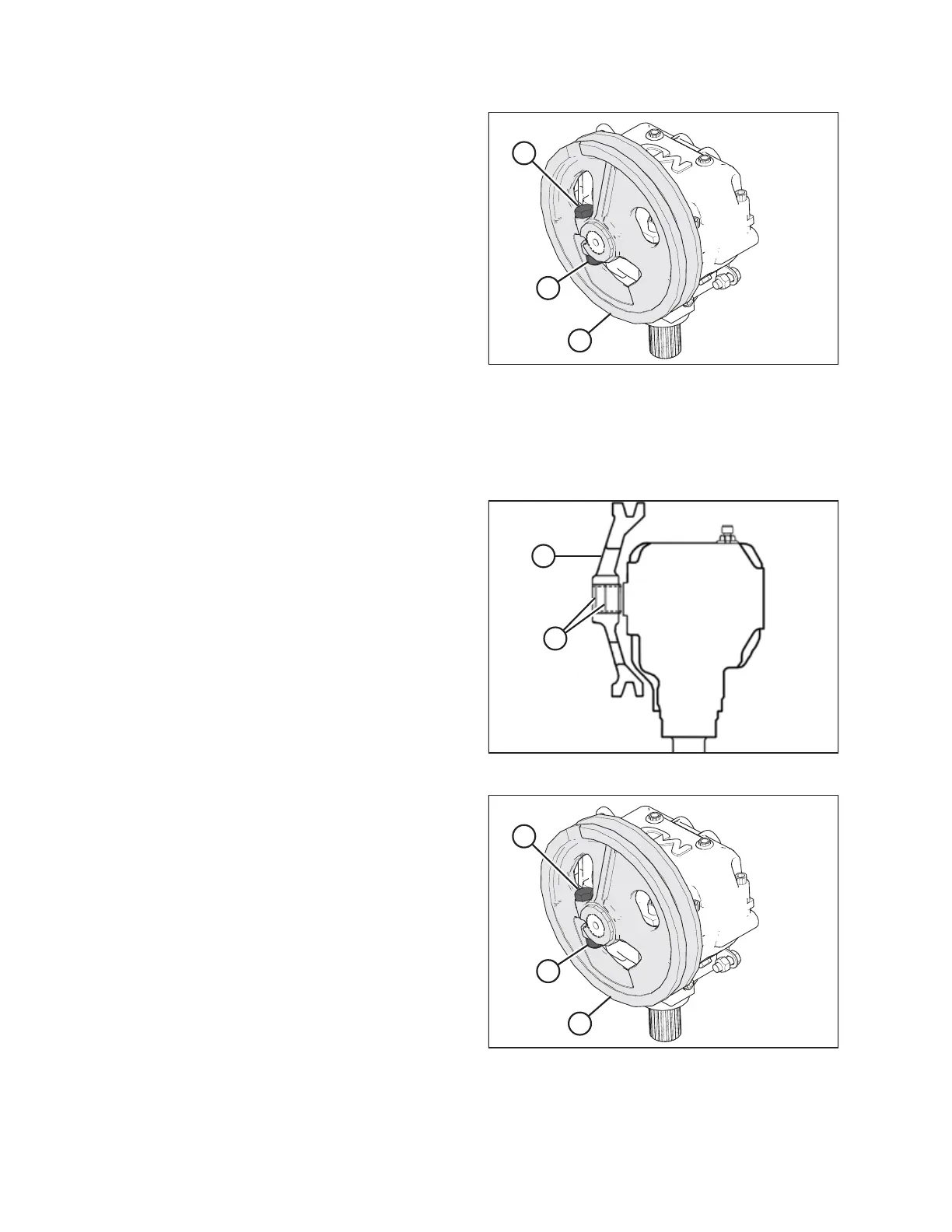
Figure 5.53: Knife Drive Box and Pulley
1. Loosen and remove knife drive box pulley clamping bolt (A)
and nut (B).
2. Using a three-jaw puller, remove knife drive box pulley (C).
Installing Knife Drive Box Pulley
The knife drive box pulley is driven by the knife drive motor and the knife drive belt. To install the knife drive box pulley,
follow the recommended installation procedure provided here.
%
$
Figure 5.54: Knife Drive Box
1. Ensure the splines and bores in the pulley and drive arm
are free of paint, oil, and solvents.
2. Apply two bands (A) of medium-strength threadlocker
(Loctite
®
243 or equivalent) around the shaft as shown at
right. Apply one band at the end of the spline and the
second band in the middle.
3. Press pulley (B) onto the shaft until flush with the end of
the shaft.
$
%
&
Figure 5.55: Knife Drive Box and Pulley
4. Secure pulley (C) with a 5/8 x 3 in. hex head bolt (A) and a
distorted thread NC lock nut (B). Torque bolt to 217 Nm
(160 lbf·ft).
MAINTENANCE AND SERVICING



 To Next Page