215651 161 Revision B
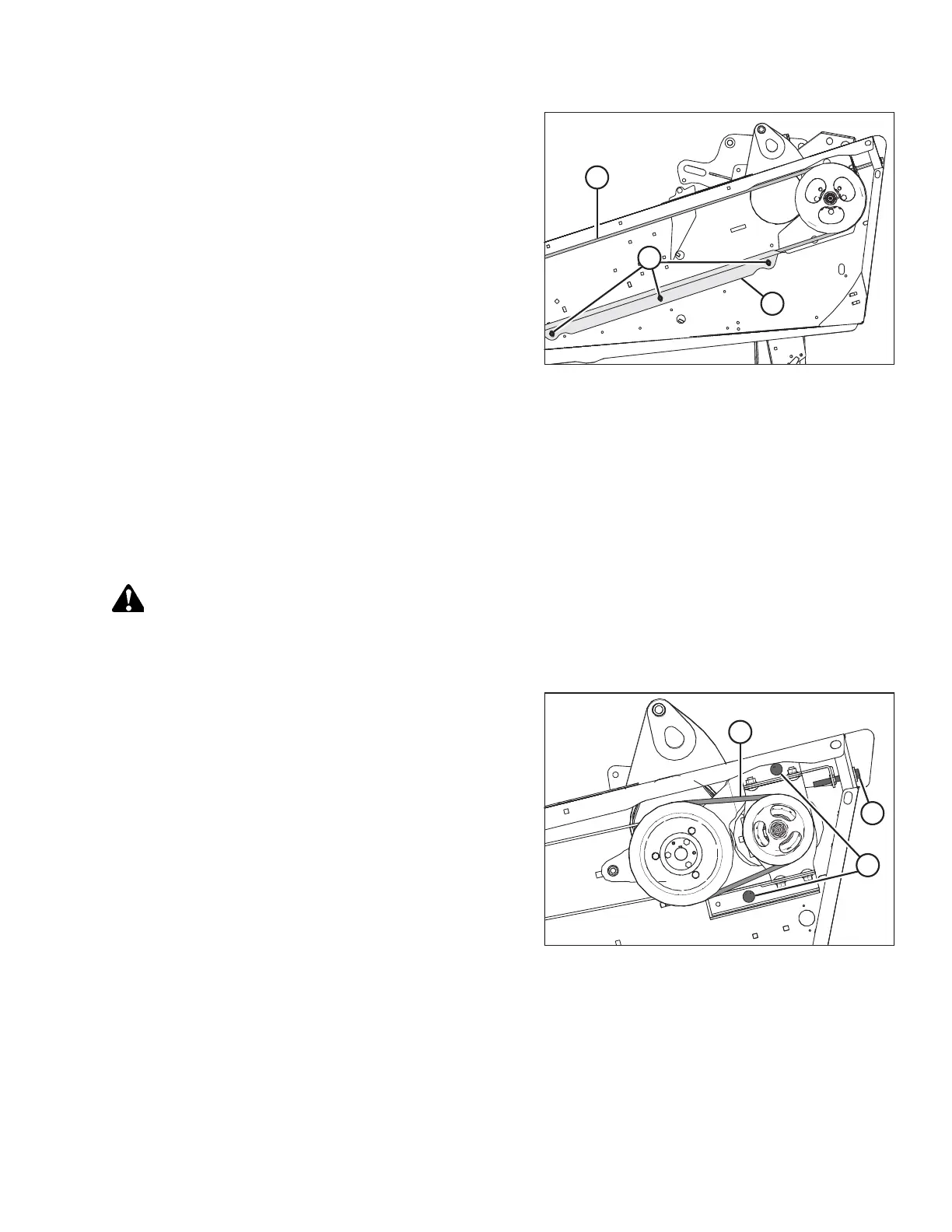
Figure 5.80: Knife Drive Belt Guide
6. Ensure that the clearance between belt (A) and belt
guide (B) is 1 mm (1/16 in.).
7. Loosen three bolts (C), and adjust the position of guide (B)
as needed.
8. Tighten three bolts (C).
9. Close the endshield. For instructions, refer to Closing
Endshields, page 38 .
NOTE:
Readjust the tension of a new belt after a short run-in
period (about 5 hours).
10. Repeat this procedure to check the knife drive’s belt
tension on the other side of the header.
Timed Double-Knife Drive Belts
Knife drive boxes are belt driven by a hydraulic motor, and convert rotational motion into reciprocating motion at the knife.
Double-knife drive systems have two knife drive boxes, one at each end of the header. Timing is achieved using cogged
belts on both sides of the header.
Removing Timed Drive V-Belts
Matching V-belts transfer power from the knife drive motor to the pulley that drives the knife drive belt.
DANGER
To prevent bodily injury or death from the unexpected start-up of the machine, always stop the engine and remove the
key before making adjustments to the machine.
1. Shut down the engine, and remove the key from the ignition.
Figure 5.81: Knife Drive V-Belts
2. Open the endshield. For instructions, refer to Opening
Endshields, page 37 .
3. Loosen two bolts (A) securing the motor assembly to the
header endsheet.
4. Turn adjuster bolt (B) counterclockwise to loosen and
remove the two V-belts (C).
Installing Timed Drive V-Belts
Matching V-belts transfer power from the knife drive motor to the pulley that drives the knife drive belt.
NOTE:
Install new V-belts in matching pairs.
MAINTENANCE AND SERVICING



 To Next Page