215651 68 Revision B
3.7.10 Reel Tine Pitch
The reel is designed to pick up flattened and severely lodged crops. Because the cam setting is mainly used to determine
how the crop gets delivered onto the drapers, it is not always necessary to increase the tine pitch (select a higher cam
setting) to pick up lodged crops.
IMPORTANT:
The following describes the conceptual and operational guidelines of the reel. Please read carefully before operating the
machine.
The positioning of the fingers relative to the ground (tine pitch) is not significantly affected by the cam setting. For
example, with the cam position range at 33°, the corresponding finger pitch range is only 5° at the lowest point of the
reel’s rotation.
For the best results, use the minimum cam setting that delivers the crop past the rear edge of the cutterbar and onto the
drapers. For more information, refer to 3.6.2 Header Settings, page 46.
Reel Cam Settings
The cam position is used to adjust the reel fingers release point of the crop at the back of the reel to the drapers.
The following outlines the function of each cam position and provides set-up guidelines for various crop conditions.
The setting numbers are visible above the slots on the cam disc. For instructions, refer to Adjusting Reel Cam, page 70.
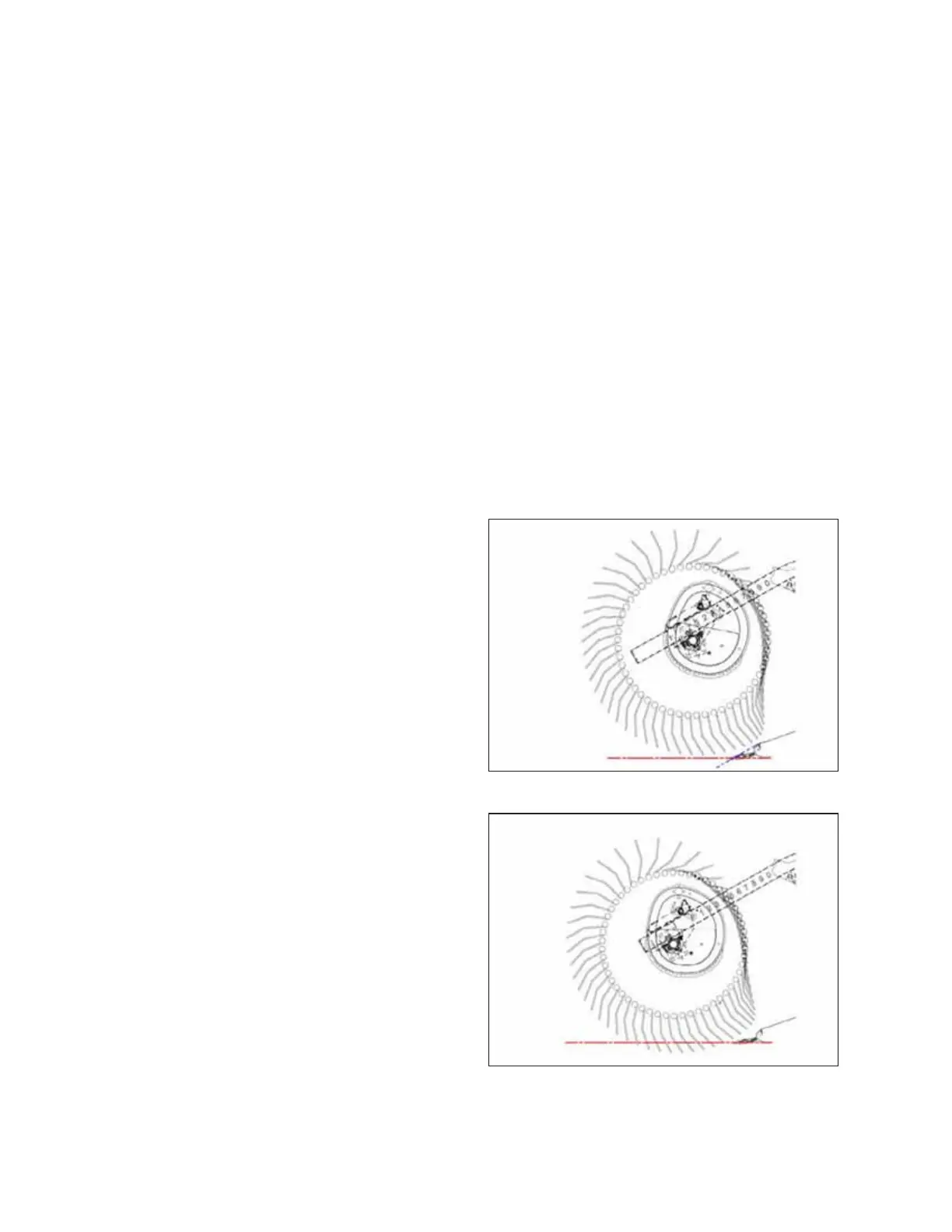
Figure 3.33: Finger Profile – Position 1
Cam Position 1, Reel Position 6 or 7 delivers the most even
crop flow onto the drapers without fluffing or disturbing the
material.
• This setting will release crop close to the cutterbar. It works
best if the cutterbar is on the ground.
• Some crops will not be delivered past the cutterbar when the
cutterbar is raised off the ground and the reel is pushed
forward; therefore, set the initial reel speed approximately
equal to the ground speed.
Figure 3.34: Finger Profile – Position 2
Cam Position 2, Reel Position 3 or 4 is the recommended
starting position for most crops and conditions.
• If the crop is stalling on the cutterbar when the reel is in the
forward position, increase the cam setting to push the crop
past the rear edge of the cutterbar.
• If the crop is getting fluffed or if there is a disruption to the
flow across the drapers, decrease the cam setting.
• This setting generates a fingertip speed that is approximately
20% faster than the reel speed.
OPERATION



 To Next Page