215651 151 Revision B
Installing Knife Drive Box
To install a knife drive box, follow the recommended installation procedure provided here.
NOTE:
If the pulley was removed from the knife drive box, refer to Installing Knife Drive Box Pulley, page 150. If the pulley was
NOT removed, proceed to Step 1, page 151.
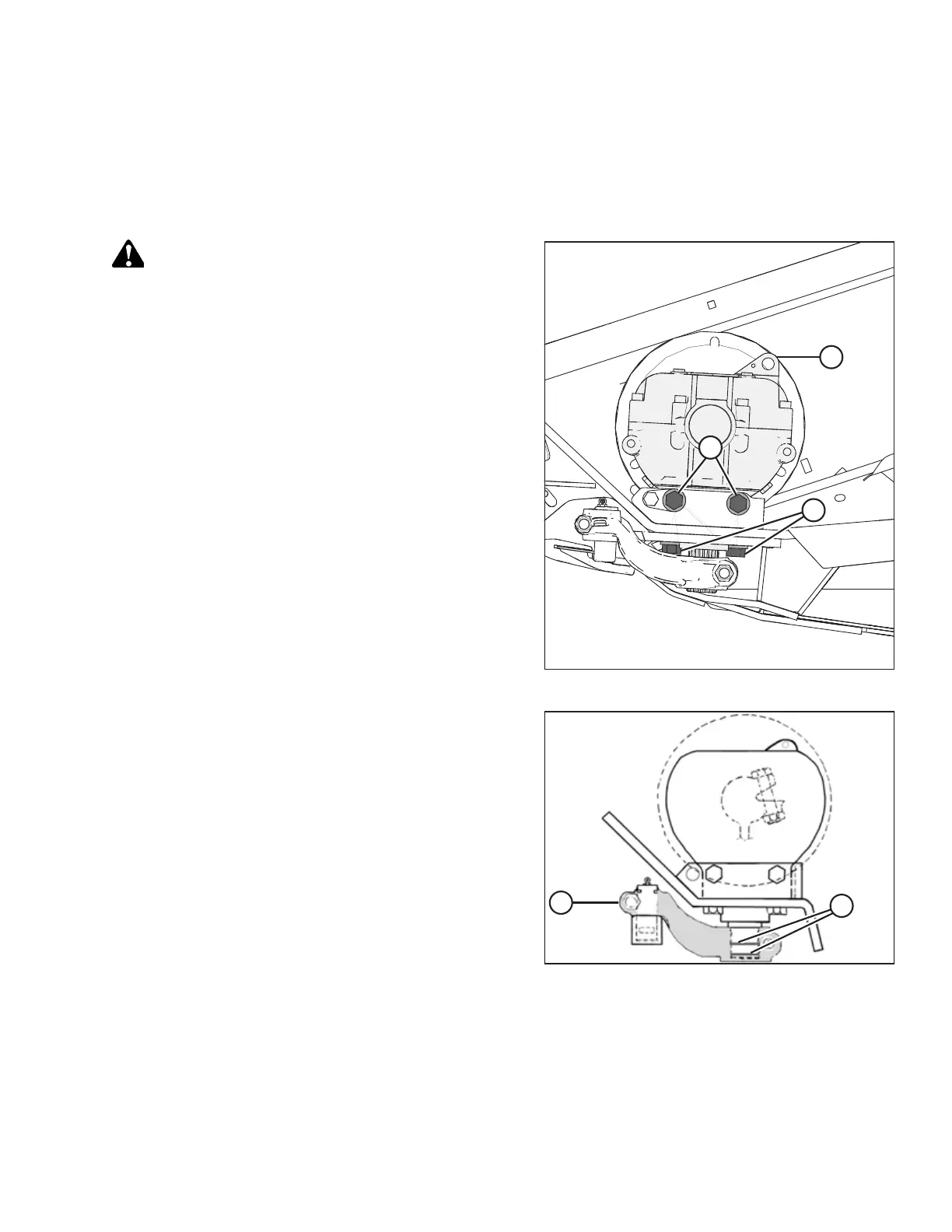
Figure 5.56: Knife Drive Box
CAUTION
The knife drive box and pulley weigh over 35 kg (65 lb.) Use
care when removing or installing. Lug (L) can be used for lifting.
1. Position the knife drive box onto the header mount and
install the belt onto the pulley.
2. Secure the knife drive box to the frame using two
5/8 x 1 3/4 in. grade 8 hex head bolts (A) on the side and
two 5/8 x 2 1/4 in. grade 8 hex head bolts (B) on the
bottom.
NOTE:
If shims were removed from bolts (A) in Step 22, page 149,
install them again in the same place between the knife
drive box and housing.
3. Tighten knife drive box side bolts (A) slightly, then tighten
bottom bolts (B) to ensure proper contact with the vertical
and horizontal mounting surfaces. Do NOT torque the bolts
at this time.
Figure 5.57: Knife Drive Box
4. Apply two bands (A) of medium-strength threadlocker
(Loctite
®
243 or equivalent) to the output shaft as shown.
Apply one band at the end of the output shaft and the
second band in the middle.
5. Slide output arm (B) onto the output shaft. Rotate the
pulley to ensure the splines are properly aligned and the
drive arm clears the frame on the inboard stroke.
MAINTENANCE AND SERVICING



 To Next Page