215651 233 Revision B
Installing Double-Reel U-Joint
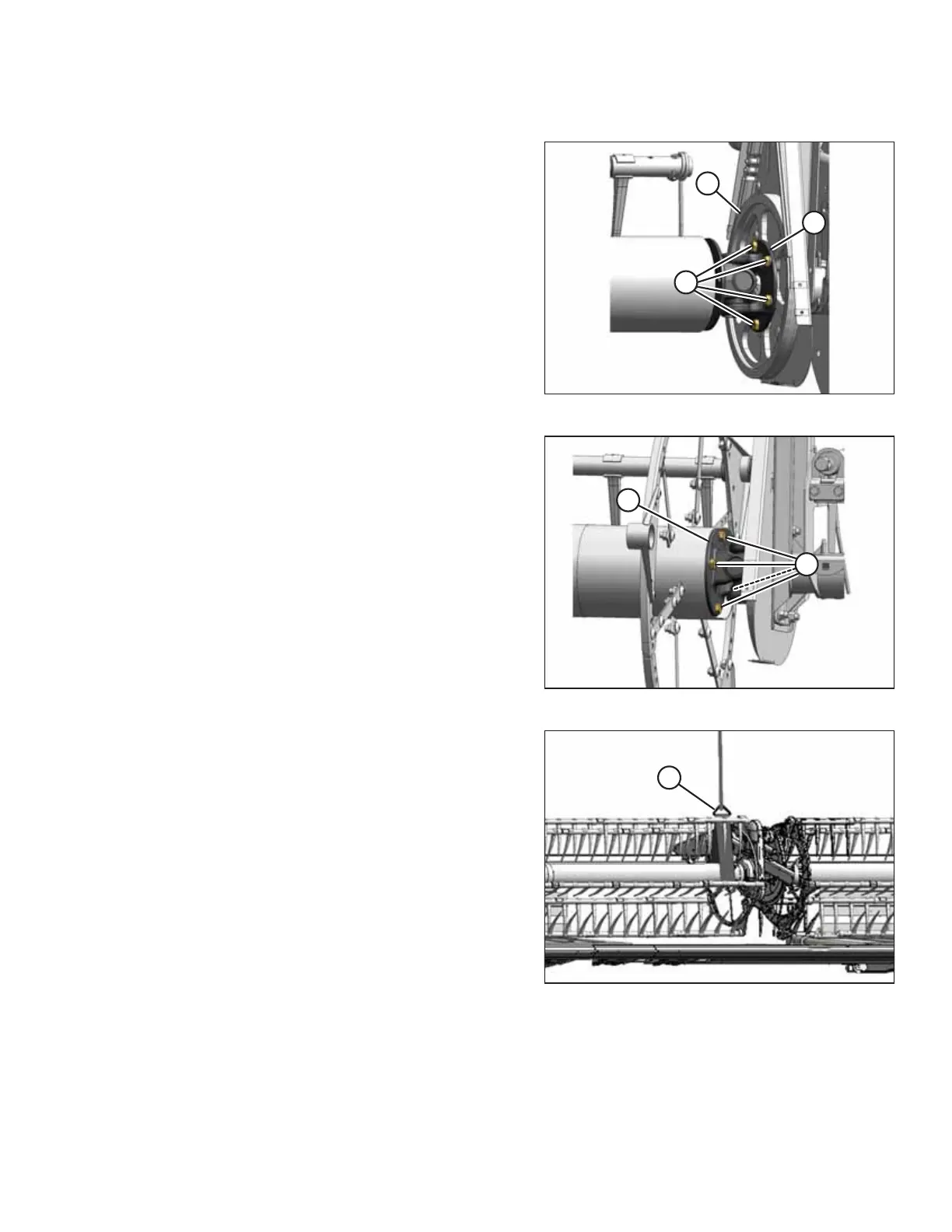
Figure 5.240: U-Joint
1. Position U-joint flange (B) onto driven sprocket (C)
as shown.
2. Apply medium-strength threadlocker (Loctite® 243 or
equivalent), and install six bolts (A). Hand-tighten the bolts;
do NOT torque the bolts.
NOTE:
Only four bolts (A) are shown in the illustration at right.
NOTE:
It may be necessary to move the right reel sideways so that
the U-joint can clear the reel tube.
Figure 5.241: U-Joint
3. Position the right reel tube against the reel drive and
engage the stub shaft into the U-joint pilot hole.
4. Rotate the reel until the holes in the end of the reel tube
and U-joint flange (B) line up.
5. Apply medium-strength threadlocker (Loctite
®
243 or
equivalent) to four 1/2 in. bolts (A) and secure in the
flange.
6. Torque the ten bolts to 108 Nm (80 lbf∙ ft).
Figure 5.242: Supporting Reel
7. Remove sling (A) from the reel.
8. Install the drive cover. For instructions, refer to Installing
Reel Drive Cover, page 226.
MAINTENANCE AND SERVICING



 To Next Page