215651 231 Revision B
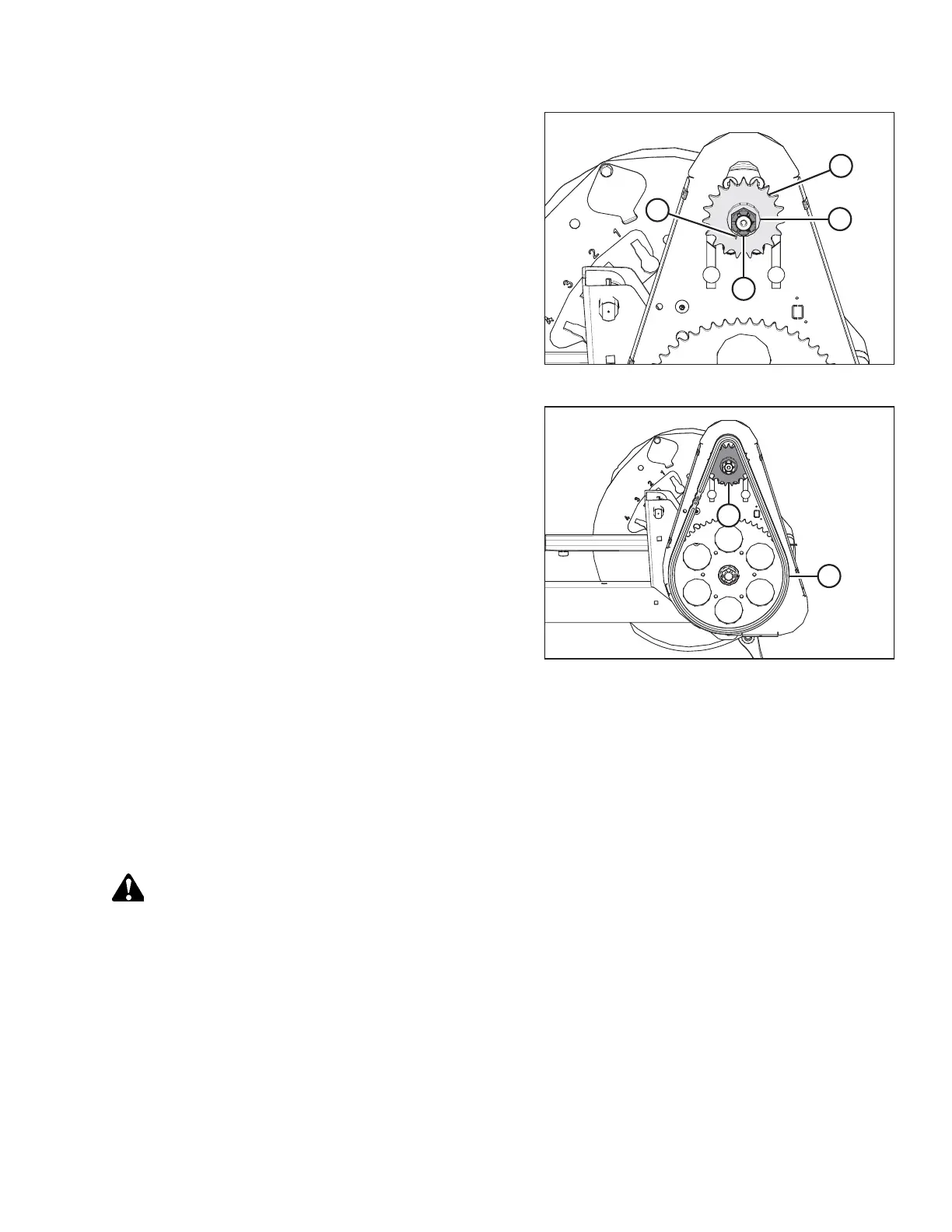
Figure 5.235: Reel Drive
1. Align the keyway in sprocket (D) with the key on the motor
shaft, and slide the sprocket onto the shaft. Secure with flat
washer (C) and slotted nut (B).
2. Torque slotted nut (B) to 54 Nm (40 lbf∙ft).
3. Install cotter pin (A). If necessary, tighten slotted nut (B) to
the next slot to install the cotter pin.
Figure 5.236: Reel Drive
4. Install drive chain (A) onto drive sprocket (B).
5. Tighten the drive chain. For instructions, refer to Tightening
Reel Drive Chain, page 228.
6. Reinstall the reel drive cover. For instructions, refer to
Installing Reel Drive Cover, page 226.
5.9.4 Double-Reel Drive U-Joint
The double-reel drive U-joint allows each reel to move independently.
Lubricate the U-joint according to the specifications. For instructions, refer to 5.3.6 Lubrication, page 120.
Replace the U-joint if severely worn or damaged. For instructions, refer to Removing Double-Reel Drive U-Joint, page 231.
Removing Double-Reel Drive U-Joint
DANGER
To prevent injury or death from the unexpected start-up of the machine, always stop the engine and remove the key
from the ignition before leaving the operator’s seat for any reason.
1. Shut down the engine, and remove the key from the ignition.
2. Remove the drive cover. For instructions, refer to Removing Reel Drive Cover, page 225.
MAINTENANCE AND SERVICING



 To Next Page