215922 153 Revision A
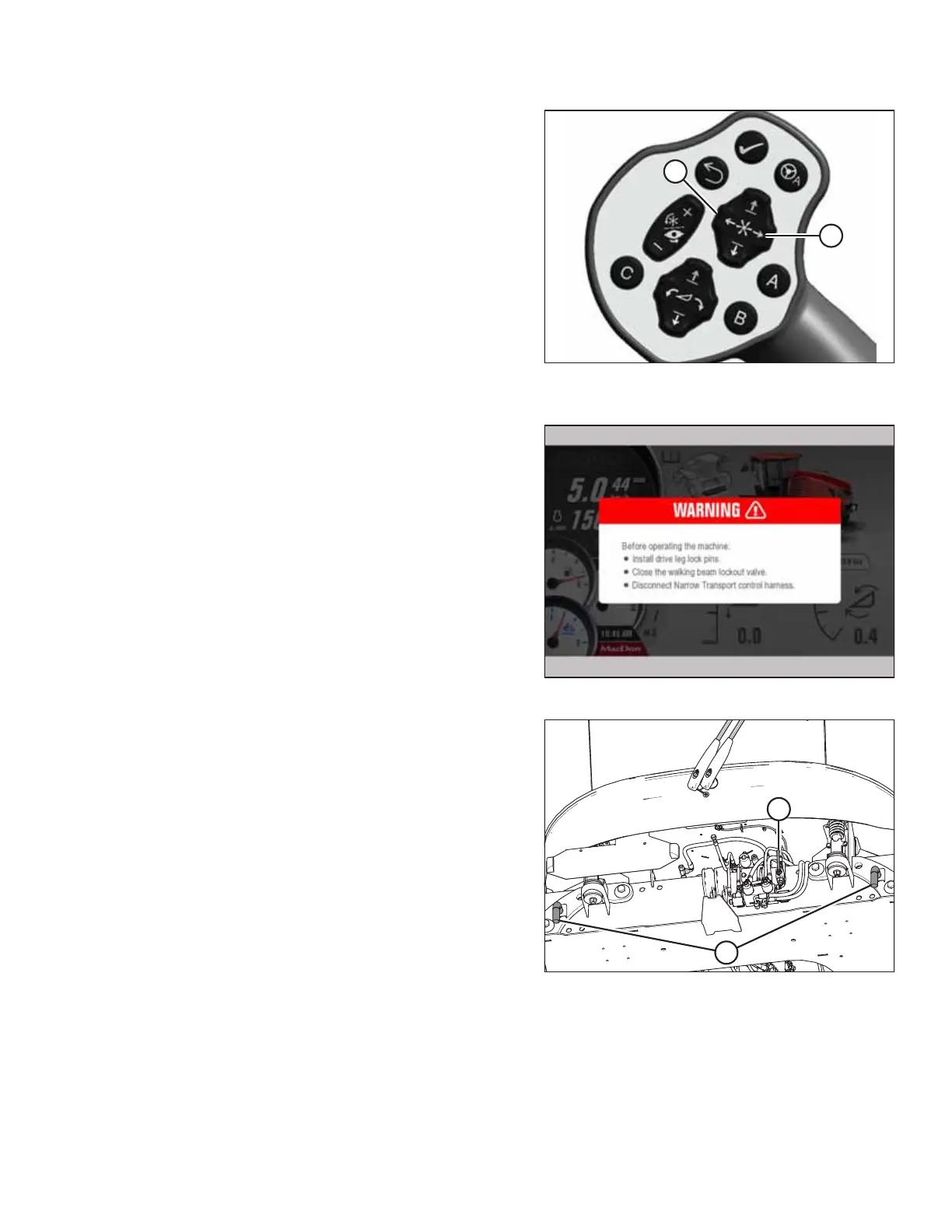
Figure 4.72: Transport Control Buttons
A - Reel Fore B - Reel Aft
16. Press and hold REEL FORE button (A) on GSL to extend the
walking beam.
Figure 4.73: Exit Transport Operation Warning
17. When complete, exit the narrow transport control page by
pressing button F5 or F6 again (whichever is active). The
exit transport operation warning will display on the HPT.
NOTE:
Press F5 or F6 on the console, or HOME or RETURN on the
HPT to cancel transport operation at any time.
18. Shut down the engine, and remove the key from
the ignition.
Figure 4.74: Transport Locks
19. Reinstall lock pins (B) into the drive wheel legs.
20. Turn the walking beam lockout valve (A) to the closed
position (90° from the valve).
OPERATION



 To Next Page